Updating


iPhone Screenshots
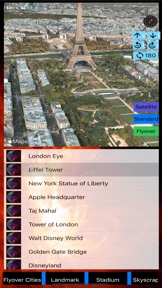

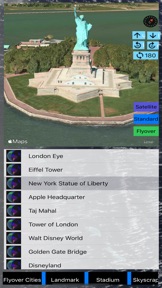
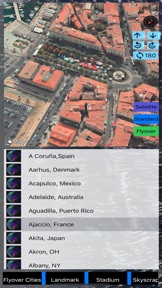


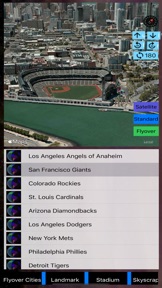
iPad Screenshots
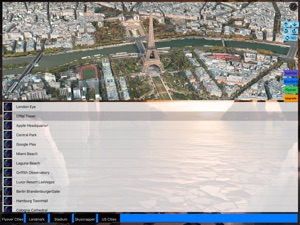
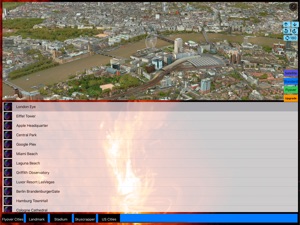


Description
In the past, 3D Modeling requires state-of-the-art computing machines and advanced graphic programming for a building or object. With Apple Map flyover, 3D Cities and Places around the worlds are now available on your iOS devices. (This app is part of the Universal Purchase. With one purchase, you will be able to see the 3D Cities and Places on your iOS, Watch OS and Apple TV devices.). The motivation of this app is to get your the quickest access to the cities and places you can start to explore the fantastic 3D View and explore cities and places in a wonderful experience.
iOS App Quick Started:
> Cities and Places with flyover support around the globe are listed. Zoom in/out and select any city/place to see the 3D View.
> From the right sidebar, flyover locations are listed in alphabet order. Click on any location and ready to see the 3D View.
> Smart tip: from the "Normal" map view to find out any POI and enable the 3D Building View (two-fingers gesture to change viewing angles: zoom in/out, rotate, swipe up/down for 3D View) and then click on "Flyover" to switch to 3D Flyover View.
> To see the "New York City" in 3D View, follow the steps below:
1. Select "New York City" from the map or from the table.
2. "New York City" 3D View should appear.
3. You can use two-fingers gesture to change viewing angles: zoom in/out, rotate, swipe up/down for viewing the city details.
> To see specific POI such as "Eiffel Tower" in 3D View, follow the steps below:
1. Select "Paris" from the map or from the table.
2. Switch to "Normal" map view and find the "Eiffel Tower" on the map.
3. You can use two-fingers gesture to change viewing angles: zoom in/out, rotate, swipe up/down for 3D View.
4. Switch back to "Flyover" view to see the 3D View.
Watch App Quick Started:
> Launch the Watch App and the app will communicate with the iOS App to get the nearest city/place and also notify the iOS App to select and view the city/place. Click on the "Nearest" button if you would like to search the nearest city/place again.
Introduction:
This app integrates the following technologies and data together:
- The latest Apple MapKit features such as Traffic, Buildings, POI and 3D Model
- Apple Watch Integration with iPhone.
- Apple TV integration (Universal Purchase: one purchase to get the app on iOS, Apple Watch and Apple TV)
- Databases with built in information.
This app provides the following features:
- One click City/Place selection by selecting the right sidebar and click on a location.
- This app provides the Apple Watch Integration
- This app will provide Apple TV integration.
What's New in Version 23.60
Update the code to support iOS 16.0.
Seller
Name
Jufen Chang
Information
Developer
Categories
Version
23.60
Size
12.8 MB
Game Center
No
VPP Device Licensing
Yes
Rating
Rated: 4+
Compatibility
iOS 16.0 or later
Devices
iPhone 5s, iPhone 6, iPhone 6 Plus, iPhone 6s, iPhone 6s Plus, iPhone SE, iPhone 7, iPhone 7 Plus, iPhone 8, iPhone 8 Plus, iPhone X, iPhone XR, iPhone XS, iPhone XS Max, iPhone 11, iPhone 11 Pro, iPhone 11 Pro Max, iPhone SE (2nd generation), iPhone 12, iPhone 12 Pro, iPhone 12 Pro Max, iPhone 12 mini, iPhone 13, iPhone 13 Pro, iPhone 13 Pro Max, iPhone 13 mini, iPhone SE (3rd generation), iPhone 14, iPhone 14 Plus, iPhone 14 Pro, iPhone 14 Pro Max, iPhone 15, iPhone 15 Plus, iPhone 15 Pro, iPhone 15 Pro Max, iPhone 16, iPhone 16 Plus, iPhone 16 Pro, iPhone 16 Pro Max, iPhone 16e, iPhone 17, iPhone 17Pro, iPhone 17ProMax, iPhone Air, iPad (5th Generation) Wi-Fi, iPad (5th Generation) Wi-Fi + Cellular, iPad (6th generation) Wi-Fi, iPad (6th generation) Wi-Fi + Cellular, iPad Pro, iPad Pro (Cellular), iPad Pro (9.7-inch), iPad Pro (9.7-inch) (Cellular), iPad Pro 12.9-inch (2nd generation), iPad Pro 12.9-inch (2nd generation) Wi-Fi + Cellular, iPad Pro (10.5-inch), iPad Pro (10.5-inch) Wi-Fi + Cellular, iPad Pro (11-inch), iPad Pro (11-inch) Wi-Fi + Cellular, iPad Pro 12.9-inch (3rd generation), iPad Pro 12.9-inch (3rd generation) Wi-Fi + Cellular, iPad Air, iPad Air (Cellular), iPad Air 2, iPad Air 2 (Cellular), iPad Air (3rd generation), iPad Air (3rd generation) Wi-Fi + Cellular, iPad mini Retina, iPad mini Retina (Cellular), iPad mini 3, iPad mini 3 (Cellular), iPad mini 4, iPad mini 4 (Cellular), iPad mini (5th Generation), iPad mini (5th Generation) Wi-Fi + Cellular, iPad (7th generation) Wi-Fi + Cellular, iPad Pro 11-inch (2nd generation), iPad Pro 11-inch (2nd generation) Wi-Fi + Cellular, iPad Pro 12.9-inch (4th generation), iPad Pro 12.9-inch (4th generation) Wi-Fi + Cellular, iPad Air (4th Generation) (Wi-Fi), iPad Air (4th Generation) (Wi-Fi + Cellular), iPad (8th generation) Wi-Fi, iPad (8th generation) Wi-Fi + Cellular, iPad Pro 11-inch (3rd generation), iPad Pro 11-inch (3rd generation) Wi-Fi + Cellular, iPad Pro 12.9-inch (5th Generation), iPad Pro 12.9-inch (5th Generation) Wi-Fi + Cellular, iPad (9th Generation), iPad (9th Generation) Wi-Fi + Cellular, iPad mini (6th Generation), iPad mini (6th Generation) Wi-Fi + Cellular, iPad Air (5th generation), iPad Air (5th generation) Wi-Fi + Cellular, iPad Pro 11-inch (4th generation), iPad Pro 11-inch (4th generation) Wi-Fi + Cellular, iPad Pro 12.9-inch (6th generation), iPad Pro 12.9-inch (6th generation) Wi-Fi + Cellular, iPad (10th generation), iPad (10th generation) Wi-Fi + Cellular, iPad Air 11-inch (M2) Wi-Fi, iPad Air 13-inch (M2) Wi-Fi, iPad Air 13-inch (M2) Wi-Fi + Cellular, iPad Pro 11-inch (M4) Wi-Fi, iPad Pro 11-inch (M4) Wi-Fi + Cellular, iPad Pro 13-inch (M4) Wi-Fi, iPad Pro 13-inch (M4) Wi-Fi + Cellular, iPad mini (A17 Pro) Wi-Fi, iPad mini (A17 Pro) Wi-Fi + Cellular, iPad (A16) Wi-Fi, iPad (A16) Wi-Fi + Cellular, iPad Air 11-inch (M3) Wi-Fi, iPad Air 11-inch (M3) Wi-Fi + Cellular, iPad Air 13-inch (M3) Wi-Fi, iPad Air 13-inch (M3) Wi-Fi + Cellular, iPod touch (6th Generation), iPod touch (7th generation), Mac Desktop
Languages
English
App Store: Customer Ratings
Ratings & Reviews
0.0 of 5 (No rating)
App Store: Customer Reviews
No Entry