AboutTermsPrivacyContact
 
Updating
Color Screen Unlimited

Color Screen Unlimited

Released: 2016-02-11
© 2020 Little Blue Dot Inc.
Color Screen Unlimited - QR Code
Version 1.8
4+
Download on the App Store
Version 1.8
4+
Download on the App Store
Released: 2016-02-11
© 2020 Little Blue Dot Inc.

iPhone Screenshots

Screenshot
Screenshot
Screenshot
Screenshot
Screenshot
Screenshot
Screenshot
Screenshot
Screenshot
Screenshot

iPad Screenshots

Screenshot
Screenshot
Screenshot
Screenshot
Screenshot
Screenshot
Screenshot
Screenshot
Screenshot
Screenshot

Description

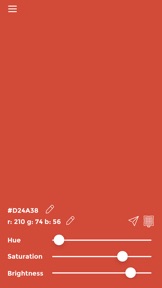
Color Screen is a beautiful iOS app that provides an excellent solution for displaying a color of choice on the iPhone/iPad screen at a brightness desired. It provides a wide range of colors to choose from. It can be used in any situation that requires a colored light with adjustable brightness.
You can also see the hex values and RGB values of the colors to transfer them easily to other editing softwares. The app also remembers last used color, so whenever you come back, it'll start right as you left it.
Possible uses -
- Use for lighting macro photography scenes with literally as bright a colored screen as your iPhone/iPad would allow.
- Use as red light for star gazing.
- Use strobe function with a bright color to help others (friends, family, cabs etc.) locate you easily at crowded locations (movie theatres, clubs, parties, street side etc.)
- Use for design purposes to get HEX and RGB values of desired colors.
- Send color codes to others via text or copy to clipboard to paste to other apps.
- If you received HEX code or RGB code for a color from somebody, easily enter it in the app to see what the color looks like.
Features -
- Choose any color using hue, saturation and brightness sliders.
- See the HEX and RGB codes of the selected color.
- Update the HEX value directly to get a desired color on screen.
- Update RGB value directly to get a desired color on screen.
- No ads, no distraction on the screen. Minimal interface. 
- Tap on the screen to hide the controls for purer color.
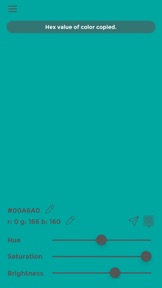
- Tap on the HEX or RGB value of the color to copy them to clipboard and paste to any other app.
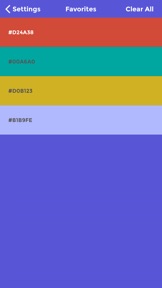
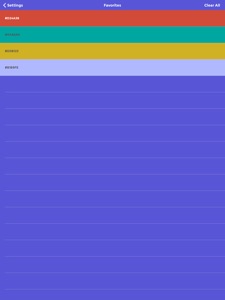
- Double tap on the screen to add a color to the favorites list.
- Swipe left on the main screen to retrieve your favorites list.
- Tapping on a favorite brings up the color on the main screen.
- Prevents screen from auto-dimming or locking when in use - ideal for long duration usage.
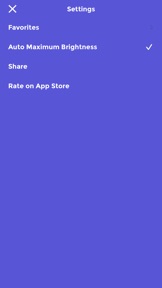
- Provides a setting to turn up the screen brightness to maximum when in use and return to previous brightness level when the app is quit.
- Remembers the last used color and starts right as you left it on the next use.
- Strobe function allows the screen to flash with selected color in order to make it easy to spot.
- The color of the screen can be changed while in strobe mode.
Please note that keeping the screen on for long durations or using the device at maximum screen brightness will affect your device's battery life significantly.

What's New in Version 1.8

* New feature - Edit HEX and RGB codes directly to enter a color of choice. Makes is easy to repeat a color by entering it directly.
* New feature - Strobe function - flashing screen with the desired color.
* New feature - Copy HEX and RGB values to the clipboard by tapping on them. Paste them in any other app.
* New feature - Share function - share the HEX and RGB codes of the color from within the app.
- Minor UI enhancements.
- Messages now show at the top.
- Favorites are now easier to access via right swipe on the main screen.
- "Auto Maximum Brightness" is turned on by default now, until turned off explicitly by user. This is based on suggestions by new users, who may not be aware of a way to increase screen brightness within the app.

Seller

Name

Little Blue Dot Inc

URL

Information

Categories

Version

1.8

Size

16.2 MB

Game Center

No

VPP Device Licensing

Yes

Rating

Rated: 4+

Compatibility

iOS 9.3 or later

Devices

iPhone 4S, iPhone 5, iPhone 5c, iPhone 5s, iPhone 6, iPhone 6 Plus, iPhone 6s, iPhone 6s Plus, iPhone SE, iPhone 7, iPhone 7 Plus, iPhone 8, iPhone 8 Plus, iPhone X, iPhone XR, iPhone XS, iPhone XS Max, iPhone 11, iPhone 11 Pro, iPhone 11 Pro Max, iPhone SE (2nd generation), iPad 2 (Wi-Fi), iPad 2 (3G), iPad (3rd Generation) (Wi-Fi), iPad (3rd Generation) (4G), iPad (4th Generation) (Wi-Fi), iPad (4th Generation) (4G), iPad (5th Generation) Wi-Fi, iPad (5th Generation) Wi-Fi + Cellular, iPad (6th generation) Wi-Fi, iPad (6th generation) Wi-Fi + Cellular, iPad Pro, iPad Pro (Cellular), iPad Pro (9.7-inch), iPad Pro (9.7-inch) (Cellular), iPad Pro 12.9-inch (2nd generation), iPad Pro 12.9-inch (2nd generation) Wi-Fi + Cellular, iPad Pro (10.5-inch), iPad Pro (10.5-inch) Wi-Fi + Cellular, iPad Pro (11-inch), iPad Pro (11-inch) Wi-Fi + Cellular, iPad Pro 12.9-inch (3rd generation), iPad Pro 12.9-inch (3rd generation) Wi-Fi + Cellular, iPad Air, iPad Air (Cellular), iPad Air 2, iPad Air 2 (Cellular), iPad Air (3rd generation), iPad Air (3rd generation) Wi-Fi + Cellular, iPad mini (Wi-Fi), iPad mini (4G), iPad mini Retina, iPad mini Retina (Cellular), iPad mini 3, iPad mini 3 (Cellular), iPad mini 4, iPad mini 4 (Cellular), iPad mini (5th Generation), iPad mini (5th Generation) Wi-Fi + Cellular, iPad (7th generation) Wi-Fi + Cellular, iPad Pro 11-inch (2nd generation), iPad Pro 11-inch (2nd generation) Wi-Fi + Cellular, iPad Pro 12.9-inch (4th generation), iPad Pro 12.9-inch (4th generation) Wi-Fi + Cellular, iPod touch (5th generation), iPod touch (6th Generation), iPod touch (7th generation)

Languages

English

App Store: Customer Ratings

Ratings & Reviews

4.0 of 5 (15 Ratings)

App Store: Customer Reviews

2018-11-03

Colour veil

I am visually impaired so was hoping this app would work like colour veil to help take the glare of white light away. Unless I am using it incorrectly unfortunately this app doesn’t work for me.
Guest1260
Version 1.5
2018-10-16

If you want to lightpaint with long expo THIS is your app!

Spent half an afternoon searching for a simple light screen app so I can light small subjects with my phone screen and take pictures with my dslr camera. This is the one! Simple, easy, fast. No fuss. Brilliant!
Rotpotapotapota
Version 1.5
2018-05-02

Great little App, but could use more controls

Thank you for building this App, it is genuinely useful: The basic functionality is excellent ... especially now that screen-dimming has been overridden.
It is however a little frustrating that adjustments can only be made by using Hue/Saturation/Brightness sliders.
Hex and RGB values are displayed, but not directly modifiable.
... Please consider adding 'scroll-wheels' or direct control via the keyboard.
Great could easily become Magnificent :)
PortaDisk
Version 1.5
2017-05-24

Could be perfect

I love the simplicity and look of this app but there are 2 problems - otherwise I'd give it 5 stars:
1. The display dimming and turning off isn't disabled - so this happens after a few minutes (unless you have auto-lock set to never). I have another app that does disable this and the screen stays bright constantly so it must be doable.
2. When I come back to the app after a few hours it's gone back to default blue colour and it's fiddly to select the favourites. It would be great if it remembered the last colour and kept this after re-launch. Also perhaps have swipe left or right to access favourites?
By the way, I use this with a red/orange light for reading at night - and checking on my sleeping baby.
I really appreciate that's you've given this as a gift - thanks! :-)
RobinOscar
Version 1.3