AboutTermsPrivacyContact
 
Updating
Gboard – the Google Keyboard

Gboard – the Google Keyboard

Released: 2016-06-09
© Google, Inc
Gboard – the Google Keyboard - QR Code
Version 2.0.0
12+
Download on the App Store
Version 2.0.0
12+
Download on the App Store
Released: 2016-06-09
© Google, Inc

iPhone Screenshots

Screenshot
Screenshot
Screenshot
Screenshot
Screenshot

iPad Screenshots

Screenshot
Screenshot
Screenshot
Screenshot
Screenshot

Description

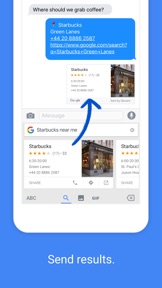
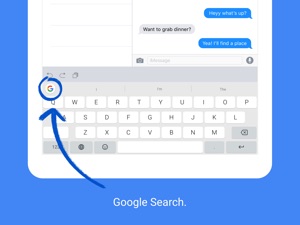
Gboard is the keyboard from Google for your iPhone, packed with features to make typing effortless. On top of GIFs, emoji search and Glide Typing, the power of Google is at your fingertips with Google Search built in. Forget switching from app to app – just search and send, all from one place.
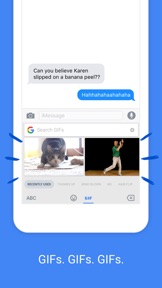
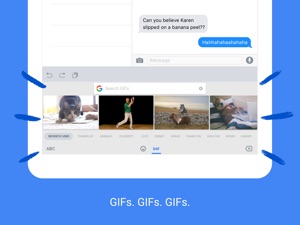
GIFs – Search GIFs for the best reaction
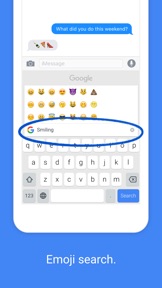
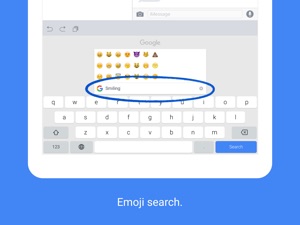
Emoji Search – Find the perfect emoji, faster
Stickers – Create or share stickers to express yourself
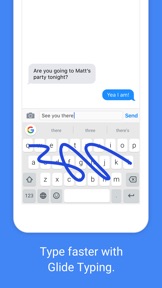
Glide Typing – Type faster by sliding your finger from letter to letter
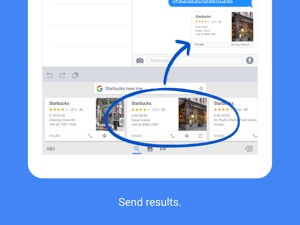
Search and send anything from Google:
• Nearby shops and restaurants
• Videos and images
• Weather forecasts
• News and articles
• Sports scores
• And anything else which you’d search for on Google
Gboard for iPhone and iPad supports the following languages:
• Afrikaans
• Arabic
• Azerbaijani
• Belarusian
• Bengali
• Bulgarian
• Catalan
• Croatian
• Czech
• Danish
• Dutch
• English
• Estonian
• Finnish
• French
• German
• Greek
• Gujarati
• Hausa
• Hebrew
• Hindi
• Hungarian
• Icelandic
• Indonesian
• Italian
• Japanese
• Khmer
• Korean
• Latvian
• Lithuanian
• Macedonian
• Malay
• Maltese
• Marathi
• Norwegian
• Persian
• Polish
• Portuguese (Brazil)
• Portuguese ( Portugal)
• Romanian
• Russian
• Serbian
• Simplified Chinese
• Slovak
• Slovenian
• Spanish
• Swahili
• Swedish
• Tamil
• Telugu
• Thai
• Traditional Chinese (Taiwan)
• Traditional Chinese (Hong Kong)
• Turkish
• Ukrainian
• Vietnamese
• Welsh
• Zulu
Privacy
We know the things that you type on your phone are personal, so we’ve designed Gboard to keep your private information private.
What Gboard sends to Google:
• Gboard sends your searches to Google’s web servers to give you search results.
• Gboard also sends usage statistics to Google to let us know which features are used most often and to help us understand problems if the app crashes.
• If you use Gboard’s microphone, voice input will be sent to Google for transcription.
What Gboard doesn’t send to Google:
• Other than your searches and voice inputs, Gboard doesn't send anything you type to Google, whether it’s a password or chat with a friend.
• To help you with spelling and to predict searches you might be interested in, Gboard will store the words you type on your device. This data is not accessible by Google or by any apps, and can be cleared at any time.
• If you’ve turned on contacts search in Gboard search settings, this allows Gboard to search the contacts on your device so that you can easily share. None of these queries is sent to Google.

What's New in Version 2.0.0

In this version we have:
• Revamped themes: Gboard custom themes are better than ever with many new customisation options! Change everything from background colour to glide trail thickness. Plus, new beautiful gradient themes for you to pick from!
* Not all theme options are applicable for some Chinese and Japanese keyboard layouts.
In case you missed some of our recent features, here's what Gboard has added in the last few updates:
• Your minis: Stickers based on you. Create and customise minis inspired by your photos, and share them in any app.
• You can now type in multiple languages without having to change the language! Just add the languages that you want via the Gboard app, then start typing or swiping!
*Not all languages are supported.
• Improved voice typing experience.
• Language support for Thai, Khmer, Lao and Mongolian.

Seller

Name

Google LLC

URL

Information

Developer

Categories

Version

2.0.0

Size

107.1 MB

Game Center

No

VPP Device Licensing

Yes

Rating

Rated 12+ for the following:
Infrequent/Mild Alcohol, Tobacco, or Drug Use or References

Compatibility

iOS 9.0 or later

Devices

iPad Pro (11-inch), iPad (5th Generation) Wi-Fi, iPad (6th generation) Wi-Fi, iPod touch (6th Generation), iPad Pro (11-inch) Wi-Fi + Cellular, iPad (6th generation) Wi-Fi + Cellular, iPad Pro 12.9-inch (3rd generation), iPad (5th Generation) Wi-Fi + Cellular, iPad mini (5th Generation) Wi-Fi + Cellular, iPad mini (5th Generation), iPad Pro, iPad mini 3, iPad mini 4 (Cellular), iPad mini 4, iPad Pro (Cellular), iPad Pro (9.7-inch) (Cellular), iPad Pro (10.5-inch) Wi-Fi + Cellular, iPad Pro (9.7-inch), iPad Air (3rd generation) Wi-Fi + Cellular, iPhone 6 Plus, iPad Air (3rd generation), iPad Pro (10.5-inch), iPad Pro 12.9-inch (2nd generation) Wi-Fi + Cellular, iPhone 6, iPhone XR, iPhone XS, iPhone 6s, iPhone SE, iPhone 7 Plus, iPhone 6s Plus, iPhone 5s, iPhone X, iPhone 8, iPhone XS Max, iPhone 8 Plus, iPhone 7, iPhone 5, iPad (7th generation) Wi-Fi, iPhone 5c, iPad (7th generation) Wi-Fi + Cellular, iPad Air3, iPad Air3Cellular, iPad Mini5, iPad Mini5Cellular, iPad Pro 12.9-inch (3rd generation) Wi-Fi + Cellular

Languages

English, Afrikaans, Albanian, Amharic, Arabic, Armenian, Azerbaijani, Basque, Belarusian, Bengali, Bosnian, Bulgarian, Burmese, Catalan, Chinese, Croatian, Czech, Danish, Dutch, Estonian, Finnish, French, Galician, Georgian, German, Greek, Gujarati, Hebrew, Hindi, Hungarian, Icelandic, Indonesian, Italian, Japanese, Kannada, Kazakh, Khmer, Kirghiz, Korean, Lao, Latvian, Lingala, Lithuanian, Macedonian, Malay, Malayalam, Maltese, Marathi, Mongolian, Nepali, Norwegian, Norwegian Bokmål, Persian, Polish, Portuguese, Punjabi, Romanian, Russian, Serbian, Sinhala, Slovak, Slovenian, Spanish, Swahili, Swedish, Tagalog, Tamil, Telugu, Thai, Turkish, Ukrainian, Urdu, Uzbek, Vietnamese, Welsh, Zulu
App Store: Customer Ratings

Ratings & Reviews

4.5 of 5 (75 Ratings)

App Store: Customer Reviews

2019-04-15

Too inconsistent

Keeps pressing q when loaded and will always crash on voice input
dmollett
Version 2.0.0
2019-04-14

GBoard

Overall I think that Google have been very successful in creating this magnificent, fully functional keyboard. As far as I can see, the one and possibly only downside to the GBoard keyboard is down to user-error.
Have Google created something that meets all of the user's needs?
theYellowHamster
Version 2.0.0
2019-04-13

Very amazing

There is too many good things I have to say about this keybored that I can't be bothered to type them all down so just download the app and u will know what I mean
UNICORN!!!🦄🦄🦄
Version 2.0.0
2019-04-13

Good fun

Makes typing easier
Surrey user
Version 2.0.0
2019-04-12

It always works...

It's my choice of keyboards as it always works
Omm11
Version 2.0.0
2019-04-12

Amazing

Easy to set up and effective
You can make your own emoji
Title Text Here
Version 2.0.0
2019-04-12

Awesome add on

Fantastic app, don’t need to keep switching app to app now
mountown1
Version 2.0.0
2019-04-11

Happy so far

Very good
mrdanielh
Version 2.0.0
2019-04-10

Nice keyboard

Thanks a million!
illidanW
Version 2.0.0
2019-04-09

Absolutely necessary

Multiple languages, translations and adaptable among other features. Highly recommended
aavpereira
Version 2.0.0
2019-04-08

Dopeaf

Great. Love the gliding
So easy and fun to type with
noiceafstuff
Version 2.0.0
2019-04-08

Gboard

When I first got it l found it was very useful when typing and its helped me develop more awareness of different keys. also it lets you type normally if you want to. From this you can access the internet (Google). Overall a fantastic bit of equipment to add on your phone.
tinytim482
Version 2.0.0
2019-04-07

Yesss

Love it bro make more appssssssss
minecraft loverrrrrrr
Version 2.0.0
2019-04-07

Real productivity aid

Probably the best third party keyboard for iOS. I find the corrections Gboard does, suggestions it offers, and user experience of typing to be far better than other similar keyboards (I used to use TouchPal and SwiftKey).
I'd appreciate more customisations, down to individual keys - so I can "punch through" to punctuation by long pressing letters, without having to press shift or use the period character. Also please add swipe backspace to delete by word.
dr-pop
Version 2.0.0
2019-04-07

Really great keyboard

Brilliant keyboard with multiple functions. I have recommended to my friends and family and they love it.
Buverex
Version 2.0.0
2019-04-06

Thanks

Thanks
Sent from my iPhone7
Version 2.0.0
2019-04-06

Google keyboard review

I love Google keyboard because it is so comfortable and I will NEVER delete this app. On iOS it supports 3 languages including English ( United Kingdom ). The little g sign in the corner means Google services. You click on it and a few Google services will pop up above the keyboard. I do not believe that there is features missing. This is the most AMAZING keyboard I have EVER used in my whole life! Well done Google for creating the most AMAZING keyboard. You can swipe, you can press, and to get the numbers PRESS and HOLD. To get different language letters ( like ï ) PRESS and HOLD.
Copyright 2019
the review producers
Version 2.0.0
2019-04-05

Vraiment sympa et pratique

Plus besoin d'aller sur safari et faire des copies écran ou copier-coller puis revenir sur whatsapp ou autre, on a tout au meme endroit !
J'aimerais juste ne plus avoir les propositions de mots que j'écris 😁
Viiink
Version 2.0.0
2019-04-04

Lol

Just good
Always Idle
Version 2.0.0
2019-04-04

Absolutely great

Absolutely great convivial easy to use
Adrien7575@yahoo.fr
Version 2.0.0
2019-04-01

Best

Awesome things happen get now😀
Emoji queen😇
Version 2.0.0
2019-03-31

Custom settings hard to use

I do use this app, so I guess on some level I'm satisfied with it, though the custom settings feature has very poor UX. There's no reset, so you have to remember ever change you make in order to revert. (e.g. accidentally made my space bar green, can't figure out how to go back.) Also, a lot of the changes appear to do nothing at all. (e.g. I change something to red, and no red appears on the keyboard.)
ithinkihaveacat
Version 2.0.0
2019-03-31

Amazing

I really like this keyboard the swipe feature is quick and easy and almost always guess what I want to say correctly. I love how I am able to search things or go on YouTube no matter where I am. As an apple user I thing that apple should try and incorporate this type of thing in their keyboard but whatever.
jjjjshsbdb
Version 2.0.0
2019-03-30

Keyboard and other cool supplies

This is a blast! I like it
Hoff knight
Version 2.0.0
2019-03-30

BEST KEYBOARD APP EVER!!!!!!

MOST EASY TO USE AND CUSTOMISABLE KEYBOARD APP OUT THERE. IT EASILY BEATS OTGER APPS AND IS WAYYYYY BETTER. AND THE BEST PART IT'S FREE AND HAS NO ADS!
Tahmed_A
Version 2.0.0
2019-03-29

MANY THANKS Gboard

It’s good for me.
MANY THANKS { HASSAN }
HASSAN1965
Version 2.0.0
2019-03-29

No shortcuts

V2.0 No support for keyboard short cuts.
Pathetic
bean481
Version 2.0.0
2019-03-28

Gboard

It is very difficult to fault. I just wish we could FULLY customise the look of the keyboard to have our own fonts and have an INTEGRATED COLOR SPACE-BAR. Swipe works well and there is no lag. Really good!
TrevMcM
Version 2.0.0
2019-03-26

Great!

I love this keyboard because it makes it so much quicker to access stuff and the swipe typing makes it so much quicker to type👍😃😃
Alex Freeman 1239
Version 1.42.0
2019-03-24

Its broke

Your app is broke
an anonymous 11 year old
Version 1.42.0
2019-03-23

Miss the Google Translate only

Hi guys! Hi googlers! Please include the Google Translate on the keyboard! Cheers
marcelogazzola
Version 1.42.0
2019-03-23

NOT BAD,!!

Better than it used to be👍👍😀
MICKY#1☠
Version 1.42.0
2019-03-23

Amazing!

This makes my typing much easier
oooooooooyou
Version 1.42.0
2019-03-22

Wowzers

Absolutely amazing! Download itN
Ollie#Epic
Version 1.42.0
2019-03-22

Best for ios

This is probably the best iOS keyboard app. Much better then apples keyboard and even the iOS version of swiftkey
Pooky Sharma
Version 1.42.0
2019-03-21

Best app ever, especially with the Haptics feature

Fantastic app, especially with the Haptics feedback. Always wanted to have that feature on the iPhone and guess what now I do. Keep up with the wonderful tweaks 😊👍🏼
Sulaiman23
Version 1.42.0
2019-03-21

Gboard

Excellent absolutely love it👍🏻👌🏻
rowie6969
Version 1.42.0
2019-03-20

Google keyboard

Absolutely no reason to complainHORACEINGHAM
Horaceingham
Version 1.42.0
2019-03-18

Not great

No way to make keys a little bigger, which was my reason for downloading it.
55brianb
Version 1.42.0
2019-03-18

Gboard

Fantastic interface. Couldn’t recommend more
liamciaran
Version 1.42.0
2019-03-18

One-step shop!

There have been days when I seem to struggle to type/spell words correctly (probably an old age issue, haha), yet this keyboard always seems to know exactly what I mean. I have the choice of languages, themes, stickers as well as the option to swipe type or hunt and peck keys individually which can really speed up my responses! I've been using this for nearly a year now and have never looked back! Upon visiting the keyboard app this morning to tweak the appearance of my keyboard, I saw the option to leave feedback - so there have been no annoying pop-ups requesting that I write this review, it's purely down to my own volition and love for this keyboard! Good work Google Devs! x
Crzyfc
Version 1.42.0
2019-03-14

Pashto language is still missing

Why are ye not adding Pashto language to the iOS keyboard??????
ebadgul6
Version 1.42.0
2019-03-12

Doesn't work properly

I may have to delete the app.
fcunitedtom
Version 1.41.0
2019-03-11

Very buggy on iOS

Autocorrect turned off in Settings but still autocorrects. A lot more typos than the Apple keyboard. Could be a great app but incredibly frustrating.
The Bob Dylan of Croydon
Version 1.41.0
2019-03-10

Great

Great
Oliver Fry
Version 1.41.0
2019-03-09

Makes the iPhone

Usable
janebyrne
Version 1.41.0
2019-03-08

Good alternative

Good keyboard to have alongside the stock.
The swipe typing is accurate and becomes 2nd nature really quick. Being able to search google, YouTube and maps directly in the keyboard is extremely useful!
applebruhhh
Version 1.41.0
2019-03-05

Decent enough

But it would be nice tobe able to get rid of the settings key and have a bigger space bar...
SteveyAsp
Version 1.41.0
2019-03-03

GOOD

This got this app to use swipe typing (which I am using now!) and it works great. To get it working you just have to click the world button and then it is turned on. And then do the same to turn it off. A perfect app for faster and easier typing.
Saul Pugh
Version 1.41.0