AboutTermsPrivacyContact
 
Updating
iAnnotate 4 — PDFs & more

iAnnotate 4 — PDFs & more

Released: 2016-05-03
© 2010-2024 Branchfire, Inc.
iAnnotate 4 — PDFs & more - QR Code
Version 4.8.15
4+
Download on the App Store
Version 4.8.15
4+
Download on the App Store
Released: 2016-05-03
© 2010-2024 Branchfire, Inc.

iPhone Screenshots

Screenshot
Screenshot
Screenshot
Screenshot
Screenshot
Screenshot
Screenshot
Screenshot
Screenshot

iPad Screenshots

Screenshot
Screenshot
Screenshot
Screenshot
Screenshot
Screenshot
Screenshot
Screenshot
Screenshot
Screenshot

Description

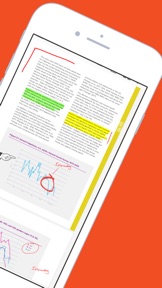
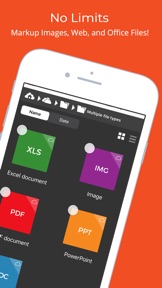
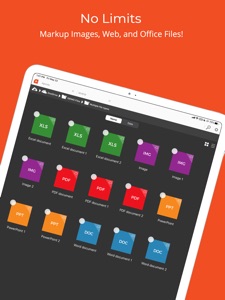
iAnnotate by Folia is the best way to read, annotate, and share PDFs, Microsoft Office files, images and web pages! Over 1 million people turn to iAnnotate to take notes, sign agreements, highlight documents, insert stamps and more.
New in v4: iPhone support, iPad Pro and multitasking support, automatic Apple Pencil detection, shape annotations, improved web markup, enhanced support for OneDrive (and OneDrive for Business), iCloud Drive, and iCloud backup.
iAnnotate’s award-winning interface and customizable set of features make it the go-to app for taking notes on lecture slides, annotating important business documents, revising screenplays, grading papers, and much more. Read on to learn about the great capabilities of iAnnotate:
IPHONE: Now you can use iAnnotate on your phone, with all of the great features you’ve come to expect on your iPad.
IPAD PRO: iAnnotate works great with the iPad Pro. Automatically annotate when you use the Apple Pencil and easily pan, zoom, scroll with your fingers — no tool switching required. Get more work done with iOS multitasking and smart keyboard shortcuts.
ANNOTATE: Choose from the pen, highlighter, typewriter, stamp, straight-line, note, underline, strikeout, photo, voice recording, arrow, rectangle, circle, and date stamp tools.
CUSTOMIZE: Drag and drop tools to your custom toolbars. Swipe between toolbars, or open the Toolbox to access all your tools.
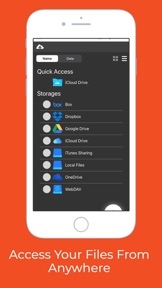
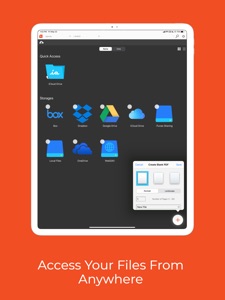
ACCESS: Connect with Box, Dropbox, Google Drive, OneDrive (including OneDrive for Business) or open PDFs directly from email and other apps.
SEARCH: Search documents in your local library and throughout your cloud storage.
SHARE: iAnnotate saves your markups directly to the PDF, so they can be viewed and edited in external PDF readers.
FLATTEN: Compress your annotations onto the document to prevent modification. This is useful for preserving signatures or for preventing recipients from deleting or changing your annotations.
WEB MARKUP: Open a web capture tab and find the site you want to mark up. iAnnotate will convert it to a PDF for annotation.
NAVIGATE: Explore your documents by thumbnails, bookmarks, annotations, or search results.
UNLIMITED TABS: Open multiple documents in tabs, and easily navigate between them, on both tablet and phone.
TWO DOCUMENTS: Work on two documents side-by-side, for even greater productivity.
MANAGE: Arrange documents by folders and sort contents by date added, date last opened, or alphabetical order.
CREATE: Create brand new PDFs with blank, lined, or graph-paper pages.
MODIFY: Add, delete, rotate, and rearrange pages in your documents.
SUMMARIZE: Forward a summary of your annotations as an email or a new PDF.
SECURE: Full support for the iOS Data Protection and Keychain functions.
Interested in using iAnnotate in your business or school? Visit us at www.folia.com to find out about our enterprise options.

What's New in Version 4.8.15

resolved the issue of the program crashing when saving a large document.

Seller

Name

Branchfire, Inc.

Information

Categories

Version

4.8.15

Size

86.3 MB

Game Center

No

VPP Device Licensing

Yes

Rating

Rated: 4+

Compatibility

iOS 13.0 or later

Devices

iPhone 5s, iPhone 6, iPhone 6 Plus, iPhone 6s, iPhone 6s Plus, iPhone SE, iPhone 7, iPhone 7 Plus, iPhone 8, iPhone 8 Plus, iPhone X, iPhone XR, iPhone XS, iPhone XS Max, iPhone 11, iPhone 11 Pro, iPhone 11 Pro Max, iPhone SE (2nd generation), iPhone 12, iPhone 12 Pro, iPhone 12 Pro Max, iPhone 12 mini, iPhone 13, iPhone 13 Pro, iPhone 13 Pro Max, iPhone 13 mini, iPhone SE (3rd generation), iPhone 14, iPhone 14 Plus, iPhone 14 Pro, iPhone 14 Pro Max, iPhone 15, iPhone 15 Plus, iPhone 15 Pro, iPhone 15 Pro Max, iPad (5th Generation) Wi-Fi, iPad (5th Generation) Wi-Fi + Cellular, iPad (6th generation) Wi-Fi, iPad (6th generation) Wi-Fi + Cellular, iPad Pro, iPad Pro (Cellular), iPad Pro (9.7-inch), iPad Pro (9.7-inch) (Cellular), iPad Pro 12.9-inch (2nd generation), iPad Pro 12.9-inch (2nd generation) Wi-Fi + Cellular, iPad Pro (10.5-inch), iPad Pro (10.5-inch) Wi-Fi + Cellular, iPad Pro (11-inch), iPad Pro (11-inch) Wi-Fi + Cellular, iPad Pro 12.9-inch (3rd generation), iPad Pro 12.9-inch (3rd generation) Wi-Fi + Cellular, iPad Air, iPad Air (Cellular), iPad Air 2, iPad Air 2 (Cellular), iPad Air (3rd generation), iPad Air (3rd generation) Wi-Fi + Cellular, iPad mini Retina, iPad mini Retina (Cellular), iPad mini 3, iPad mini 3 (Cellular), iPad mini 4, iPad mini 4 (Cellular), iPad mini (5th Generation), iPad mini (5th Generation) Wi-Fi + Cellular, iPad (7th generation) Wi-Fi + Cellular, iPad Pro 11-inch (2nd generation), iPad Pro 11-inch (2nd generation) Wi-Fi + Cellular, iPad Pro 12.9-inch (4th generation), iPad Pro 12.9-inch (4th generation) Wi-Fi + Cellular, iPad Air (4th Generation) (Wi-Fi), iPad Air (4th Generation) (Wi-Fi + Cellular), iPad (8th generation) Wi-Fi, iPad (8th generation) Wi-Fi + Cellular, iPad Pro 11-inch (3rd generation), iPad Pro 11-inch (3rd generation) Wi-Fi + Cellular, iPad Pro 12.9-inch (5th Generation), iPad Pro 12.9-inch (5th Generation) Wi-Fi + Cellular, iPad (9th Generation), iPad (9th Generation) Wi-Fi + Cellular, iPad mini (6th Generation), iPad mini (6th Generation) Wi-Fi + Cellular, iPad Air (5th generation), iPad Air (5th generation) Wi-Fi + Cellular, iPad Pro 11-inch (4th generation), iPad Pro 11-inch (4th generation) Wi-Fi + Cellular, iPad Pro 12.9-inch (6th generation), iPad Pro 12.9-inch (6th generation) Wi-Fi + Cellular, iPad (10th generation), iPad (10th generation) Wi-Fi + Cellular, iPad Air 11-inch (M2) Wi-Fi, iPad Air 13-inch (M2) Wi-Fi, iPad Air 13-inch (M2) Wi-Fi + Cellular, iPad Pro 11-inch (M4) Wi-Fi, iPad Pro 11-inch (M4) Wi-Fi + Cellular, iPad Pro 13-inch (M4) Wi-Fi, iPad Pro 13-inch (M4) Wi-Fi + Cellular, iPod touch (6th Generation), iPod touch (7th generation)

Languages

English

App Store: Customer Ratings

Ratings & Reviews

4.7 of 5 (1,344 Ratings)

App Store: Customer Reviews

2024-02-19

Keeps crashing

I have a routine task of filling in a PDF form with almost the same data every time, and I bought this app on the basis that it would save me time.
Yes, it will copy annotations from one PDF to another, but (1) only one at a time (PLEASE make it possible to select multiple or all annotations for copy), and (2) it keeps crashing and I have to start all over again.
Not worth the money for me, I want a refund.
Owl17
Version 4.8.10
2023-05-22

Lots of features, somewhat glitchy UI but oh, the crashes!

I use my iPad to correct student’s exam papers which is a lot of tedious work. One can imagine my frustration when after half an hour of annotating papers, the app just crashes and many (not quite sure why not all) of my annotations are gone. Frankly, loosing data is a big no-no for any app but for one that is used to record writing, this is particularly bad.
I want to say that this isn’t a one-time event. I would say the average lifetime of this app is about 20-30 minutes. Admittedly, I have several files upon (somewhere between 20 and 40) and iAnnotate warns about that but, frankly, an app that relies on users to manually manage memory is embarrassing.
Bottom line: this might be a good app some day but needs some serious software engineering to get there.
Holger Pirk
2023-05-13

Sort-of okay

Have had this app for a couple years since buying the big iPad pro. Its a long way from being my favourite PDF reader (Goodreader is excelllent) because its prone to crashing, regularly. I keep the app and the ipad software up to date, and yet the app still crashes pretty much every time its used. Guess its just inherently unstable.
f1ash9
Version 4.3.3
2023-03-23

Brilliant Filling System

Of All the Digital filling systems I’ve tried this has been by far the best.
I can keep my insurance docs, important letters, Service manuals, Handbooks, etc. All in a handy easily accessible secure place.
Also add notes to manuals etc and secure them with passwords.
Also I’m able to share important letters, documents, manuals etc to others via email etc.
Wouldn’t be without it.
Just wondering if there’s some way to link this with Windows 11
Highly Recommend it. Mr Fixit.
Cid The Merciful
Version 4.6.2
2023-03-21

Poorly rewritten copy of free version

I initially used the offline version which was well built and well designed, but didn’t back anything up and didn’t use the standard iPad cloud storage. As a consequence I switched to the paid version with cloud support - a version which is poorly implemented and full of bugs. It often doesn’t save properly and feels like a cheap rip off of the original version to earn some money.
Marc G Weber
Version 4.0.1
2022-03-11

full stops and decimal points wont export!

it can be really confusing when annotated decimal points aren’t exported in this latest version. Is there a fix?
cal3453x42w
Version 4.5.7
2022-02-27

My preferred pdf app

Being using this app since 2013 on my iPad Air 2. Can markup easily and open different tabs. Did an upgrade for my new iPad and had to do a wee payment. App is Really worth it!
Migayuso
Version 4.8.8
2021-11-20

What went wrong?

The app used to be amazing, but ever since the update it crashes every few minutes. I’m a professional audiobook narrator and use this app the whole time. Sadly if it doesn’t get fixed I’ll have to abandon it and find an alternative app.
Barnstaple
Version 4.0
2021-11-14

Latest updates mean app not saving

Following the latest update (Nov 14, 2021) the app is no longer working on WiFi and I cannot save my work. This is affecting my business. Please fix it ASAP!
white2990864538265
Version 4.3.5
2021-11-12

Using iAnnotate

I have been using this app ever since I had my first iPad. I use it to put comments on dissertations that my students send me. It very quickly converts from Word documents. There are also a lot of icons for searching, navigating and putting comments and highlights onto the text. It also saves automatically. My only request is to make it more compatible with other devices and software. Sometimes, when my students receive the PDF they cannot see the comments when using Adobe, for example. Also, it would be good to be able to use iAnnotate in the same way on my PC or Mac desktop. It would also be good to import pictures.
Hollow person
Version 4.7.9
2021-11-02

Unusable

This is the worst app I have ever used. Every time you touch a document it does something unexpected you don’t want it to do!
The annotations features does not exist despite being conspicuously advertised.
The erase functionality does not work.
speedsail7
Version 4.5
2021-02-13

Some Major Issues for me...

I’ve used iAnnotate for years and when I got my new iPad Pro last year I got the latest version. Most of it works fine but I find it doesn’t display document tabs (if I have several open in the app at once) which is annoying - the old version did.
And, WORSE, is that I recently marked up ⅔ of a book ready for an audiobook recording, only to find, the next day, that it had dumped half of them. Grrr..! Could one of the developers (noted here for their excellent response to reviews) please explain these two issues to me and offer some help in retrieving my marked up text? PLEASE!
Robbiesvoice
Version 4.2.1
2020-08-26

Super App

Definitely a must have.
CH2209
Version 4.5.3
2020-08-05

Back on the app

Haven't had an ipad for a few years. Got a new Pro last week and it's just great to be back on iAnnotate. Is there or will there ever be a desktop version?
Jeremy Sheldon
Version 4.6
2020-07-24

Super superb superb superb and god bless

This app is worth every penny
order's child
Version 4.5.1
2020-04-14

What’s not to love😀

It helps me with my work
sxjsdjhdun
Version 4.4.4
2020-04-10

A useful App

This App has many useful features for annotating pdfs. However, save often if you are working with very large files as it is still a bit unstable.
Heather_y
Version 4.2
2020-01-09

Could be brilliant

Too often adds texts boxes when I’m writing and it’s then not easy to amend
toobusy78
Version 4.7.02
2019-10-05

What’s happened?!?

This has been a great app and I have used it for storing my music scores in pdf and annotating them. Now when I copy them to the app they are blurred (and unreadable) or a page full of squares. My iPad is up to date with the latest iOS releases so, what has happened?
Metnome
Version 4.6.5
2019-09-12

Best App Support EVER

I can’t believe how helpful these developers are. Facing a tight audiobook recording deadline, I ran into a strange issue with a document which wouldn’t take any markings - the publishers hadn’t bothered to pass the .pdf through OCR, so the pages were like .jpgs. The iAnnotate team responded immediately to my panicked emails, and worked patiently and tirelessly with me over a few days to adjust my document so that it finally worked.
iAnnotate is the industry standard for recording audiobooks for good reason, as the app provides fantastic resources for marking up a script. Their app support, however, raises it to a whole new level. Thank you, support team. You all ROCK.
Loloknows
Version 4.5.4
2019-09-04

Worth every penny

I’ve had this app (or its previous version) for around 7-8 years now. It’s absolutely brilliant: saves lots of filing space (just file electronically), works really well with the Apple Pencil (though doesn’t make bad handwriting better, sadly ;o)), and is very intuitive... until I had an issue today that I could “intuit”... and discovered that the support team’s response time is extremely fast. Highly recommended.
RachM29
Version 4.7.8
2019-07-31

So useful

I use this for working in television scripts and this is so useful. Especially the ability to export only the annotated pages. Great for script and document notes.
RdotH13
Version 4.1
2018-12-18

IAnnotate

Very good but the tools took some mastering, not fully intuitive. But very effective otherwise
Banno 90
Version 4.4.1
2018-11-25

Impressed

Good upgrade
Butters808
Version 4.7.20001
2018-10-21

Frustrated

This would be a great app, but quite frequently, it will not load my files. I can open up these files in powerpoint and pdf, so I know it isn’t the files themselves. Please fix this bug.
AC Malayan
Version 4.4.3
2018-07-25

Excellent but not quite perfect

I’ve been using this app for around 6 years & it is largely brilliant. I work in the TV industry & read & annotate scripts regularly. It’s a well laid out app that has been clearly put together by intelligent people. The final star of my rating is missing because I’d like to see the ability for the app to transfer annotations from one draft of my script across to the next with the each page with annotations copied across or even the section of text with the specific notations. Still highly recommended.
A.S, London
Version 4.2.6
2018-06-24

Used to be better

I’ve been using iAnnotate for many years now. I always found it very helpful. But it’s quality has been decreasing over time. It automatically creates new versions of my files, and I could find no way of preventing this from happening. This can be annoying, for I have many different versions of the same book/paper in my files, and I regularly need to delete some of them (unless I want my library to become a complete mess).
But things got really bad in the past couple of days. The new version was supposed to fix some problems related to google drive authentication. Instead, it made those problems much worse. Now, every time I open the software (which happens many times a day), I have to get a new authentication (which means that I have to put down my google email, password, and add a new code every single time a use the software). I hope this problem is fixed soon.
Höfig
Version 4.2.9
2018-05-09

Very disappointed!

I downloaded and purchased this App with great expectations that I would be able to use for business and personal use, to among other things make typed changes to documents. However, discovered this could not be done satisfactorily or easily. A box appeared which could not be moved around to where I wanted it. Then when I did of sorts type my change when I saved it and emailed it on, one of the letters in a word vanished! I feel that I have completely wasted £9.99. Am severely disappointed.
C. Simeon
Version 4.1.1
2018-03-17

indispensable for me

Just upgraded to v.4 to retain the Dropbox functionality, and don't grudge the money a bit; I've used the old one every day for years. The support (I couldn't figure out how to see a list of annotations in this version) remains fast, friendly, and precise.
cmcks2
2018-03-04

Good app

Very good app, does all that I want apart from hyper links.
Fluff freeman
2018-01-19

Love the App but have a problem

Use this all the time at work but latest version seems to have a fault and I can’t see how to contact support on website.
Every time my device (iPad Air on latest iOS) sleeps, on waking all my annotations are gone.
I have to quit programme and restart to be able to see them again. Pls help
Revised. Developer saw review above and reached out but deleting and reinstalling seemed to have cured things so back to loving the app!
Also turns out contact support button just missing from mobile web page. There is one on if I look from my computer...
peterfree
2017-12-07

Awesome

I have been meaning to write a review for sometime. I use the app to digest pdfs, mark them up, highlight material, reorientate pages. I use it in a court room environment. Out of court I am reviewing and preparing for the hearing. In court I use it to present the case. The ability to move around within the case is excellent and I can switch between witness statements exhibits and reviews at the tap of a virtual button. The ability to search within the PDF is very useful to.
When not using this for Court work I use to digest other pdfs that come my way. Again the facilities within app are of great use.
Would I recommend this app to others who have need to digest pdfs? Absolutely.
On odd occasions I have had an issue when Apple have updated their software which has caused issues but I have found the developers working on a fix or workaround. They are very responsive.
Highly recommended.
SimonAllen
2017-10-10

User since IPad 1

The app that I used most heavily since apps appeared
Otepipe2
2017-10-10

Does exactly what I need it to do

Coverts files to PDF, works with Dropbox, simple to write on the document. Just like having a printed copy
Charlie Cantanka
2017-09-26

Does what it says

This is my most used app outside email. Works for me!
AlanHop
2017-08-31

Great features and stable

Excellent, perfect for my voice over work!
baldfinger
2017-08-21

Iannotate

Very easy and effective tool
danepatience
2017-08-14

A way to go....

Unfortunately the paid-for version of what has been a excellent App in the past simply doesn't cut it - no support for WebDav yet and problems dragging tools into the toolbar to name but two. Suggest leaving it for a while until the developers get some corrective releases out.
PhilipD18
2017-03-25

Solid, reliable App

I stopped using the previous version as I preferred the GUI of the 2 main competitors. I changed my Cloud provider last year and 1 of those Apps would not access their WebDAV server at all, whilst the other did, but I got regular server and synch errors. I considered upgrading iAnnotate to this current version (4), but, initially didn't, as I noticed they'd dropped WebDAV connectivity. When I emailed support they replied explaining why. I then started to wonder if WedDav access to cloud providers' servers is, perhaps, not all that reliable. I bit the bullet, paid the £9.99 for the upgrade and set up a connection to OneDrive Business, where I have 1TB storage with my Office 365 subscription. iAnnotate has worked with this faultlessly. I like that I'm downloading files from the server, only as needed, and saving back to the server, as opposed to synching all the locally stored files on my IOS devices, with the server, which is time consuming in other Apps. There is the option to save them locally, in cache, but I don't bother, as I always have internet access, by wi-fi or 4G. The iPhone App comes in handy too, I've found. I read and annotate lengthy documents, and need to have several PDF's open simultaneously, which the App manages with ease, and there is no limitation on the number of tabs one can have open. The choice of tools is impressive, but could do with a text box with a border and a call-out box, which I've requested they add to their list of requested features (1 competitor has those). I like the page thumbnails, the way the search feature, annotations list and bookmarks are implemented, that the App's bookmarks display in Adobe Acrobat Pro DC on my Mac (those of the competitors don't) and that I can colour code them. Page rendering and flicking between pages is fast and stable. One can work on the file structure on the server with ease. I had lots of file conflicts on the App of a competitor (file modified on Cloud, when only open on IOS device, and local copy saved to IOS device), but have had none with iAnnotate. I'm a criminal, trial lawyer, in a paperless jurisdiction. The App is trustworthy, very stable and reliable, suits my workflow, and, thus far, I'm very pleased with my purchase, using it in the court room daily.
Trinian
2017-03-16

Step backwards

A big step backwards from the last version and a real disappointment to a previously enthusiastic user of the app. There are some good new features but good features have also been lost. If you have to manage a lot of files or work offline this version is next to useless. I still use the old one. Frustrating that the developers also seem to have ignored feedback - no doubt concentrating on enterprise version with better features - fair enough I suppose but the result is an underpowered consumer version which has lost its edge.
18463629
2017-02-01

Poor compatability

This is a waste of money. I have been using iAnnotate to mark up lengthy documents and saving to One Drive. Will not work with iCloud. Once saved on One Drive all changes and mark ups not seen when the document is reopened in app. Pointless as can't see changes nor make further changes. Can see changes is view the PDF using a different PDF viewer but can't then edit using app. I will be requesting a refund too, will go for a cheaper but functional app instead.
RedSquirrel's
2016-11-12

Now better than ever

I wrote a very critical review when this version first came out as it was no longer possible to access files without wifi - one of the main reasons I use the program. Now this has been fixed, iAnnotate is better than ever.
Siranphoto
2016-08-04

Still not as good as previous version

This was a good app until they released this new version which we had to pay for again.
The name and date sorting still doesn't work properly - if on date sorting, you have to select name and then date again to get an accurate sort; the buttons auto hiding is annoying too.
The developers do try and improve things, 'copy annotation' works a little better, but still leaves the toolbar for the copied annotation open, which needs another click to close - the original app didn't do this.
On the plus side, Dropbox integration is better, but my advice would still be to stick with the original version for now if you have it.
FIA555
2016-08-02

Not as i would expect

You cannot annotate a live website as they lead you to believe. You have to create a pdf from the page and annotate that. This function is buggy and does not render the page correctly. I will be getting my money back. Utterly useless. Also i felt there was a bit of lag on the apple pencil.
Darth_Sideous
2016-07-15

Brilliant update to an already brilliant app

I used the old version and sure it was slightly annoying to have to pay to upgrade to this one, but there are genuinely new and better features. Annotation has always been excellent, but now this works with SplitScreen/multitasking etc. Integration and sync with cloud (e.g. Dropbox) is improved although I tend to use offline for speed and ease.
This is the best app I have found for converting other files to PDFs - they look exactly like they are meant to look, whereas other apps I have tried mangle the formatting.
The only slight downside to the new version is that it no longer searches *within* files but only the file titles. This was a genius and hugely useful feature so hope they will restore it in updates.
Dohertysw
2016-07-03

No local files

This strange mutilation of a previously functional app makes me sad... Why would you not keep the local file manager with fulltext search capability? We do not always have access to wi-fi.
Cirozaaaaa
2016-06-21

Waste of money!!!!!!!!!!!! Biggest regret ever!!!!

I regretted spending another #7.99 to buy this version.you can not save without wifi. So what's the pint of having an IPad ??? I might as well do the work at home.
V'tarl
2016-05-25

A Backward Step

The new options for annotating PDFs are a welcome addition, but sadly the functionality relating to opening and saving documents is a backward step. One of iAnnotate's greatest features, the ability to use WebDAV is sadly no more, and is sorely missed, and although there is a greater choice of cloud based storage solutions supported by the app, the method to actually access your docs is poorly implemented. Regardless of what cloud based solution you use, unless you remember to save that same document locally (in itself a tedious and non intuitive process) you'll lose access to the document if you're unable to connect to your cloud storage.
Unfortunately this new version is inferior to its predecessor in overall usability.
nsd333
2016-05-19

Completely disagree with the negative reviews!

I've had iAnnotate on the iPad for years now and find it to be excellent. Unfortunately I got caught short at work recently and had to try and fill in a pdf on my iPhone. Not wanting to spend out, I downloaded a well reviewed free app but it was a complete waste of time and caused me some embarrassment. It was clunky, awkward to use and didn't bloody save!
Not wanting to be in the same situation again and put off by the negative reviews, I tried several other free apps but none of them come close to what I'm used to.
In the end I just went with what I've always known to be good and I'm pleased I did. IAnnotate has tons of great features, it's hasn't been buggy for me at all, you CAN save files to your device, drop box, iCloud etc. It's easy to use and makes filling in pdf fairly painless. To my mind it's worth the money.
Hairy henry
2016-05-16

Total waste of money

I like iAnnotate PDF and have paid for this "upgrade", but it is not usable. I have an iPad2, running iOS 9.0.2.
If I hit the menu bar on the right to select any function to mark up any document I have tried to work on, the app crashes. How they can be allowed to charge for such rubbish I do understand.
ElScrim
2016-05-15

DO NOT buy this

Below the line are my original comments
Sadly I have found more problems and have 1 star, I will be seeking a refund for what is an awful app
I have opened documents (in the new illogical way) annotated them and then been told that I cannot save them under the original name. This is doubling the size of my library which I do not need.
There is no quick tool menu, where you double tap and get the ones you use regularly
Cannot select multiple documents
Overall I feel that the developer could easily have built the changes that are good like multi tasking into the old app, but have decided to rip off loyal customers by charging them again. Very poor show
--------------
It looks a little cleaner which is a good start
However there is no local to cloud sync. You can store files locally but they don't auto sync to the cloud.
Ok you can open cloud files before you leave home, but if you have forgotten to download all the files you will need and you are without an Internet connection.....you are screwed! This is a serious backward step.
Getting files off the old version into this, is painful and laborious.
Overall I would say stay where you are with the old one till they resolve some of these serious flaws
Newpike
2016-05-13

Potential, but not a great start...

Don't know who beta tested this but I've been using iAnnotate for years and switching to new app created real problems for me.
1. You can't simply check a folder and download it - that's a no brainer...
2. I have all my files in Dropbox filed in order using underscores to bring files to the top - however in v4 it puts them to the bottom!! So my '___iAnnotate' folder, instead of being at the top of the Dropbox and easily accessed, is now at the bottom and takes ages to scroll!!
3. I annotate a number of PDFs while at a learning event and thought I'd lost the notes!! Finally found the PDFs saved but it was not easy
... And a lot of other small glitches that are very frustrating.
So, guys, some good features but you need to get the basics right...
BurntNorton
2016-05-05

Very disappointed without Local Saving

You can’t save folder or files locally. Imagine you want to browse 20+ files without internet. You have to open it one by one when you are connected to internet and then find your pdf through tags which is cumbersome and ridiculous. Please add the local saving functionality (folder and files) to this app, otherwise, this is a joke!!! Local saving doesn’t mean to save through tags!!!
yerik z
2016-05-05

Missing Functionality

A nice clean environment for working, however they have decided to drop support for WebDAV which makes working with Microsoft SharePoint and other document managment systems almost impossible.
When using with an Apple Pencil, random marks across the page will occur if you try and use the Pencil for commands then touch the screen with a finger to scroll.
I would suggest staying with the previous version / product until they resolve these issues. (iAnotate PDF).
Colin Halbert
2016-05-04

Disappointing

What's happened to the ability to save local files?
What's happened to the 'list' option in Dropbox?
Digitaljan