AboutTermsPrivacyContact
 
Updating
Road Trip Planner™

Road Trip Planner™

Released: 2016-03-31
© 2019 Copyright Modesitt Software
Road Trip Planner™ - QR Code
Version 4.7.2
4+
Download on the App Store
Version 4.7.2
4+
Download on the App Store
Released: 2016-03-31
© 2019 Copyright Modesitt Software

iPhone Screenshots

Screenshot
Screenshot
Screenshot
Screenshot
Screenshot
Screenshot
Screenshot
Screenshot
Screenshot
Screenshot

iPad Screenshots

Screenshot
Screenshot
Screenshot
Screenshot
Screenshot
Screenshot
Screenshot
Screenshot
Screenshot
Screenshot

Description

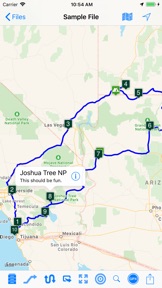
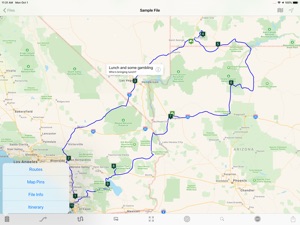
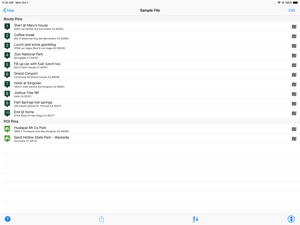
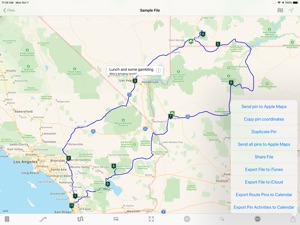
Place pins on a worldwide map for each location you want to visit, then see your route. Enter trip details for each location and create a complete trip itinerary. Multiple sample files are available, including an informative Route 66 sample file.
You can demo this app by downloading our free RTP Viewer app. RPT Viewer is virtually identical to this app except with RTP Viewer you can’t save your edits.
MAP PINS HOLD WHAT YOU NEED. Each pin shows:
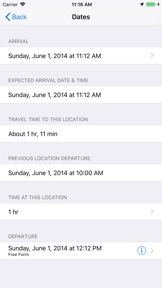
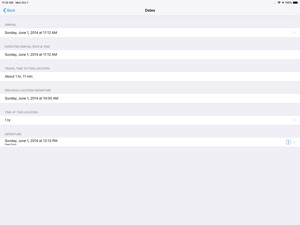
- arrival date & time
- departure date & time
- travel time to this location
- time spent at this location
- name of pin (such as John’s house)
- address of pin
- notes and images
- custom pin color and icon
- URL for related information
- URL for related images
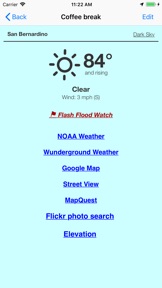
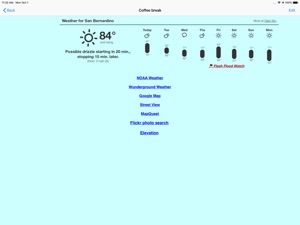
- weather reports
- transport type (driving or walking)
- Internet Search results
- list of activities (lodging, sights to see, etc.)
- choose between multiple routes (if available)
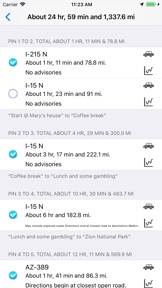
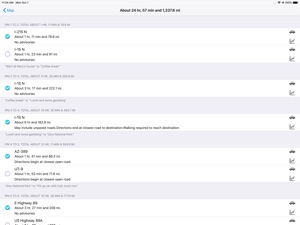
- view driving distance between pins, driving time, fuel cost, travel advisories, turn-by-turn driving directions
- Export pin data to your calendar.
EACH PIN CAN HAVE MANY ACTIVITIES. For each activity you can record:
- name of activity
- activity date, time and duration
- cost
- phone
- FAX
- address
- URL
- email address
- confirmation number
- notes
- picture
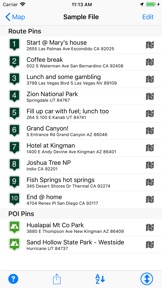
There are two types of pins. Route Pins are used to create the route. POI Pins mark points of interest on the map.
Choose between Apple Maps or OpenStreet Maps. Cache non-Apple maps to disk for offline use. See the settings and Help for more info.
For air and rail routes a straight line can be displayed between pins.
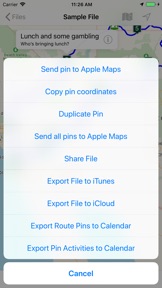
Add, remove or rearrange the pins in any order you wish. Routes and pins can be sent to Apple Maps.
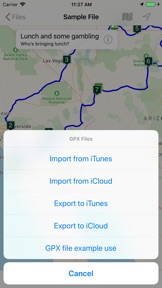
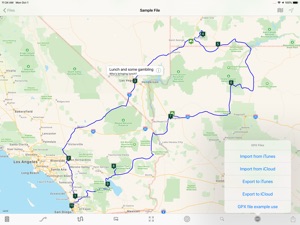
Import and export GPX data files.
Each trip can be saved as a separate document. Perfect for anyone who wants to maintain a record of past trips.
VIEW YOUR TRIP ON YOUR MAC with our Road Trip Planner app available from the Mac App Store.
Send location data to Road Trip Planner directly from any of our location-savvy apps.
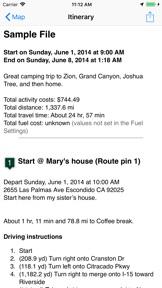
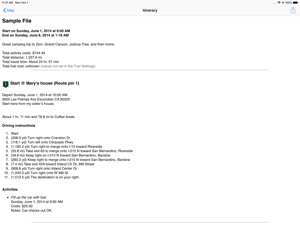
THE ITINERARY HOLDS ALL OF THE DETAILS. Share it and take it with you.
- print the itinerary or share it easily
- includes a map image with pins and routes, activities for each Route Pin, costs for each activity, total fuel cost, total trip cost, information for Points of Interest Pins, and driving instructions.
USE THE TO-DO CHECKLIST. Make sure you don’t forget anything.
Development is very active and we have many more features planned. We respond quickly to suggestions and questions in our forum.
PLEASE CONTACT US IF YOU HAVE A QUESTION OR AN ISSUE. We promise we'll respond as quickly as we can.
For more info visit the Road Trip Planner web site at http://roadtripplanner.modesittsoftware.com
PLEASE READ CAREFULLY BEFORE PURCHASING:
The mapping and routing functionality Road Trip Planner uses is based upon Apple’s maps technology. If Apple Maps cannot find a route between map pins, then neither can Road Trip Planner. Please test the area you wish to travel using Apple’s Maps app to ensure that the area can be routed. If it cannot be routed, please submit the issue to Apple. If Apple Maps cannot perform routing in the area you wish to travel then neither can Road Trip Planner.

What's New in Version 4.7.2

More accurate address displayed when adding a new pin with an address.
Better error control when exporting to iCloud.
Other bug fixes and enhancements.

Seller

Name

William Modesitt

URL

Information

Categories

Version

4.7.2

Size

6.6 MB

Game Center

No

VPP Device Licensing

Yes

Rating

Rated: 4+

Compatibility

iOS 9.3 or later

Devices

iPhone 11 Pro Max, iPad Air 2 (Cellular), iPad mini Retina (Cellular), iPad Pro (11-inch), iPad (5th Generation) Wi-Fi, iPad (6th generation) Wi-Fi, iPod touch (6th Generation), iPad Pro (11-inch) Wi-Fi + Cellular, iPad (6th generation) Wi-Fi + Cellular, iPad Pro 12.9-inch (3rd generation), iPad (5th Generation) Wi-Fi + Cellular, iPad mini (5th Generation) Wi-Fi + Cellular, iPad mini (5th Generation), iPad Pro, iPad mini 3, iPad mini 4 (Cellular), iPad mini 4, iPhone 11, iPod touch (7th generation), iPad mini 3 (Cellular), iPad Air, iPad Air 2, iPad Pro 12.9-inch (2nd generation), iPad Pro (Cellular), iPad Pro (9.7-inch) (Cellular), iPad Pro (10.5-inch) Wi-Fi + Cellular, iPad Pro (9.7-inch), iPad mini Retina, iPad Air (Cellular), iPad Air (3rd generation) Wi-Fi + Cellular, iPhone 6 Plus, iPad Air (3rd generation), iPad Pro (10.5-inch), iPad Pro 12.9-inch (2nd generation) Wi-Fi + Cellular, iPhone 6, iPhone XR, iPhone XS, iPhone 6s, iPhone SE, iPhone 7 Plus, iPhone 6s Plus, iPhone 5s, iPhone X, iPhone 8, iPhone XS Max, iPhone 8 Plus, iPhone 7, iPhone 5, iPad (7th generation) Wi-Fi, iPhone 5c, iPad (7th generation) Wi-Fi + Cellular, iPad Air3, iPad Air3Cellular, iPad Mini5, iPad Mini5Cellular, iPhone 11 Pro, iPad Pro 12.9-inch (3rd generation) Wi-Fi + Cellular

Languages

English

App Store: Customer Ratings

Ratings & Reviews

4.5 of 5 (3 Ratings)

App Store: Customer Reviews

2017-09-07

The best app I have used for planning caravan holidays

I have tried many apps to enable me to plan long distance European touring caravan holidays. The best I had found so far were InRoute and NewRoute. Both are very good but Road Trip Planner is SO much better.
The tools provided make it so easy to research stopping places, showing distances between, to or from previous waypoints. The ability to add notes, web links etc to each waypoint is so useful.
Despite a previous review by someone who obviously hadn't gone deep enough into the app, I can assure you that distances can be set to miles or km.
The free of charge RTP Reader version of the app does everything except permit saving of routes so download this and try it out before purchasing the full version. If like me you need to research, plan and record planned trips with all the necessary information attached, you will happily pay for the full version.
Well done to the author for an excellent, well thought out tool for great trip planning and NO, I do not know him or have any connection with him but truly hope the app will be successful enough for him to continue to develop and support it in the future.
John Dempsey
JohnD12
Version 4.6.6
2017-03-14

Kilometres ONLY

Having this App on iMac, mini iPod & iPhone, it's OK sur Le continent But if you are in the U.K., NI or USA or any other country that still measures distance in miles, yards, feet and inches look else where! The map show miles but the route are in kilometres. I have asked the app supplier who kindly pointed me in the direction of the "Group" in Google! Some help having shelled out and followed the instruction that they suggest in the help!! In the words of the prophet catch the bus!
Vianalky
Version 4.4.1
2016-10-11

Useless

What a useless app. Every time I try to set the route between two pins I get an error message. More frustrating than anything else!
Zero stars. Should have tried the free version before purchasing the full app!
Zz1111
Version 4.2.7