Description
• This app only grows if more locations are added by users, it’s called “Crowd-Sourcing” so if you find there are no parking spaces shown in your local town for example, click on the link in Settings and go to the web site and please add them.
Description:-
This app uses a database of parking locations by kind permission of Dan Gibson at “BlueBadgeParking.com”. After the initial launch of app, if you don’t have cellular connection it uses the last version saved. When launched, the app looks for nearest available spaces to your current location based on the Search Radius selected in ‘Settings’ (default 3 miles / 4.5kms).
Map tab:-
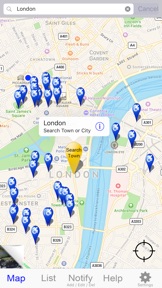
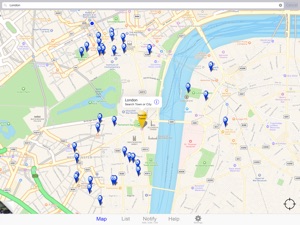
The circular ‘Zoom’ button toggles between 3 views, Zoom just the nearby locations or your location & all the nearby locations & if a pin is selected (flag appears) then it zooms right into just that location.
Searching other Towns:-
In the main ‘Map’ tab, touch the search box at the top & you can enter not only the name of a Town or City but also Post or Zip codes.
List tab:-
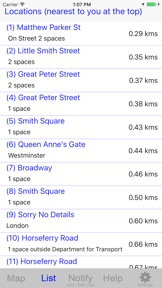
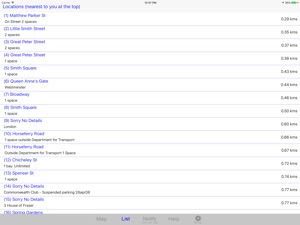
The list which is sorted so nearest to you or if you used the search box then nearest that location is at the top. Parking locations are within same Search Radius as Map. If your location has changed then ‘pull’ list down ‘to refresh’ the distances & locations. If you would like to view a particular location just touch the description & the ‘Map’ tab opens with just that location shown. The location pin flag has a blue ‘i’ & if you touch that a menu appears with three Navigation Options.
Notify tab (The following features will be added soon):-
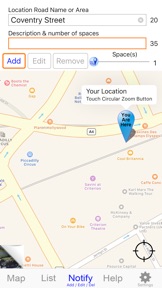
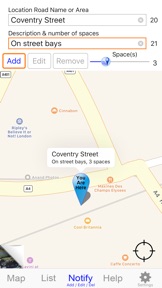
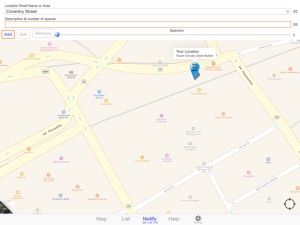
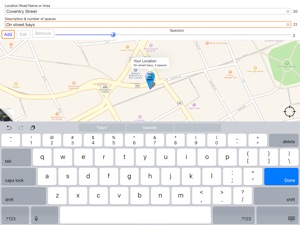
This tab lets you Add, Edit, Move & Delete locations.
Settings tab:-
Here you can change the search radius, distance units, enable / disable Beep Sounds, Delete Marked, Enable Shake feature, Disable Screen Auto Lock & Enable Zoom with Satellite view. These settings are remembered when the app is closed, ready for next time.
Short Cuts:-
There are 3 functions that use the ‘Shake’ facility which means when you shake your iDevice firmly, it will trigger one of these:-
1/ In Map tab:-
If there are parking location pins visible, it zooms into the nearest. You can then touch zoom button which temporally switches to Satellite view.
2/ Notify tab:-
After shaking iDevice a Menu appears with 2 options.
A/ “Add ‘Quick’ Location” which at present works but you can’t update the database.
B/ “’Mark’ Location on Map” this drops a pin on the map where you are standing, so if you are stood by your vehicle it helps you find it again later. The pin flag includes road name, current Date and Time to act as a reminder if your parking time is limited. You can add as many of these as you want and ‘Discard’ them individually or if enabled in Settings, app will automatically remove them after 3 days.
There are 2 compass features in Map:-
1/ Touch & Hold the map and a compass arrow appears, rotate iDevice until arrow with the words ‘Device North’ is pointing to the top of the screen. Now any pins or Points of Interest are in the direction relative to your screen.
2/ Touch any pin & choose ‘Location Direction’ & a blue arrow appears pointing towards the pin and the Line of Sight distance is shown inside the arrow. These are constantly updated as you walk about, to dismiss arrow, just touch screen.
Show Walking Route:-
From the Map “Navigation Options” select ‘Show Walking Route’ & app calculates best walking route to the selected pin and displays the actual distance. This feature requires a network connection.
Compatibility:-
Blue Badge Parking app is Universal & ideally with cellular connection (this is not essential as the last collected data is retained) & compatible with all iPad’s with GPS, all iPhones from iPhone 4s to iPhone XS, iPhone XS Plus and iPhone XR.
Requires iOS 8.2 or later.
Special gratitude to Dan Gibson of BlueBadgeParking.com for allowing access to his invaluable database of parking locations.