AboutTermsPrivacyContact
 
Updating
Teleprompter for Video

Teleprompter for Video

Released: 2016-10-12
© Norton Five Ltd
Teleprompter for Video - QR Code
Version 2.7.6
4+
Download on the App Store
Version 2.7.6
4+
Download on the App Store
Released: 2016-10-12
© Norton Five Ltd

iPhone Screenshots

Screenshot
Screenshot
Screenshot
Screenshot
Screenshot

iPad Screenshots

Screenshot
Screenshot
Screenshot
Screenshot
Screenshot

Description

This app is perfect for vlogging, making explainer videos, practicing speeches, recording self tapes, creating video resumes and much more.
Here's how it works...
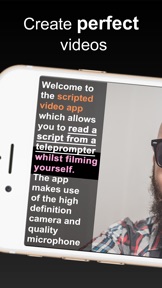
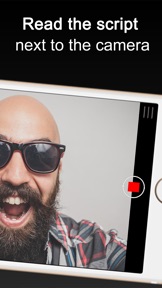
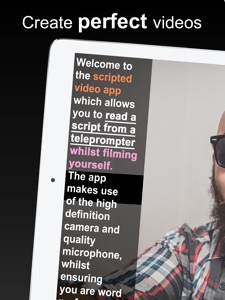
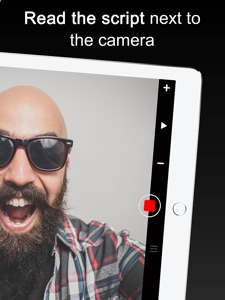
You read from a script while filming yourself in high definition. The teleprompter (or Autocue) script scrolls next to the camera lens to ensure you are looking directly into the camera at all times. Simply read and record!
Scripted Video is free for scripts of up to 750 characters and works across all iOS devices. For longer scripts you need an in-app purchase.
Here are some of the features:
* Record videos in high definition (HD) using the front and back facing camera.
* Tap the script to manage and share multiple teleprompter scripts across different iOS devices.
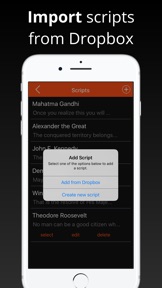
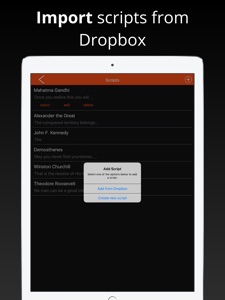
* Import your scripts from Dropbox or Google Drive in .doc, .docx, .txt, .rtf formats.
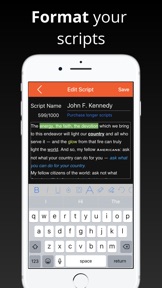
* Format your scripts in Rich Text to make them easier to read.
* Set a countdown to get into position and a countdown to automatically end recording.
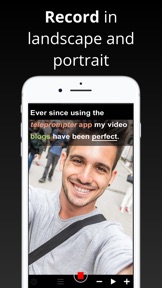
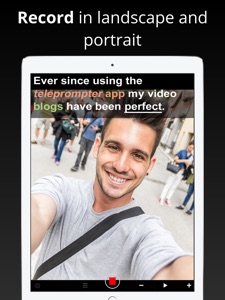
* Record your video in landscape or portrait.
* Automatically add subtitles to your videos.
* Control the app with with a bluetooth device. This includes starting and stopping recording and controlling the script scrolling.
* Tap the screen to manually set the exposure, tap and hold for AE Lock, pinch the screen to zoom.
* Mirror the script for use in a teleprompter device.
* Display a 3x3 grid to help you position yourself.
* Adjust the font size and scrolling speed.

What's New in Version 2.7.6

Minor bug fixes

Seller

Name

Norton Five Ltd

Information

Categories

Version

2.7.6

Size

63.1 MB

Game Center

No

VPP Device Licensing

Yes

Rating

Rated: 4+

Compatibility

iOS 9.0 or later

Devices

iPhone 11 Pro Max, iPad Air 2 (Cellular), iPad mini Retina (Cellular), iPad Pro (11-inch), iPad (5th Generation) Wi-Fi, iPad (6th generation) Wi-Fi, iPod touch (6th Generation), iPad Pro (11-inch) Wi-Fi + Cellular, iPad (6th generation) Wi-Fi + Cellular, iPad Pro 12.9-inch (3rd generation), iPad (5th Generation) Wi-Fi + Cellular, iPad mini (5th Generation) Wi-Fi + Cellular, iPad mini (5th Generation), iPad Pro, iPad mini 3, iPad mini 4 (Cellular), iPad mini 4, iPhone 11, iPod touch (7th generation), iPad mini 3 (Cellular), iPad Air, iPad Air 2, iPad Pro 12.9-inch (2nd generation), iPad Pro (Cellular), iPad Pro (9.7-inch) (Cellular), iPad Pro (10.5-inch) Wi-Fi + Cellular, iPad Pro (9.7-inch), iPad mini Retina, iPad Air (Cellular), iPad Air (3rd generation) Wi-Fi + Cellular, iPhone 6 Plus, iPad Air (3rd generation), iPad Pro (10.5-inch), iPad Pro 12.9-inch (2nd generation) Wi-Fi + Cellular, iPhone 6, iPhone XR, iPhone XS, iPhone 6s, iPhone SE, iPhone 7 Plus, iPhone 6s Plus, iPhone 5s, iPhone X, iPhone 8, iPhone XS Max, iPhone 8 Plus, iPhone 7, iPhone 5, iPad (7th generation) Wi-Fi, iPhone 5c, iPad (7th generation) Wi-Fi + Cellular, iPad Air3, iPad Air3Cellular, iPad Mini5, iPad Mini5Cellular, iPhone 11 Pro, iPad Pro 12.9-inch (3rd generation) Wi-Fi + Cellular
Languages

English, Dutch, French, German, Italian, Portuguese, Spanish

App Store: Customer Ratings

Ratings & Reviews

5.0 of 5 (15 Ratings)

App Store: Customer Reviews

2018-09-26

Does not pull my text from Dropbox

The app did not import files form Dropbox for me. I contacted support and they said they would get on the case. They took a few weeks but now the update has sorted the problem and the app works perfectly for me so I am now giving 5 stars. The settings to customise scroll speed and font size and more are also very helpful.
Tomsokn
Version 2.4.1
2018-06-10

Get it to make your videoing easy

So easy to use. Highly recommend it
sugarfarhad
Version 2.3
2017-09-04

Great app!

Very user-friendly, high quality, I wud recommend it to everyone who enjoys making videos. One more thing, the friendliness of its maker and his prompt replies to questions make this experience extra positive.
Ben Benaz
Version 1.9
2017-07-23

Epic way to film videos

It's helped me with my YouTube channel so much. Really recommend.
actualjack
Version 1.9
2017-07-22

Very good, very helpful

Epic, brilliant, helpful, that's all
Minionfan16
Version 1.9
2017-07-22

amazing

the most helpful app
emilyomonoia
Version 1.9
2017-07-16

THIS HELPS LOADS

This is a very helpful app that is the only reason that I am capable to do facecams on my YouTube channel (HiRiZeN 14)
SamBanter 1425
Version 1.9
2017-06-01

Good app

It's good but I wish there was the option to format the text scripts such as highlighting and colouring phrases, etc. Perhaps something to consider for an update. But overall it's a good app and it does it's job very well.
DeanGeddes
Version 1.8.2
2016-10-19

Excellent

Wow this app is soooo easy to use. Ever wanted to be a broadcaster or TV presenter? This is the place to start. Practising for a big interview? Then you definitely need this app. Great job guys. Wonderful app. Loving it all the way.
Apostle85
Version 1.0