Updating


iPhone Screenshots

iPad Screenshots


Description
ClickMeeting, the world’s leading webinar solution for business, just got easier. How? We combined it with the world's leading smartphone and tablet.
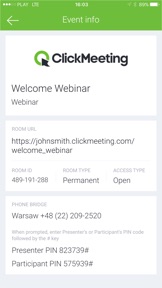
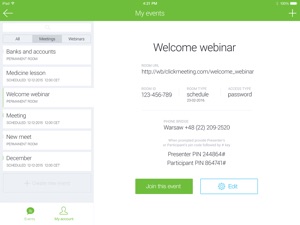
Instantly schedule or participate in online events:
- Schedule live webinars
- Synchronize your events with your calendar
- Add contacts to your invitees' list
- Invite presenters and participants to your webinars, also via Twitter
- Meet with up to 25 and present to up to 5000 people
- Stream up to 7 live audio and video feeds
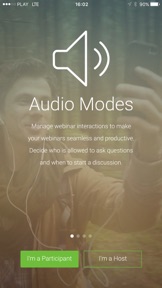
- Control interaction with audio modes
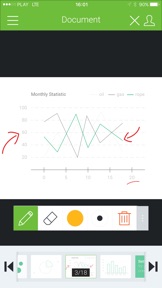
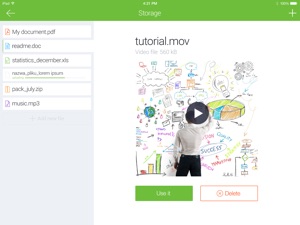
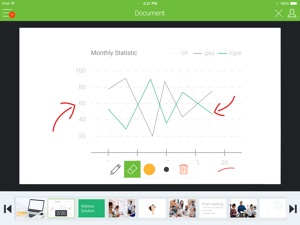
- Present documents, videos, reports and presentations
- Share interactive whiteboard to impress your audience
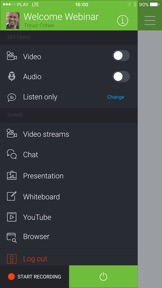
- Enable text chat during your online event
- Record and store your events
- Lock/unlock access to your webinar room
- View statistics
About ClickMeeting
ClickMeeting webinars platform combines the best in online collaboration, with the power of rich media and custom branding. It is rich in features that help webinar organizers every step of the way: before, during and after the webinar. These include: customized invitations and registration page, webinar rebranding, multi-camera video display, real time screen and application sharing, remote desktop control, moderated and private chat with automatic translation, audio modes, tests and surveys, interactive whiteboard, business intelligence and statistics, file transfer, audio and video recording, and more. It is incredibly easy to set up and manage. Users can hold team meetings on the fly, and present global webinars in high-impact video from a single, intuitive control panel. Platform is seamlessly integrated with Facebook, Flickr, Gmail, Google Calendar, Google Chrome, HubSpot, iCal, iWork, LinkedIn, Moodle, MS Office, Salesforce, Slack, YouTube, Twitter.
What's New in Version 3.3.8
The latest version contains bug fixes and stability improvements.
Information
Developer
Categories
Version
3.3.8
Size
69.9 MB
Game Center
No
VPP Device Licensing
Yes
Rating
Rated: 4+
Compatibility
iOS 8.0 or later
Devices
iPhone 11 Pro Max, iPad Air 2 (Cellular), iPad mini Retina (Cellular), iPad Pro (11-inch), iPad (5th Generation) Wi-Fi, iPad (6th generation) Wi-Fi, iPod touch (6th Generation), iPad Pro (11-inch) Wi-Fi + Cellular, iPad (6th generation) Wi-Fi + Cellular, iPad Pro 12.9-inch (3rd generation), iPad (5th Generation) Wi-Fi + Cellular, iPad mini (5th Generation) Wi-Fi + Cellular, iPad mini (5th Generation), iPad Pro, iPad mini 3, iPad mini 4 (Cellular), iPad mini 4, iPhone 11, iPod touch (7th generation), iPad mini 3 (Cellular), iPad Air, iPad Air 2, iPad Pro 12.9-inch (2nd generation), iPad Pro (Cellular), iPad Pro (9.7-inch) (Cellular), iPad Pro (10.5-inch) Wi-Fi + Cellular, iPad Pro (9.7-inch), iPad mini Retina, iPad Air (Cellular), iPad Air (3rd generation) Wi-Fi + Cellular, iPhone 6 Plus, iPad Air (3rd generation), iPad Pro (10.5-inch), iPad Pro 12.9-inch (2nd generation) Wi-Fi + Cellular, iPhone 6, iPhone XR, iPhone XS, iPhone 6s, iPhone SE, iPhone 7 Plus, iPhone 6s Plus, iPhone 5s, iPhone X, iPhone 8, iPhone XS Max, iPhone 8 Plus, iPhone 7, iPhone 5, iPad (7th generation) Wi-Fi, iPhone 5c, iPad (7th generation) Wi-Fi + Cellular, iPad Air3, iPad Air3Cellular, iPad Mini5, iPad Mini5Cellular, iPhone 11 Pro, iPad Pro 12.9-inch (3rd generation) Wi-Fi + Cellular
Languages
English, Chinese, Czech, Danish, Dutch, Finnish, French, German, Greek, Hebrew, Indonesian, Italian, Japanese, Korean, Malay, Norwegian Bokmål, Polish, Portuguese, Russian, Spanish, Swedish, Thai, Turkish, Vietnamese
App Store: Customer Ratings
Ratings & Reviews
2.0 of 5 (1 Rating)
App Store: Customer Reviews
No Entry