AboutTermsPrivacyContact
 
Updating
Compress Files with Zipped

Compress Files with Zipped

Released: 2017-09-19
© 2017 Eytan Schulman
Compress Files with Zipped - QR Code
Version 1.2
4+
Download on the App Store
Version 1.2
4+
Download on the App Store
Released: 2017-09-19
© 2017 Eytan Schulman

iPhone Screenshots

Screenshot
Screenshot
Screenshot
Screenshot
Screenshot

iPad Screenshots

Screenshot
Screenshot
Screenshot
Screenshot
Screenshot

Description

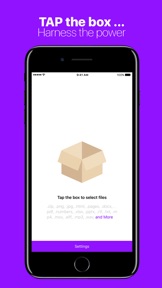
Zipped solves all of your ZIP file needs on iOS. Whether you need to unzip a file from Safari, or create a ZIP on iOS, Zipped has you covered. Zipped Includes:
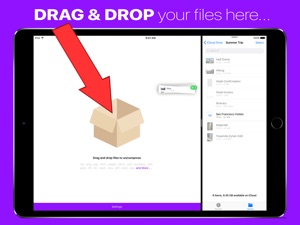
• Advanced support for Drag & Drop on iPad — Drop a ZIP file to UNZIP, or Drag in any number of files to create a ZIP.
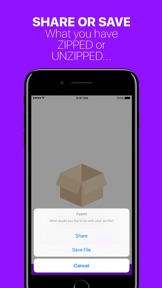
• Ability to Share your ZIP file or UNZIPPED files, or SAVE them to Files.
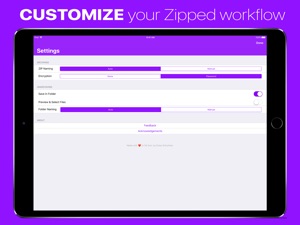
• Customizable Settings — Choose whether you would like to manually name ZIP files, or have Zipped automatically generate a name for you! Decide if you would like to unzip your ZIP file into a folder, or output simply the files themselves!
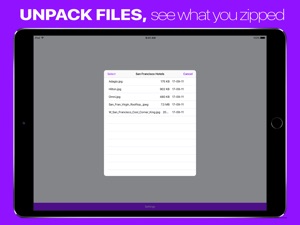
• Unarchive a ZIP into a file browser, preview your files, and selectively share or save them.
• Unarchive or Archive ZIP encrypted with a password.
• Open ZIP files from anywhere in iOS in Zipped through the 'Open In' sheet.
Zipped currently supports the following file types, with more to come: .zip, .png, .jpg, .html, .pages, .docx, .pdf, .numbers, .xlsx, .pptx, .rtf, .txt, .mp4, .mov, .aiff, .mp3, .wav, .psd, .caf, .md, .csv, .json, .js

What's New in Version 1.2

+ Added support for 2018 iPad Pros
+ Fixed support for big files.
If you like Zipped, give us a rating, or send us feedback!

Seller

Name

Multieducator Inc

Information

Categories

Version

1.2

Size

9.9 MB

Game Center

No

VPP Device Licensing

Yes

Rating

Rated: 4+

Compatibility

iOS 11.0 or later

Devices

iPad Pro (11-inch), iPad (5th Generation) Wi-Fi, iPad (6th generation) Wi-Fi, iPod touch (6th Generation), iPad Pro (11-inch) Wi-Fi + Cellular, iPad (6th generation) Wi-Fi + Cellular, iPad Pro 12.9-inch (3rd generation), iPad (5th Generation) Wi-Fi + Cellular, iPad mini (5th Generation) Wi-Fi + Cellular, iPad mini (5th Generation), iPad Pro, iPad mini 3, iPad mini 4 (Cellular), iPad mini 4, iPad Pro (Cellular), iPad Pro (9.7-inch) (Cellular), iPad Pro (10.5-inch) Wi-Fi + Cellular, iPad Pro (9.7-inch), iPad Air (3rd generation) Wi-Fi + Cellular, iPhone 6 Plus, iPad Air (3rd generation), iPad Pro (10.5-inch), iPad Pro 12.9-inch (2nd generation) Wi-Fi + Cellular, iPhone 6, iPhone XR, iPhone XS, iPhone 6s, iPhone SE, iPhone 7 Plus, iPhone 6s Plus, iPhone 5s, iPhone X, iPhone 8, iPhone XS Max, iPhone 8 Plus, iPhone 7, iPhone 5, iPad (7th generation) Wi-Fi, iPhone 5c, iPad (7th generation) Wi-Fi + Cellular, iPad Air3, iPad Air3Cellular, iPad Mini5, iPad Mini5Cellular, iPad Pro 12.9-inch (3rd generation) Wi-Fi + Cellular

Languages

English, Spanish

App Store: Customer Ratings

Ratings & Reviews

4.5 of 5 (15 Ratings)

App Store: Customer Reviews

2018-12-14

Garbage

Unable to either add a location or find the photo library on the iPhone. So quite how you add files is a mystery.
Cosmicflowers
Version 1.1.3
2018-10-07

Actually works!

Just what I was looking for. Tried a load of other apps and they all seemed to be either convoluted, full of adware or in need of IAP. Happy to pay when something’s upfront about what it does, is fair priced and has a nice UI.
Ottobyte
Version 1.1.1
2018-08-16

Brilliant!

Tried other apps that don’t work and have loads of ads. This is simple, ad free and works with simple drag and drop. Thank you. Worth 99p of anyone’s money.
Happymed
Version 1.1.1
2017-09-22

Does not seem to work

I bought this to specifically zip files on my iCloud files folder. However, when I select files and/or folders and click done it doesn’t do anything.
BigBadOwl
Version 1.0