Description
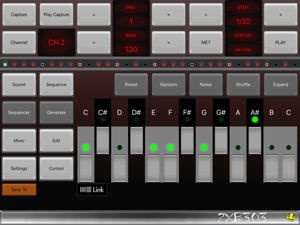
A creative bass synth sequencer for creating electro melodies or dirty phat & funky acid techno 303 style basslines.
Inspired by the acid house music scene. An IOS exclusive, compared to a modern equivalent to Rebirth (Rebirth was a popular tb - 303 clone a decade ago).
Look at the video tutorial for a how-to guide. Listen to what you can create easily with 2XB303.
Create electro, house, techno, edm or synth sequences using standard step functions as seen on various sequencers like the Roland SH 101 synthesizer. Your synth sequences can also be generated randomly.
Easily capture whatever you hear and export to AudioShare, Audio-Copy, Email or iTunes Shared Folder.
Support for Audiobus 3 routing, Ableton Link, IAA (Inter App Audio)
Tweaking cut-off & decay Env-Mod & glide & accent etc for that classic sweet-spot acid growl Tap to dials to swipe up & down for fine adjustment of knobs.
The sound was first compared to a Cyclone TT - 303 synthesizer & tweaked to extend sound shaping beyond a just bass maker. Waves have optional harmonic version, noise, LFO, glide speed & PHAT/ BASS, and great effects. This is designed to give more electro music creativity beyond an acid synth 303 bass maker to create dynamically fluctuating overlaying electronic patterns. A good addition to any electro, drum and bass, acid, techno, house and any other EDM fans
LIVE CONTROL feature:
Use the keyboard for the following cool tricks:
[Sequence/Control/Transpose]: Transpose both channels simultaneously while playing.
[Sequence/Control/Pattern]: Instantly switch to a saved sequence while playing. Keys correspond to stored program numbers, starting from the current program thats loaded (key 1 is your current program, key 2 is current program+1). Highlighted keys show stored programs. This is great for building up live tracks, or instant crossfading between programs. You can also "Hold settings" so it locks settings like effects.
METRONOME: Toggle drum beats -better than tick-tocks to accompany your bass lines
MOD:
LFO auto control low pass CUT-OFF and/or PITCH. The pitch level can give a vintage synthesiser effect subtly detuning with low SPEED or faster for chaotic random pitches.
EFFECTS (Global/master are in yellow.)
OVERDRIVE, COMPRESSION adjusts threshold, ratio, & gain. This is a global effect.
ECHO tempo synced with feedback & wetness.
SAVE ALL. When not playing, save to memory.
SYNCING
Ableton Link syncs with apps .Enable for precise timing without syncing. Press LINK button at the bottom for settings.
MIDI sync with External, Virtual or Audiobus. 2XB 303 can be master or slave. ( any simple class-compliant USB should work but some may need to be power assisted)
Virtual MIDI In is always on. If you send from another app AND receive MIDI clock then you will be receiving both MIDI CLOCKS. Choose only one unless you want double tempo (which can be interesting).
While Ableton Link is enabled you can send clock. This means you can use one app to control 2XB303 synth alongside external hardware sequencers
MIDI note data is sent out on each channel
AUDIO
Record a fixed length, default to 32 steps. Can be changed in settings.
Arming the sampling with CAPTURE (flashing). Starts at counter 1 (ON).
PLAY CAP to listen to your super cool sampled acid synthesiser loop.
Audiobus 3 and IAA (Inter App Audio) Support. Route audio to mix or record into other applications
Audio can be routed via IAA into apps like Apple's Garageband.
Garageband will also sync your sequence for excellent multi-track recording.
To save you press "Save all", it then flashes. Now choose destination ("!" means its occupied ) then press "Save All" to confirm.
What's New in Version 2.2
Added support for Bluetooth headphones and speakers.
Previous updates:
Too fix a possible conflict in the Audiobus and Inter-App-Audio nodes. This could cause the nodes from not showing up or behaving properly in some apps.
Last update:
A consolidated list of app updates all rolled into one taken from the sister app 6X806 Noise Drum Synth:
BPM increments now give increments of 1 for single tap or 5 with a double tap.
Captured audio loops exported to Audioshare and Email now adds BPM and date/time to file name.
Better dial control: Now you should be able to swipe up and down the knob levels quicker while maintaining refine control. It also snaps to min/max levels instead of wobbling.
INIT button for quickly clearing the currently loaded pattern to start a fresh program. Found in System/Settings.
Minor update to the UI to bring style up to date with 6X806.