AboutTermsPrivacyContact
 
Updating
ClinicalKey Student Bookshelf

ClinicalKey Student Bookshelf

Released: 2018-02-02
Copyright © 2020 Elsevier
ClinicalKey Student Bookshelf - QR Code
Version 9.4.3
4+
Download on the App Store
Version 9.4.3
4+
Download on the App Store
Released: 2018-02-02
Copyright © 2020 Elsevier

iPhone Screenshots

Screenshot
Screenshot
Screenshot
Screenshot
Screenshot
Screenshot
Screenshot

iPad Screenshots

Screenshot
Screenshot
Screenshot
Screenshot
Screenshot
Screenshot
Screenshot

Description

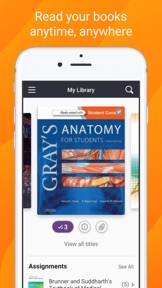
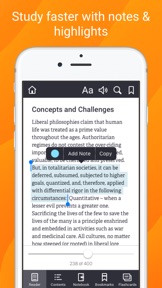
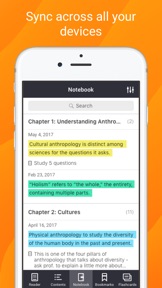
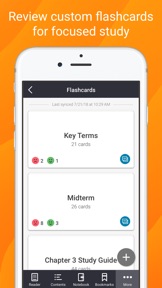
Download the ClinicalKey Student Bookshelf app to access your personal bookshelf across all devices whenever you need it. Enhance your study experience with tools designed to build and improve your medical knowledge; making and sharing notes, highlighting key text and creating flashcards.
Requirements:
• iOS 13+
• ClinicalKey Student account
• The app is available in the following languages: English, Spanish, French, German, Portuguese
How to Access:
• Download the app for free and open it.
• On the welcome screen, click Sign In with your CK Student email and password. NOTE: The first time you log in, you must be on your university network.
• If you have been given a Registration ID to create your account, go to https://www.clinicalkey.com/student/register and follow the steps on-screen. You can then use your login to sign into the Bookshelf app.
• Launch any title you want to add to your bookshelf on the CK Student website.The app will synchronise any books you have added from CK Student. NOTE: You must be online to synchronize your book collection.
For Support and FAQs, go to https://service.elsevier.com/app/home/supporthub/ckstudent/

What's New in Version 9.4.3

Miscellaneous bug fixes.

Information

Developer

Categories

Version

9.4.3

Size

114.4 MB

Game Center

No

VPP Device Licensing

Yes

Rating

Rated: 4+

Compatibility

iOS 13.0 or later

Devices

iPhone 5s, iPhone 6, iPhone 6 Plus, iPhone 6s, iPhone 6s Plus, iPhone SE, iPhone 7, iPhone 7 Plus, iPhone 8, iPhone 8 Plus, iPhone X, iPhone XR, iPhone XS, iPhone XS Max, iPhone 11, iPhone 11 Pro, iPhone 11 Pro Max, iPhone SE (2nd generation), iPhone 12, iPhone 12 Pro, iPhone 12 Pro Max, iPhone 12 mini, iPad (5th Generation) Wi-Fi, iPad (5th Generation) Wi-Fi + Cellular, iPad (6th generation) Wi-Fi, iPad (6th generation) Wi-Fi + Cellular, iPad Pro, iPad Pro (Cellular), iPad Pro (9.7-inch), iPad Pro (9.7-inch) (Cellular), iPad Pro 12.9-inch (2nd generation), iPad Pro 12.9-inch (2nd generation) Wi-Fi + Cellular, iPad Pro (10.5-inch), iPad Pro (10.5-inch) Wi-Fi + Cellular, iPad Pro (11-inch), iPad Pro (11-inch) Wi-Fi + Cellular, iPad Pro 12.9-inch (3rd generation), iPad Pro 12.9-inch (3rd generation) Wi-Fi + Cellular, iPad Air, iPad Air (Cellular), iPad Air 2, iPad Air 2 (Cellular), iPad Air (3rd generation), iPad Air (3rd generation) Wi-Fi + Cellular, iPad mini Retina, iPad mini Retina (Cellular), iPad mini 3, iPad mini 3 (Cellular), iPad mini 4, iPad mini 4 (Cellular), iPad mini (5th Generation), iPad mini (5th Generation) Wi-Fi + Cellular, iPad (7th generation) Wi-Fi + Cellular, iPad Pro 11-inch (2nd generation), iPad Pro 11-inch (2nd generation) Wi-Fi + Cellular, iPad Pro 12.9-inch (4th generation), iPad Pro 12.9-inch (4th generation) Wi-Fi + Cellular, iPad Air (4th Generation) (Wi-Fi), iPad Air (4th Generation) (Wi-Fi + Cellular), iPad (8th generation) Wi-Fi, iPad (8th generation) Wi-Fi + Cellular, iPod touch (6th Generation), iPod touch (7th generation)

Languages

English, Arabic, Bulgarian, Catalan, Chinese, Czech, Danish, Dutch, Finnish, French, German, Greek, Hebrew, Hindi, Hungarian, Icelandic, Irish, Italian, Japanese, Korean, Norwegian Bokmål, Polish, Portuguese, Romanian, Russian, Spanish, Swedish, Thai, Turkish, Vietnamese, Welsh

App Store: Customer Ratings

Ratings & Reviews

4.7 of 5 (140 Ratings)

App Store: Customer Reviews

2019-03-25

Doesn’t work

Log in doesn’t work -_-
viclee007
Version 4.5
2019-01-17

Will not let me login, I keep getting error 504

Please fix this.
mbsb99..
Version 4.5.1