Updating


iPhone Screenshots
iPad Screenshots
Description
Fill is the effortless solution for filling, signing and annotating PDF files on-the-go!
BENEFITS
Need to quickly edit or esign a PDF document? You don’t have to look for a printer, scanner or fax machine. Fill app lets you fill, sign & send any document fast & easy.
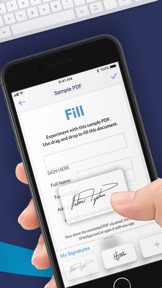
The Fill PDF editor, filler & writer automatically detects fillable fields, word, forms & checkboxes on your PDF document & makes editing on the go simple. Fill forms anywhere, anytime.
KEY FEATURES
- Sign PDF documents, fill pdf forms & share files via email or fax from your iPhone. You will never have to look for a scanner again.
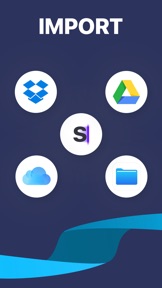
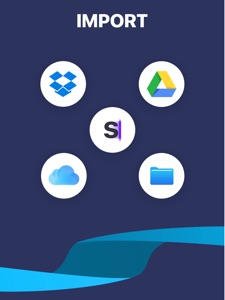
- Cloud Storage Integration: Import images, photos, PDF files & documents from iCloud, Dropbox, Google Drive, your computer or gallery easily to edit & esign on your phone, on-the-go.
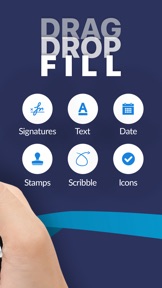
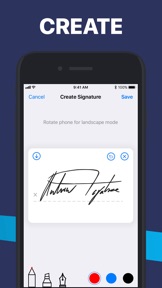
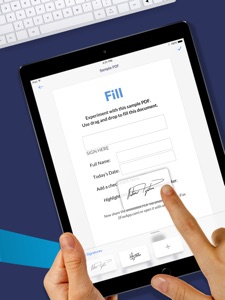
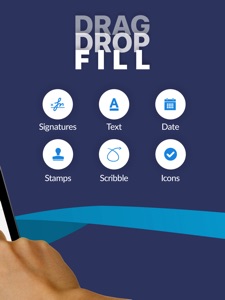
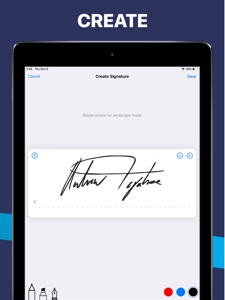
- Edit: Import & prepare documents by creating & adding text, electronic signature, date, stamp, icon or simply scribble & annotate. Sign realistically with your finger without printing or scanning the document. Drag & drop content to the Adobe pdf document, easy & hassle-free.
- Customize: Personalize text, create electronic signature, digital signature, esign, date, icons according to color, font, size to fill the Adobe pdf file according to your needs.
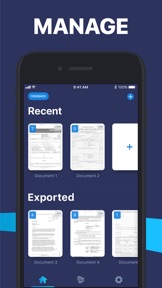
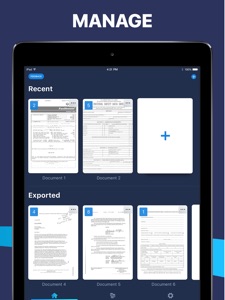
- View: Read, view, annotate & preview digitally edited PDF files on the Fill PDF Reader, Editor, Signer, Viewer, Creator & Writer app before sharing them via email or fax for free. Add electronic signature & manage PDFs with a single click on your iPhone or iPad.
- Send: Save, send & share edited files immediately via email or fax easily from your iPhone or iPad with Fill pdffiller.
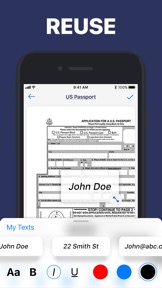
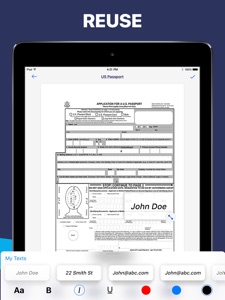
- Save & Re-Use: Fill stores user content, digital signature, & personal details to easily use & reuse in the future for free. Use free Fill PDF Editor, reader, creator, signer, viewer, writer, maker, filler & converter to view, annotator, esign & preview PDF documents now or later.
- Go Green: Use Fill app to fill & send forms, use e signature, docusign, by email or fax, eliminating the use of traditional printing & paper scanning.
- Security: Avoid printing docs, maximize your security & keep your information secure & confidential.
COST
Buy credits to pay as you go or get a monthly subscription plan to get extra discounts for exporting pdf files. Cost of exporting an edited pdf document file is determined by the number of pages. Editing files with Fill PDF editor, word to pdf, image to pdf, signer, converter & maker are cheaper than traditional printers & scanners or word to odf, image to pdf, pdf editing & esign signing services online such as DocuSign.
AUTO-RENEWABLE SUBSCRIPTIONS
- Fill provides a 1-month subscription that lets you edit, export & share unlimited PDF files
- Title of subscription is Unlimited Export Credits
- The free trial period lasts for 7 days & monthly subscription charges are made automatically to the given payment account unless canceled 24 hours prior to the end of trial period. Prices are stipulated in the app & vary based on user region, ranging from 0.99 to 14.99 (USD) monthly.
- Subscriptions will automatically renew unless auto-renew is turned off at least 24-hours prior to the end of the current period.
- Initial payments are charged to a user's iTunes Account at confirmation of purchase.
- Subscriptions can be managed by the user & auto-renewal turned off by going to the user's Account Settings after purchase.
- Any unused portion of a free trial period, if offered, will be forfeited when the user purchases a subscription to that publication, where applicable.
- Free trial only available once per subscription per user
Edit a file or word, esign a document as easily as you would send an email with the Fill PDF reader editor, maker, converter & pdffiller. Edit images, docusign documents, word to pdf, image to pdf Adobe pdf files and export as pdf files on readdle.
Download Fill: PDF Editor, Creator, Viewer, Sign, Filler, Writer now and make editing files on the fly easy!
What's New in Version 1.2.4
- iPad support!
- Many performance improvements
Seller
Name
Maplewoods Associates Ltd
Information
Developer
Categories
Version
1.2.4
Size
55.9 MB
Game Center
No
VPP Device Licensing
Yes
Rating
Rated: 4+
Compatibility
iOS 11.0 or later
Devices
iPad Pro (11-inch), iPad (5th Generation) Wi-Fi, iPad (6th generation) Wi-Fi, iPod touch (6th Generation), iPad Pro (11-inch) Wi-Fi + Cellular, iPad (6th generation) Wi-Fi + Cellular, iPad Pro 12.9-inch (3rd generation), iPad (5th Generation) Wi-Fi + Cellular, iPad mini (5th Generation) Wi-Fi + Cellular, iPad mini (5th Generation), iPad Pro, iPad mini 3, iPad mini 4 (Cellular), iPad mini 4, iPad Pro (Cellular), iPad Pro (9.7-inch) (Cellular), iPad Pro (10.5-inch) Wi-Fi + Cellular, iPad Pro (9.7-inch), iPad Air (3rd generation) Wi-Fi + Cellular, iPhone 6 Plus, iPad Air (3rd generation), iPad Pro (10.5-inch), iPad Pro 12.9-inch (2nd generation) Wi-Fi + Cellular, iPhone 6, iPhone XR, iPhone XS, iPhone 6s, iPhone SE, iPhone 7 Plus, iPhone 6s Plus, iPhone 5s, iPhone X, iPhone 8, iPhone XS Max, iPhone 8 Plus, iPhone 7, iPhone 5, iPad (7th generation) Wi-Fi, iPhone 5c, iPad (7th generation) Wi-Fi + Cellular, iPad Air3, iPad Air3Cellular, iPad Mini5, iPad Mini5Cellular, iPad Pro 12.9-inch (3rd generation) Wi-Fi + Cellular
Languages
English
App Store: Customer Ratings
Ratings & Reviews
1.0 of 5 (1 Rating)
App Store: Customer Reviews
No Entry