Updating

FamiSafe -Parental Control
Released: 2018-08-05
© Wondershare Software Co., Ltd


iPhone Screenshots
iPad Screenshots


Description
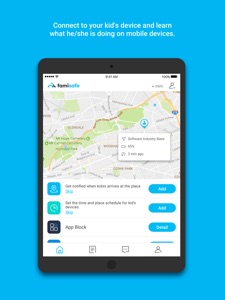
FamiSafe is a dedicated parental control app for kid's phone location , geofences , app monitoring and blocking, web content filtering, and remote screen time control. It helps parents make parenting an easier job, in the days when kids are often tempted to spend too much time on cell phones.
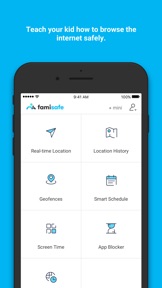
Our FamiSafe parental control app empowers parents to keep close eyes on their kids with the following features:
Kid location for Parental Control
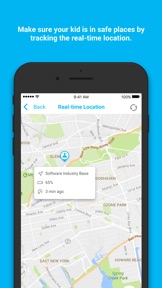
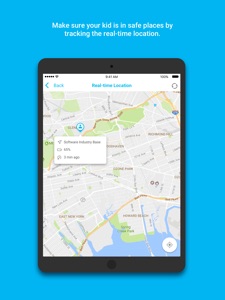
- Real-time Location
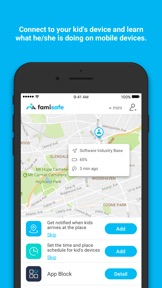
Track your kid's whereabouts with the location-sharing feature. When you need to know your kid’s real-time location, just enable the feature and track your kid within the app.
- View Location history
View the history location to ensure your kids have not been to any "unusual or suspicious places" in unusual time such as strip clubs or bars in late night.
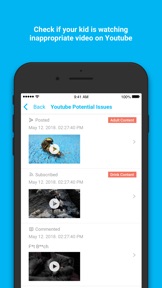
- Youtube Content Detection
You can connect to your kid's youtube account to check if he or she has subscribed or searched for inappropriate videos
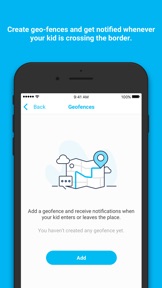
- Geofences
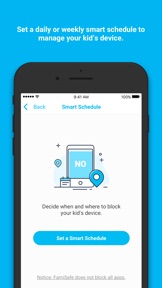
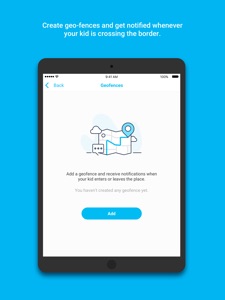
FamiSafe support marking several geofences as safe zones. Once enabled, you will get alerts when you kid enters or leaves any geofences. What’s more, you may use geofences feature flexibly with screen time or app control.
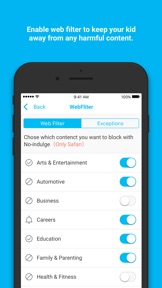
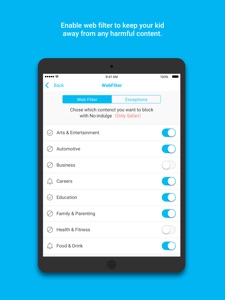
- Web Content Blocking Filtering
FamiSafe keeps a large database so that you could easily pre-block harmful content such as gambling websites or porns. You could also block any website manually when necessary.
- Flexible Remote Control & Personalization Setting
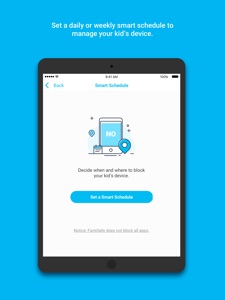
No need to handle everything on your kid's phone. Once the app is installed and set up correctly, you can make set everything on your own device flexibly.
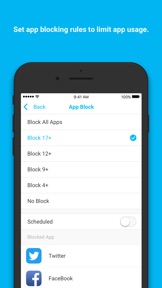
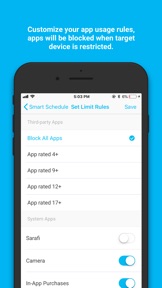
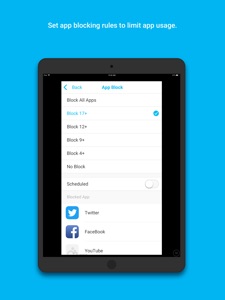
- App Blocker
Block app usage during study or sleep time. It is quite useful when your kid is addicted to cell phone games too late night. You can simply set a time to block any game apps or social networking apps.
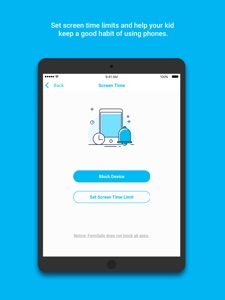
- Screen Time Tracking and Control
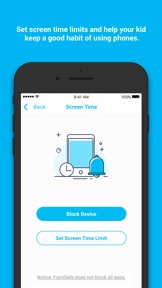
Learn how frequently your kids use their phones daily. Set screen time limits and make sure their phones are restricted during study or sleep time or in specific places such as schools and bedroom.
FamiSafe offers a 3 day free trial when you sign up. You could use our basic version free for 3 days or get a monthly auto-renewing subscription for just $9.99 to gain unlimited access to all our great features (or $19.99 / 3 months or $59.99 / 1 year)
FamiSafe Subscription Terms
Payments will be charged to iTunes Account at confirmation of purchase.
Recurring subscriptions automatically renew unless auto-renew is turned off at least 24 hours before the end of the current period.
The account will be charged for renewal within 24-hours prior to the end of the current period for the original subscription price.
You can manage and cancel subscriptions from the account settings after purchase.
Any unused portion of a free trial period will be forfeited when you purchase a subscription (excluding trial extensions.)
Policies & Terms of Use
Please make sure your read our Privacy Policy and Terms of Use before installing the app:
Privacy Policy: https://www.wondershare.com/privacy.html
Terms of Use: https://famisafe.wondershare.com/terms-of-use.html
How to Use FamiSafe
Step one: install the same app on both your phone and your kid’s phone. FamiSafe parental control app is available on App Store After installation, register a FamiSafe account within the app.
Step two: log into your FamiSafe account on your kid’s device and choose the role as “Kid”. Then make necessary settings following the instructions in the app
Step three: log into your FamiSafe account on your own device and choose the role as “Parent”. You will then track your kid’s device and make any parental control setting remotely on your own device.
Full user guide reference: https://famisafe.wondershare.com/user-guide/
Contact:
If you have any questions, please submit your feedback here:
https://support.wondershare.com
What's New in Version 2.0.6
1. New feature, add entry to change pin on parent side
2. Optimize the app blocker feature
3. Bug fixes
Seller
Name
Wondershare Software Co., Ltd
Information
Developer
Categories
Version
2.0.6
Size
55.8 MB
Game Center
No
VPP Device Licensing
Yes
Rating
Rated: 4+
Compatibility
iOS 9.0 or later
Devices
iPad Pro (11-inch), iPad (5th Generation) Wi-Fi, iPad (6th generation) Wi-Fi, iPod touch (6th Generation), iPad Pro (11-inch) Wi-Fi + Cellular, iPad (6th generation) Wi-Fi + Cellular, iPad Pro 12.9-inch (3rd generation), iPad (5th Generation) Wi-Fi + Cellular, iPad mini (5th Generation) Wi-Fi + Cellular, iPad mini (5th Generation), iPad Pro, iPad mini 3, iPad mini 4 (Cellular), iPad mini 4, iPad Pro (Cellular), iPad Pro (9.7-inch) (Cellular), iPad Pro (10.5-inch) Wi-Fi + Cellular, iPad Pro (9.7-inch), iPad Air (3rd generation) Wi-Fi + Cellular, iPhone 6 Plus, iPad Air (3rd generation), iPad Pro (10.5-inch), iPad Pro 12.9-inch (2nd generation) Wi-Fi + Cellular, iPhone 6, iPhone XR, iPhone XS, iPhone 6s, iPhone SE, iPhone 7 Plus, iPhone 6s Plus, iPhone 5s, iPhone X, iPhone 8, iPhone XS Max, iPhone 8 Plus, iPhone 7, iPhone 5, iPad (7th generation) Wi-Fi, iPhone 5c, iPad (7th generation) Wi-Fi + Cellular, iPad Air3, iPad Air3Cellular, iPad Mini5, iPad Mini5Cellular, iPad Pro 12.9-inch (3rd generation) Wi-Fi + Cellular
Languages
English, French, German, Portuguese, Spanish
App Store: Customer Ratings
Ratings & Reviews
2.5 of 5 (2 Ratings)
App Store: Customer Reviews
No Entry