Description
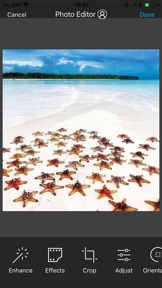
Preview and plan your awesome Instagram feed! Move, add and delete pictures, videos and carrousels. Play with your feed! Use our beautiful filters to get a wonderful feed!
◆ NO LOGIN to Instagram ◆
We have designed the most sexy and easy to use feed preview/planner for Instagram. Preview any feed, no need to login. Do any changes, try and see how your feed looks amazing ! Delete and move your pictures !
◆ NEW FEATURE THAT YOU'LL LOVE ◆
Just push the right button circle on your feed screen to see instantly your original feed. You'll never need again to switch between instagram and our app to see your changes! √√√
What you can do with this awesome application :
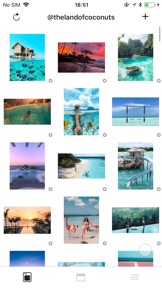
▸ Preview the Instagram feed of any instagram user
▸ Manage multiple feed at the same time
▸ Add a picture to your feed preview
▸ Delete a picture from your feed preview
▸ Move any picture from one place to an other
▸ Reset your preview to match the current instagram Feed
▸ Instantly check your initial feed
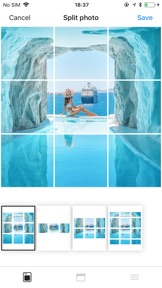
▸ Add multiple pictures at once into your Instagram Feed Preview
▸ Delete multiple pictures at once from your feed
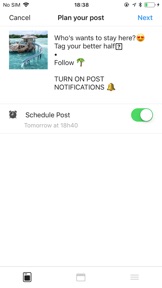
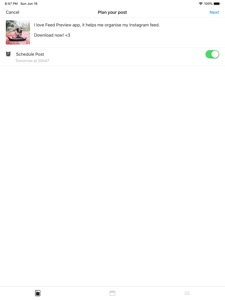
This application can even let you plan your instagram post because pictures you add to your feed preview are automatically save in local and can be used later when you want to post it to Instagram. It is thus also an Instagram planner !
We love what we have built. We do believe this feed planner/preview for instagram will improve your productivity and save you a lot of time.
Do not hesitate to post any issue or feedbacks ! We want to build something big, something free, something useful. You are now part of our team <3
▸ How to move a mosaic / picture ?
Simple do a long pressure with your finger on the picture you want to move, then drag and drop it where you would like it to be.
▸ How to add a picture into your feed preview ?
Just tap the "+" button present at the top right corner of your screen. A new window will open presenting photos you have on your smartphone. Simply select all photos you want to add to your feed and continue. They will be automatically added to your feed preview and saved locally on your smartphone.
▸ How to delete a mosaic from your feed ?
Tap the picture you want to delete then a popup will appear. Now your can confirm that you want to delete this picture from your feed preview.
▸ How to delete multiple pictures at once from your feed ?
Again tap one of the instagram mosaic you would like to delete then select "Select multiple". Choose all the picture you want to remove from your feed preview then finally click on the trash icon you can see on the to right corner of your screen.
▸ How to refresh your feed preview with your current Instagram feed ?
Click on the button on the top left corner of the feed screen and confirm that you want to refresh you feed. Be careful, this action remove all local mosaic you added before in order to create a feed preview that perfectly match your instagram feed.
▸ How to link an instagram account ?
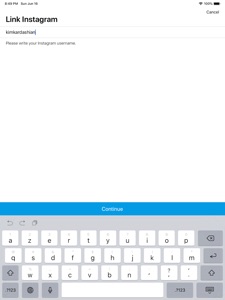
Click on the "menu" button at the bottom right corner of your screen and then tap the button "Link new account". A screen should appear, right the instagram username of the feed you would like to preview then tap "continue". The feed preview screen should be refreshed with your mosaics. Now you can plan your post and play with your instagram feed!
▸ Subscription
You can now subscribe to our Premium plan and benefice to:
- All ads removed
- Link multiple accounts
- Free support from our team
You can chose between several duration plans: 1 month, 6 months or 12 months.
▸ Terms of Use: http://bit.ly/2XLKLNY
▸ Privacy Policy: http://bit.ly/2XcouvA
Support languages English, French and Spanish.
It is free, enjoyy !!