AboutTermsPrivacyContact
 
Updating
Just Draw It! Route planner

Just Draw It! Route planner

Released: 2020-02-19
© 2019, Lapaca Devs
Just Draw It! Route planner - QR Code
Version 3.1.1
4+
Download on the App Store
Version 3.1.1
4+
Download on the App Store
Released: 2020-02-19
© 2019, Lapaca Devs

iPhone Screenshots

Screenshot
Screenshot
Screenshot
Screenshot
Screenshot
Screenshot
Screenshot
Screenshot

iPad Screenshots

Screenshot
Screenshot
Screenshot
Screenshot
Screenshot
Screenshot
Screenshot
Screenshot

Description

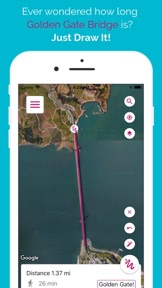
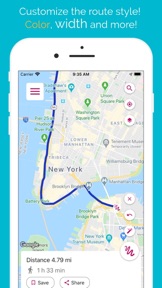
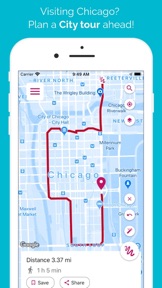
Just draw your route on the map merely swiping your finger and get the route total distance right away. As easy as drawing it. No more headaches about where to go next to reach those 10 miles you were planning to run. No more stress finding the right path to walk your dog. Quick and easy to use, just draw it!
Perfect for all kind of activities, including:
- Hiking
- Walking
- Running
- Jogging
- Strolling
- Tourism
- Golf
- Hunting
How to use it: Use your finger to draw on the map, plan your route easy and accurate, and get total distance. You can also save your preferred routes and use them later. Or
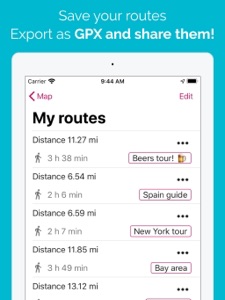
import GPX files and edit them as you wish. You can also export your routes as GPX, share them and open them wherever you want to!
Features:
- Draw route with a finger.
- Import and export GPX files.
- Calculate distance between two points.
- Save preferred routes.
- Share GPX files.
- Snap to roads: Re-align your routes to paths and roads.
- Places search: Search any place to start your route from.
And stay tuned! We keep working on bringing you the best app ever!

What's New in Version 3.1.1

Just Draw It! is getting better and better!
Would you like to sync your routes with all your devices? Go VIP Plus and enjoy JDI to the most!
Have a question? You can contact us at lapacadevs@gmail.com

Seller

Name

Jose Maria del Pozo Alonso

Information

Categories

Version

3.1.1

Size

52.9 MB

Game Center

No

VPP Device Licensing

Yes

Rating

Rated: 4+

Compatibility

iOS 14.0 or later

Devices

iPhone 5s, iPhone 6, iPhone 6 Plus, iPhone 6s, iPhone 6s Plus, iPhone SE, iPhone 7, iPhone 7 Plus, iPhone 8, iPhone 8 Plus, iPhone X, iPhone XR, iPhone XS, iPhone XS Max, iPhone 11, iPhone 11 Pro, iPhone 11 Pro Max, iPhone SE (2nd generation), iPhone 12, iPhone 12 Pro, iPhone 12 Pro Max, iPhone 12 mini, iPhone 13, iPhone 13 Pro, iPhone 13 Pro Max, iPhone 13 mini, iPhone SE (3rd generation), iPhone 14, iPhone 14 Plus, iPhone 14 Pro, iPhone 14 Pro Max, iPhone 15, iPhone 15 Plus, iPhone 15 Pro, iPhone 15 Pro Max, iPhone 16, iPhone 16 Plus, iPhone 16 Pro, iPhone 16 Pro Max, iPhone 16e, iPad (5th Generation) Wi-Fi, iPad (5th Generation) Wi-Fi + Cellular, iPad (6th generation) Wi-Fi, iPad (6th generation) Wi-Fi + Cellular, iPad Pro, iPad Pro (Cellular), iPad Pro (9.7-inch), iPad Pro (9.7-inch) (Cellular), iPad Pro 12.9-inch (2nd generation), iPad Pro 12.9-inch (2nd generation) Wi-Fi + Cellular, iPad Pro (10.5-inch), iPad Pro (10.5-inch) Wi-Fi + Cellular, iPad Pro (11-inch), iPad Pro (11-inch) Wi-Fi + Cellular, iPad Pro 12.9-inch (3rd generation), iPad Pro 12.9-inch (3rd generation) Wi-Fi + Cellular, iPad Air, iPad Air (Cellular), iPad Air 2, iPad Air 2 (Cellular), iPad Air (3rd generation), iPad Air (3rd generation) Wi-Fi + Cellular, iPad mini Retina, iPad mini Retina (Cellular), iPad mini 3, iPad mini 3 (Cellular), iPad mini 4, iPad mini 4 (Cellular), iPad mini (5th Generation), iPad mini (5th Generation) Wi-Fi + Cellular, iPad (7th generation) Wi-Fi + Cellular, iPad Pro 11-inch (2nd generation), iPad Pro 11-inch (2nd generation) Wi-Fi + Cellular, iPad Pro 12.9-inch (4th generation), iPad Pro 12.9-inch (4th generation) Wi-Fi + Cellular, iPad Air (4th Generation) (Wi-Fi), iPad Air (4th Generation) (Wi-Fi + Cellular), iPad (8th generation) Wi-Fi, iPad (8th generation) Wi-Fi + Cellular, iPad Pro 11-inch (3rd generation), iPad Pro 11-inch (3rd generation) Wi-Fi + Cellular, iPad Pro 12.9-inch (5th Generation), iPad Pro 12.9-inch (5th Generation) Wi-Fi + Cellular, iPad (9th Generation), iPad (9th Generation) Wi-Fi + Cellular, iPad mini (6th Generation), iPad mini (6th Generation) Wi-Fi + Cellular, iPad Air (5th generation), iPad Air (5th generation) Wi-Fi + Cellular, iPad Pro 11-inch (4th generation), iPad Pro 11-inch (4th generation) Wi-Fi + Cellular, iPad Pro 12.9-inch (6th generation), iPad Pro 12.9-inch (6th generation) Wi-Fi + Cellular, iPad (10th generation), iPad (10th generation) Wi-Fi + Cellular, iPad Air 11-inch (M2) Wi-Fi, iPad Air 13-inch (M2) Wi-Fi, iPad Air 13-inch (M2) Wi-Fi + Cellular, iPad Pro 11-inch (M4) Wi-Fi, iPad Pro 11-inch (M4) Wi-Fi + Cellular, iPad Pro 13-inch (M4) Wi-Fi, iPad Pro 13-inch (M4) Wi-Fi + Cellular, iPad mini (A17 Pro) Wi-Fi, iPad mini (A17 Pro) Wi-Fi + Cellular, iPad (A16) Wi-Fi, iPad (A16) Wi-Fi + Cellular, iPad Air 11-inch (M3) Wi-Fi, iPad Air 11-inch (M3) Wi-Fi + Cellular, iPad Air 13-inch (M3) Wi-Fi, iPad Air 13-inch (M3) Wi-Fi + Cellular, iPod touch (6th Generation), iPod touch (7th generation)

Languages

English, French, German, Italian, Portuguese, Romanian, Russian, Spanish

App Store: Customer Ratings

Ratings & Reviews

3.5 of 5 (24 Ratings)

App Store: Customer Reviews

2021-06-06

Constant buffering

Hi,
I wanted to use the app yesterday to work out a running distance, unfortunately all I got was a constant buffering symbol. I deleted the app and downloaded again and no luck the same buffering, I also tried to restore purchases again buffering, however, when I used the upgrade button as a test I was asked to purchase said app again, once paid for I’m not buying again if already upgraded. Please sort out.
Regards
Paul mattock
Sent from my iPhone
Paul1224
Version 3.0.3
2021-03-23

It stopped working once I paid

It was a great app so I paid for ad free and now I can literally do nothing, the loading wheel comes up infinitely
nfjfbrbrhhdd
Version 2.2.0
2021-03-16

Best map my route app without subscription

This is a great app, so easy to use, the route doesn’t auto snap into place, but with that being the only things I could say I’m loving this app, no subscription, just route your run and go! Amazing!!
abcdefghijklmopmgrs
Version 2.2.0
2021-02-25

Great app

This is a great app if you want to make your own routes. It also gives you elevation information which is vital for long distance cycling routes.
abe2710
Version 2.2.0
2021-02-02

Awesome App...Trailblazer 🏃5️⃣⭐️💥

I’ve been using this app for awhile now and must say it’s my go to app for all my trail run planning. I’ve never had an issue with the app crashing even though I run beta iOS firmware (usually have other apps that run into problems whilst on beta).
Someone mentioned not being able to re-edit a saved route which I agree should be fixed. Allows for faster workflow when you want more variety on specific areas without having to start from scratch. Also the ability to reorder the saved routes in your order of preference would be a great addition (collections is a nice touch still). I use a garmin watch for my trail runs and have never used the gpx file transfer feature offered but it’s a good touch although seen a comment on it being not useable. Normally I would just use garmin websites to plan routes that I need syncing to watch but this app I use on the fly giving me a rough idea when I quickly just want to know trail distance of a quick run. Again as someone mentioned the fact that you draw extra routes when your wanting pinch to zoom can be quite annoying at times. Not a deal breaker but maybe more user friendly interface to solve that issue would be welcoming.
Overall, I love this app and it has served me well. I’ve given it 5⭐️ at it hasn’t given me any bother to the point of frustration.
No app is perfect although developers strive for it to be. App evolves with user constructive criticism or ideas with developers taking feedback great or bad as a positive.
Double thumbs up from me 👍👍
Gregan9
Version 2.2.0
2021-01-08

Doesn’t work properly

Need to keep going back. Doesn’t stick to route.
jjdomin
Version 2.1.4
2020-11-08

Terrible App!!

I’ve tried to use this a few times now, the ads keep coming up. I’m unable to zoom in without drawing an extra part onto my route, the road names don’t show up properly.
Total waste of £3!!
littlemisswonderbra
Version 2.1.3
2020-05-31

Glitchy

A great idea but encountered a few issues so far. Can’t edit the route once saved which is quite annoying. If you click elevation on your route, you have to then close the app to unfreeze it. When exporting to GPX it only copies half the route to my Garmin so totally useless. I bought the app to create routes to send to my Garmin and as I can’t this was a pointless purchase sadly :( really wanted this to work. Had I known, I wouldn’t have paid for this
jolo271
Version 1.4.3