Updating



iPhone Screenshots

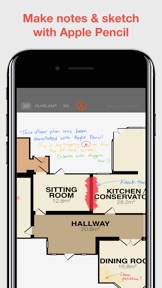
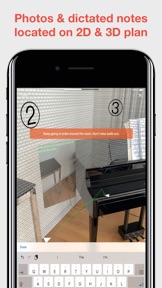
iPad Screenshots


Description
Create laser-accurate 2D floor plans and realistic 3D models using the LiDAR sensor on your new 2020 iPad Pro.
The team that created RoomScan Pro and Metropix now brings you instant, laser-accurate floor plans with RoomScan LiDAR. It's as accurate in practice as a conventional laser measure, and the process of creating the plan could not be simpler or faster.
Questions or comments? We're here to help: service@locometric.com
US Patent 8868375
http://locometric.com/privacy.html
https://www.locometric.com/terms-and-conditions
Unlock RoomScan LiDAR with a monthly auto-renewable subscription. Payment will be charged to iTunes Account at confirmation of purchase. Subscription automatically renews unless auto-renew is turned off at least 24-hours before the end of the current period. Account will be charged for renewal within 24-hours prior to the end of the current period. Subscriptions may be managed and auto-renewal may be turned off by going to your iTunes Account Settings after purchase. Any unused portion of a free trial period will be forfeited if you purchase a subscription.
What's New in Version 1.2
This is a major update — if you have any questions at all, just tap Get Assistance on the help menu and we'll be right with you.
- Scanning is now even faster, more reliable and accurate thanks to using the full LiDAR Mesh. You'll see the mesh pattern appear over the whole room including floors and ceilings. Tap anywhere you see a clear brick pattern in the mesh to scan the wall.
- Room width & breadth is now shown by default, instead of room area. You can change this back if needed in RoomScan settings.
- Markers now appear on plans to show where the width & breadth measurements were taken. RoomScan only uses markers you recorded during the scan for measurements. Control where measurements are taken by scanning opposite points during your scan.
- Added on-screen explanation that only whole rooms can be scanned. Scanning partial rooms results in unexpected shapes.
- The "Straighten Plans" option is now enabled by default and switched on for all users. You can turn it back off if needed in RoomScan settings.
- Fix for problem adding doors & windows at the very end of walls in the corners.
- Fixed minor issues with the Undo button and the scan progress sketch.
Seller
Name
Locometric Ltd
Information
Developer
Categories
Version
1.2
Size
16.5 MB
Game Center
No
VPP Device Licensing
Yes
Rating
Rated: 4+
Compatibility
iOS 13.4 or later
Devices
iPhone 6s, iPhone 6s Plus, iPhone SE, iPhone 7, iPhone 7 Plus, iPhone 8, iPhone 8 Plus, iPhone X, iPhone XR, iPhone XS, iPhone XS Max, iPhone 11, iPhone 11 Pro, iPhone 11 Pro Max, iPhone SESecondGen, iPad (5th Generation) Wi-Fi, iPad (5th Generation) Wi-Fi + Cellular, iPad (6th generation) Wi-Fi, iPad (6th generation) Wi-Fi + Cellular, iPad Pro, iPad Pro (Cellular), iPad Pro (9.7-inch), iPad Pro (9.7-inch) (Cellular), iPad Pro 12.9-inch (2nd generation), iPad Pro 12.9-inch (2nd generation) Wi-Fi + Cellular, iPad Pro (10.5-inch), iPad Pro (10.5-inch) Wi-Fi + Cellular, iPad Pro (11-inch), iPad Pro (11-inch) Wi-Fi + Cellular, iPad Pro 12.9-inch (3rd generation), iPad Pro 12.9-inch (3rd generation) Wi-Fi + Cellular, iPad Air (3rd generation), iPad Air (3rd generation) Wi-Fi + Cellular, iPad mini (5th Generation), iPad mini (5th Generation) Wi-Fi + Cellular, iPad (7th generation) Wi-Fi + Cellular, iPad ProFourthGen, iPad ProFourthGenCellular, iPad ProSecondGen, iPad ProSecondGenCellular, iPod touch (7th generation)
Languages
English
App Store: Customer Ratings
Ratings & Reviews
4.5 of 5 (5 Ratings)
App Store: Customer Reviews
No Entry