Updating


Re
#22 in Top Paid iPad Apps > Music
iPad Screenshots


Description
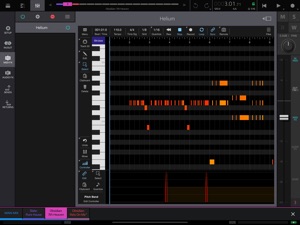
Helium is a lightweight AUv3 MIDI sequencer plugin designed specifically for AUM. It supports up to 16 tracks of unlimited length with the ability to direct output to 16 channels on 4 MIDI output ports.
One of the great features is the ability to import and maintain libraries of MIDI clips using Helium's 'Media Bay'. These clips are freely available all over the internet and may contain individual chord sets, chord progressions or drum tracks. You can quickly build a song by dragging and dropping your MIDI clips from the media bay onto your timeline. You can also save your own clips directly to the media bay to create your own personal MIDI clips libraries
Helium allows many different ways to import MIDI clip libraries. Simply drag and drop your ZIP collections directly to your PC/MAC web browser and they are automatically unpacked into the clips library folder. You can also drag and drop files between the Media Bay and the iOS Files app.
Helium supports a sync mode called 'Remote Looping'. This was something we recently introduced into our MultiTrack Recorder plugin and is very useful for breaking down the timeline into sections. You can define up to 12 loops which can be used to specify the locations of say the intro, verse, chorus, and outro within your song, then trigger these loops seemlessly in sync with the host tempo. Once captured, these loops can then be triggered by incoming MIDI notes.
Features
○ 16 Tracks per instance.
○ Assignable MIDI channel and Bus per track.
○ Full editing of CC controllers using the controller lane.
○ Independent vertical and horizontal zooming.
○ Import & Export MIDI tracks.
○ Media Bay, organize your MIDI flips libraries.
○ Drag and Drop from the Media Bay directly to the timeline.
○ Drag and Drop to Files App.
○ Remote Control with Looping advanced functionality.
○ Step Recording.
○ Build in Mixer to adjust relative track levels with Mute/Solo.
○ Sync to Host.
○ MIDI Clip Preview
○ Ghost Note Feature
○ Multi level undo and redo.
Please checkout the help manual for details on where to find my tutorial videos on Helium and where to download some fully featured and free MIDI clip libraries.
Information
Developer
Categories
Version
1.0
Size
16.8 MB
Game Center
No
VPP Device Licensing
Yes
Rating
Rated: 4+
Compatibility
iOS 11.4 or later
Devices
iPad (5th Generation) Wi-Fi, iPad (5th Generation) Wi-Fi + Cellular, iPad (6th generation) Wi-Fi, iPad (6th generation) Wi-Fi + Cellular, iPad Pro, iPad Pro (Cellular), iPad Pro (9.7-inch), iPad Pro (9.7-inch) (Cellular), iPad Pro 12.9-inch (2nd generation), iPad Pro 12.9-inch (2nd generation) Wi-Fi + Cellular, iPad Pro (10.5-inch), iPad Pro (10.5-inch) Wi-Fi + Cellular, iPad Pro (11-inch), iPad Pro (11-inch) Wi-Fi + Cellular, iPad Pro 12.9-inch (3rd generation), iPad Pro 12.9-inch (3rd generation) Wi-Fi + Cellular, iPad Air, iPad Air (Cellular), iPad Air 2, iPad Air 2 (Cellular), iPad Air (3rd generation), iPad Air (3rd generation) Wi-Fi + Cellular, iPad mini Retina, iPad mini Retina (Cellular), iPad mini 3, iPad mini 3 (Cellular), iPad mini 4, iPad mini 4 (Cellular), iPad mini (5th Generation), iPad mini (5th Generation) Wi-Fi + Cellular, iPad (7th generation) Wi-Fi + Cellular, iPad Pro 11-inch (2nd generation), iPad Pro 11-inch (2nd generation) Wi-Fi + Cellular, iPad Pro 12.9-inch (4th generation), iPad Pro 12.9-inch (4th generation) Wi-Fi + Cellular, iPad Air (4th Generation) (Wi-Fi), iPad Air (4th Generation) (Wi-Fi + Cellular), iPad (8th generation) Wi-Fi, iPad (8th generation) Wi-Fi + Cellular
Languages
English
App Store: Customer Ratings
Ratings & Reviews
0.0 of 5 (No rating)
App Store: Customer Reviews
No Entry