AboutTermsPrivacyContact
 
Updating
RØDE Central Mobile

RØDE Central Mobile

Released: 2021-09-21
© Freedman Electronics Pty Ltd 2023
RØDE Central Mobile - QR Code
Version 2.0.110
4+
Download on the App Store
Version 2.0.110
4+
Download on the App Store
Released: 2021-09-21
© Freedman Electronics Pty Ltd 2023

iPhone Screenshots

Screenshot
Screenshot
Screenshot

iPad Screenshots

Screenshot
Screenshot
Screenshot

Description

RØDE Central is an easy-to-use mobile companion app for compatible RØDE microphones that allows you to configure your device settings anywhere, unlock advanced features and processing, access device information, and update to the latest firmware.
Note: You will need to use an MFi-certified Lightning Accessory cable such as the RØDE SC15 or SC21 to connect your RØDE microphone to your smartphone. To access on-board recordings from the Wireless GO II, you will need to use the desktop version of the RØDE Central app.
Key Features
-------------
- Fully featured and easy-to-use companion app for a range of RØDE products
- Activate and control features and settings anytime, anywhere
- Access powerful on-board processing and effects, including compression, high-pass filtering, noise gating and the legendary Aphex® Aural Exciter™ and Big Bottom™
- Update your device firmware to access latest features
- Access device information, including clock, firmware version, battery levels, product ID and more
Supported Microphones and Settings
--------------------------------------
[ Wireless ME ]
- ME Mic: On, Off
- GainAssist: Auto, Dynamic, Off
- Split / Merged Mode
- Output Gain: Low, Mid, High
- LEDs: Dim, Bright
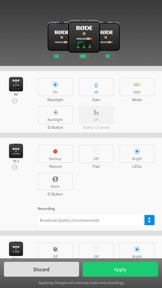
[ Wireless GO II ]
- Split / Merged Mode
- Backlight: On, Off
- Gain Mode: Fine, Coarse, Camera Preset
- Safety Channel: On, Off
- Button: Marker, Backlight, Mute, None
- On-board Recording: Always, Backup, Off
- Pad: On, Off
- Recording Quality: Compressed, Uncompressed
[ VideoMic GO II ]
- Input Gain
- High-frequency Boost: On, Off
- High-pass Filter: Off, 75Hz, 150Hz
- Pad: On, Off
- Direct Monitoring: On, Off
- Monitoring Level
[ AI-Micro ]
- Merged / Split / Stereo Input 1 Mode
- Input Gain (Input 1, 2)
- High-pass Filter: Off, 75Hz, 150Hz
- Direct Monitoring: On, Off
- Monitoring Level
[ NT-USB+ ]
- Input Gain
- High-pass Filter: Off/75Hz/150Hz
- Noise Gate: On, Off
- Compressor: On, Off
- Aphex® Aural Exciter™: On, Off
- Aphex® Big Bottom™: On, Off
- Save to Microphone (settings persist)

What's New in Version 2.0.110

Added live audio monitoring meters when used with a RODE audio device.
Updated design guideline requirements for permission request screens.
Minor bug fixes

Seller

Name

FREEDMAN ELECTRONICS PTY LTD

URL

Information

Categories

Version

2.0.110

Size

75 MB

Game Center

No

VPP Device Licensing

Yes

Rating

Rated: 4+

Compatibility

iOS 13.0 or later

Devices

iPhone 5s, iPhone 6, iPhone 6 Plus, iPhone 6s, iPhone 6s Plus, iPhone SE, iPhone 7, iPhone 7 Plus, iPhone 8, iPhone 8 Plus, iPhone X, iPhone XR, iPhone XS, iPhone XS Max, iPhone 11, iPhone 11 Pro, iPhone 11 Pro Max, iPhone SE (2nd generation), iPhone 12, iPhone 12 Pro, iPhone 12 Pro Max, iPhone 12 mini, iPhone 13, iPhone 13 Pro, iPhone 13 Pro Max, iPhone 13 mini, iPhone SE (3rd generation), iPhone 14, iPhone 14 Plus, iPhone 14 Pro, iPhone 14 Pro Max, iPhone 15, iPhone 15 Plus, iPhone 15 Pro, iPhone 15 Pro Max, iPhone 16, iPhone 16 Plus, iPhone 16 Pro, iPhone 16 Pro Max, iPhone 16e, iPhone 17, iPhone 17 Pro, iPhone 17 Pro Max, iPhone Air, iPad (5th Generation) Wi-Fi, iPad (5th Generation) Wi-Fi + Cellular, iPad (6th generation) Wi-Fi, iPad (6th generation) Wi-Fi + Cellular, iPad Pro, iPad Pro (Cellular), iPad Pro (9.7-inch), iPad Pro (9.7-inch) (Cellular), iPad Pro 12.9-inch (2nd generation), iPad Pro 12.9-inch (2nd generation) Wi-Fi + Cellular, iPad Pro (10.5-inch), iPad Pro (10.5-inch) Wi-Fi + Cellular, iPad Pro (11-inch), iPad Pro (11-inch) Wi-Fi + Cellular, iPad Pro 12.9-inch (3rd generation), iPad Pro 12.9-inch (3rd generation) Wi-Fi + Cellular, iPad Air, iPad Air (Cellular), iPad Air 2, iPad Air 2 (Cellular), iPad Air (3rd generation), iPad Air (3rd generation) Wi-Fi + Cellular, iPad mini Retina, iPad mini Retina (Cellular), iPad mini 3, iPad mini 3 (Cellular), iPad mini 4, iPad mini 4 (Cellular), iPad mini (5th Generation), iPad mini (5th Generation) Wi-Fi + Cellular, iPad (7th generation) Wi-Fi + Cellular, iPad Pro 11-inch (2nd generation), iPad Pro 11-inch (2nd generation) Wi-Fi + Cellular, iPad Pro 12.9-inch (4th generation), iPad Pro 12.9-inch (4th generation) Wi-Fi + Cellular, iPad Air (4th Generation) (Wi-Fi), iPad Air (4th Generation) (Wi-Fi + Cellular), iPad (8th generation) Wi-Fi, iPad (8th generation) Wi-Fi + Cellular, iPad Pro 11-inch (3rd generation), iPad Pro 11-inch (3rd generation) Wi-Fi + Cellular, iPad Pro 12.9-inch (5th Generation), iPad Pro 12.9-inch (5th Generation) Wi-Fi + Cellular, iPad (9th Generation), iPad (9th Generation) Wi-Fi + Cellular, iPad mini (6th Generation), iPad mini (6th Generation) Wi-Fi + Cellular, iPad Air (5th generation), iPad Air (5th generation) Wi-Fi + Cellular, iPad Pro 11-inch (4th generation), iPad Pro 11-inch (4th generation) Wi-Fi + Cellular, iPad Pro 12.9-inch (6th generation), iPad Pro 12.9-inch (6th generation) Wi-Fi + Cellular, iPad (10th generation), iPad (10th generation) Wi-Fi + Cellular, iPad Air 11-inch (M2) Wi-Fi, iPad Air 13-inch (M2) Wi-Fi, iPad Air 13-inch (M2) Wi-Fi + Cellular, iPad Pro 11-inch (M4) Wi-Fi, iPad Pro 11-inch (M4) Wi-Fi + Cellular, iPad Pro 13-inch (M4) Wi-Fi, iPad Pro 13-inch (M4) Wi-Fi + Cellular, iPad mini (A17 Pro) Wi-Fi, iPad mini (A17 Pro) Wi-Fi + Cellular, iPad (A16) Wi-Fi, iPad (A16) Wi-Fi + Cellular, iPad Air 11-inch (M3) Wi-Fi, iPad Air 11-inch (M3) Wi-Fi + Cellular, iPad Air 13-inch (M3) Wi-Fi, iPad Air 13-inch (M3) Wi-Fi + Cellular, iPad Pro 11-inch (M5) Wi-Fi, iPad Pro 11-inch (M5) Wi-Fi + Cellular, iPad Pro 13-inch (M5) Wi-Fi, iPad Pro 13-inch (M5) Wi-Fi + Cellular, iPod touch (6th Generation), iPod touch (7th generation)

Languages

English

App Store: Customer Ratings

Ratings & Reviews

2.3 of 5 (3 Ratings)

App Store: Customer Reviews

2025-10-27

As Described

Connected receiver to phone with USB-C female to male cable, (bulky phone case). Receiver paired instantly with transmitters(Mics). It then asked to download one of the Rode apps. The firmware took 10mins to complete with many “Allow accessory” notifications.
All three devices had their firmware updated. Opened the app chose my settings and began recording.
Compared audio recordings between phone mics and the Rode, what an improvement.
It worked exactly as described.
Five Stars.
ItIsSimple32
2025-10-11

Rubbish - like most Rode Apps

If it would actually acknowledge the Rode Wireless transmitter that’s connected, that would be a great start. What is the point of this app.
Martin Koss
Version 2.0.103
2024-12-28

Desperately needs an update

Using on my iPad the screen rotation is locked to portrait which is annoying. More annoying is that no matter what I do the app just says “please connect a rode device”, it will not recognise the Videomic NTG. So it’s basically useless.
Mr Shipp
Version 1.0.7
2024-11-22

M

Doesn’t work which is a shame cause I bought the wireless me microphones to pair with my iPhone. All a bit useless now…..
Frog13720
Version 1.0.20
2024-11-19

Wireless ME mics

Bought the mics with all necessary cables. Plugged into iPhone 15 pro and updated firmware easily. Used the app to turn on the receiver extra mic. Green leds everywhere. Happy days. Using mics with proper video camera not phone or tablet.
veganhouse
Version 1.0.39
2024-11-06

Limited support for Rode Wireless Pro and no support 32-bit float features.

Disappointed that I am not able to access the internal 32-bit float recordings stored on my Rode Wireless Pro system. Makes this flagship feature pretty useless.
skipjohanson
Version 1.0.16
2024-10-01

Rode doesn’t work with iPhone 15Pro

What a disappointment and ruined my shooting
How can I solve it?
Sundari2013
Version 1.0.61
2024-04-14

App worked fine then stopped

Have been using this app for a couple of years with no problems. Suddenly stopped recognising my Rode device. Device itself is fine but this app is now a waste of space.
Idic01
Version 1.0.76
2023-10-06

Absolutely makes no sense

I have no idea WHY one needs a desktop to access the audio? Not even with an iPad Pro, you cannot access the recordings on this app, and it makes it totally stupid. Why restrict access to it to the desktop? They’ve rendered this redundant now for those who work on the go with their iPad or iphone. Its just LAZY coding.
Mu'aawiyah
Version 1.0.54
2023-08-24

Need to connect transmitters wirelessly

Seems to work as advertised once realised have to connect the Wireless Go 2 receiver to the app running on my phone with the SC15 cable and then connect the two transmitters wirelessly as normal. Then all 3 appear in the app.
timgrose
Version 1.0.29
2023-08-02

Useless

300francs just to buy this expensive stuff that require you to buy a sc7 cable, a headphone lightning cable and this software to connect to the iPhone, which is not happened to me. Great product.
Plainchess
Version 1.0.46
2023-07-23

Doesn’t work on iPad Air 2 or iPhone 14

Really a zero star dud.
TX unit not read at all.
RX unit asks for updated unit.
All units are running latest firmware available on windows.
JKL1001
Version 1.0.78
2023-07-22

Useless

The iPhone version requires an expensive proprietary cable and the iPad version says my Wireless Go II needs to be updated when it’s already on the latest firmware.
Gwailofilms
Version 2.0.104
2023-07-07

WirelessME

These won’t connect, very frustrating!
Pomlife
Version 1.0.50
2023-04-02

Nope doesn’t work…

Yes I’ve updated receiver and transmitters via a Laptop (which I think is ridiculous) don’t think many people have that kinda tech these days with smart phones and tablets. So I updated my Wireless Go2 via laptop to the latest firmware then plugged in iPhone 13 Pro Max and App says I need to update devices to latest firmware 🤦🏻 so nope does work, right pain in the a**e as ideally I need to change setting on the go and no way I’m taking a laptop out with me to do this when I have a smart phone which should do all this. Swing and massive MISS by Rode 😣
Chuckie682000
2023-03-12

So many issues….

My iPhone won’t recognise the WG2s are connected and my tablet displays an error message saying they need to be updated to use the app, despite the firmware being up to date. I need my laptop with me to change or even check the settings on my WG2s. Not good enough. Currently looking at the DJI Mic system as an alternative.
siwhi75
2022-12-20

Just doesn’t work

RX connected but TX wouldn’t connect no matter what. That’s even using Rode’s specific USB-C to Lightening cable 🙄
68eitiendnfy4
2022-12-20

Most frustrating app ever

First you will have to buy a cable from Rode. Trs to trrs, as it will not come with the microphone . It took two for it weeks to arrive by post. Then, when you finally connect it, It will show you “ connect a Rode device” message for ever. There is nothing you can do. This app is non existing.
me3454356
2022-08-04

Doesn’t work

This app just doesn’t work doesn’t connect to there own devices using there own cables, videomic go 2 user but having real issues. With everything except on camera audio. I can use it through my laptop just not with ride central
Contrabandvr
2022-07-05

Works with Apple Lightning to USB-A adapter

No need for the proprietary Rode cable - It works with the official Apple Lightning to USB-A adapter. I already had one for connecting cameras and card readers, and plugging one of the included USB A-to-C cables into it works fine. I had already updated the firmware via my computer though, so if you’re having trouble try that first.
tomblyb00
2022-07-02

This app requires a proprietary cable to use

Just installed this on my iPad Air 4 and my iPhone only to find that standard USB-C cables and the lightning cable your iPhone comes with doesn’t work with this app or the Wireless Go 2. Why did Rode make this a requirement? Now I had to buy 2 Rode cables to use the app and wireless go 2 the way it’s supposed to work. What a joke! 😡
Film2240
2022-06-05

Underrated!?

Yes, functionality poorly documented, and have to use special cable, but app does work (for me) - and the wireless go II itself is brilliant!
piano lizzard
2022-03-03

Does not connect to IPad Pro

There is apparently an updated version of this software for IPad available ver 1.3.6 but for some reason the old version is on this page . I cannot connect any of my rode devices to my IPad Pro 2021 even with the correct SC16. Anyone out there any Ideas before I ship the lot back . 10000 sunsets
10000 sunsets
2021-12-28

Seriously??

I bought it because I DON’T HAVE LAPTOP and now for use this app I need laptops?
Mattie88!?
2021-12-25

Ugh, Røde Proprietary Cable Required

So, I just got an Apple USB-C to Lightning cable in my xmas stocking. I figured I'd see if Røde Central iOS would function with my WGo2 devices. Nope! Røde wants to sell cables, so punters will be required to purchase the Røde proprietary cable...So, I haven't actually tried the Røde Central iOS app. I do use Røde Central desktop app often, and IMO, this software is so limited that it can be frustratingly anger inducing...especially for advanced users. There is just so very little that can be done in Røde Central and firmware has to be updated or lose your recordings...
so move the recordings off your WGo units immediately, folks.
Todd Reitzell
2021-12-19

Does not connect

Good cable, devices updated to latest firmware, connects fine to pc and mac…. ipad pro nope needs latest firmware… which it has. How good is the software.. no idea.
Redmole
2021-11-15

Now it works

I am sflsgd & gave this a 2 star rating as my iPhone would not connect but was considering a 3 stars when my iPad just worked but chose not to as the iPhone uses filmic pro & has a much better camera BUT after purchasing the rode sc15 cable. It connected straight away informing me of another update via my Mac & voila it now works & Filmic saw it straight away. Now I’m happy ish but it should have worked with an OFFICIAL Apple cable in the 1st place
Sflsgd
2021-10-20

Useless promises

USBC to lightning cable, not working.
robdunf
2021-10-19

Won’t connect

Yep, despite having the latest firmware on my Rode Wireless Go 2 sets, and using decent cables this app does not connect!
Bobski67
2021-10-18

Fantastic addition!

Not 100% obvious, need to download latest Rode connect for Mac, then update all 3 devices to latest version, then connect the receiver to the iPad and it shows both transmitters and receivers and allows changing settings, great to have this on the road, thank you Rode for constantly improving the product!
rgaufman