AboutTermsPrivacyContact
 
Updating
Grafio 4 - Diagram Maker

Grafio 4 - Diagram Maker

Released: 2010-07-30
© Ten Touch Ltd.
Grafio 4 - Diagram Maker - QR Code
Version 4.3.21
4+
Download on the App Store
Version 4.3.21
4+
Download on the App Store
Released: 2010-07-30
© Ten Touch Ltd.

iPhone Screenshots

Screenshot
Screenshot
Screenshot
Screenshot
Screenshot
Screenshot
Screenshot
Screenshot
Screenshot
Screenshot

iPad Screenshots

Screenshot
Screenshot
Screenshot
Screenshot
Screenshot
Screenshot
Screenshot
Screenshot
Screenshot
Screenshot

Description

Grafio turns 10. It's been around for a decade already - polished, efficient and with more features than ever before.
Grafio is not a tool for professionals only. Its smooth learning curve allows everyone to convey their ideas visually and with ease. Hundreds of thousands use Grafio worldwide, due to its simplicity and affordability.
There are no ongoing subscription costs or upgrade charges. Once you purchase it, you have access to an ongoing number of libraries (shapes and symbols) and a multitude of new features with every update.
Since Grafio was released 10 years ago, there have been 3 major upgrades, including dozens of new object libraries and a fresh new look to the layout.
To begin, simply draw a rectangle, circle or an ellipse and see what makes drawing with Grafio so easy and fun.  Grafio can recognize and replace any of the shapes mentioned with a perfectly looking one for your diagram or schematic, ready to be used over and over.
Drag and drop objects on the canvas for more complex diagrams. Make connections, add text labels and images.
SHAPE RECOGNITION
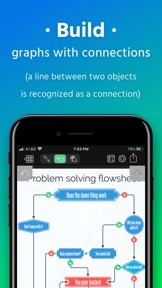
The shapes you draw are automatically closed and straightened, all basic shapes are instantly recognized. The lines you draw between shapes are automatically turned into connections thanks to our shape recognition magic.
STENCILS
Some diagrams require more advanced objects. Grafio provides thousands of shapes that you can easily drag in from the library. In addition, you can embed images from your Camera Roll into shapes and connect them to your other shapes.
AUDIO RECORDINGS
Recording audio notes to your shapes can be a way for you to collect your thoughts and include them in the finishing product, or as a reference.
- Video tutorials on Grafio can be found on YouTube:
http://bit.ly/grafiovideo
+++ FEATURE SET +++
• Shape recognition - recognizes hand drawn basic shapes
• Drag & drop shapes from many libraries
• Insert, embed, or paste images
• Precise drawing with Apple Pencil
• Build diagrams and graphs through connections
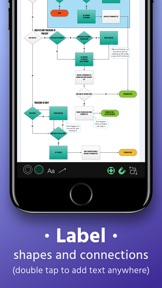
• Label shapes and connections
• Select, move, rotate and scale everything (even scribbles)
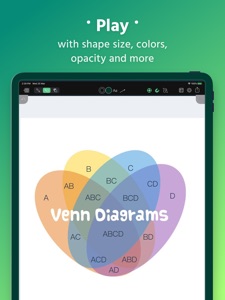
• Change size, color, opacity and other properties of your shapes
• Have a favorite font? Import your font from popular websites
• 10 Different connection types with adjustable radius
• Precision toolbar for nudging, rotation and resizing
• Flip, align and distribute shapes with a single tap
• AirPlay and video output for presentations
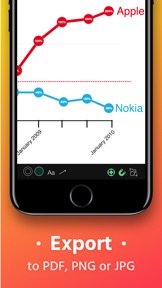
• Export to PDF, PNG or JPG
• Record audio notes with each object
• Export videos with how your design reaches the final product
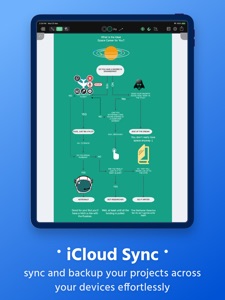
• iCloud and Files integration
+++ THE POSSIBILITIES +++
• Make Designs
• Take Visual Notes
• Vector Sketches
• Flowcharts and network diagrams
• Any diagram type that has a name: ArchiMate, Audit, Block, Cabling, Data Flow, Electrical, Gantt, P&ID, Sankey, SDL, TQM, UML, Use Case, Venn, Wireframe, Workflow, etc.
• Industrial Processes
• Organizational Charts
• Basic Charts and Graphs
• Mind Mapping (Brainstorming Diagram)
• Web Site Maps
• Road Plans
• Military operational and tactical plans
and many more...
+++ STENCILS +++
FREE:
• Amazon Web Services (AWS)
• Arrows
• AV Connectors
• Azure Services
• Balloons & callouts
• Basic Flowchart
• Basic 2D & 3D Shapes
• Doodles
• Electrical symbols
• Gantt Chart
• Google Cloud Platform (GCP)
• Hazard & GHS symbols
• JoyPixels (formerly EmojiOne)
• Kubernetes
• Memes
• NATO Joint Military Symbology (APP-6)
• Pictograms
• Piping & Instrumentation
• Pneumatic & Hydraulic
• Sankey Diagrams
• Textables
• UML Diagram
• US Road Signs
• Vintage shapes
PAID:
• FULL ACCESS - Get all libraries at a discount
• Audit Diagram
• BPMN
• Concept Map
• Cross-Functional Flowchart
• Data Flow Diagram
• ESL "Energese"
• Event-driven process chain (EPC)
• iOS UI Kit
• Marketing Diagrams
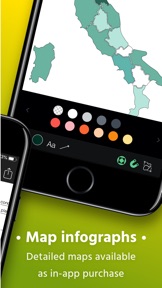
• Maps & Flags
• Network Diagram
• SDL Diagram
• TQM Diagram
• UX Flowchart cards (sitemap)
• Venn Diagrams
• Wireframe
• Workflow Diagram

What's New in Version 4.3.21

- Added missing "No files label" while scanning for documents.
- Fixed a crash when copying file after conversion.
- Fixed a crash while opening Help menu.
If you have any questions or suggestions, please contact us at http://www.tentouchapps.com/contact or through the Help menu from the app.

Seller

Information

Categories

Version

4.3.21

Size

234.4 MB

Game Center

No

VPP Device Licensing

Yes

Rating

Rated: 4+

Compatibility

iOS 13.0 or later

Devices

iPhone 5s, iPhone 6, iPhone 6 Plus, iPhone 6s, iPhone 6s Plus, iPhone SE, iPhone 7, iPhone 7 Plus, iPhone 8, iPhone 8 Plus, iPhone X, iPhone XR, iPhone XS, iPhone XS Max, iPhone 11, iPhone 11 Pro, iPhone 11 Pro Max, iPhone SE (2nd generation), iPhone 12, iPhone 12 Pro, iPhone 12 Pro Max, iPhone 12 mini, iPhone 13, iPhone 13 Pro, iPhone 13 Pro Max, iPhone 13 mini, iPhone SE (3rd generation), iPhone 14, iPhone 14 Plus, iPhone 14 Pro, iPhone 14 Pro Max, iPad (5th Generation) Wi-Fi, iPad (5th Generation) Wi-Fi + Cellular, iPad (6th generation) Wi-Fi, iPad (6th generation) Wi-Fi + Cellular, iPad Pro, iPad Pro (Cellular), iPad Pro (9.7-inch), iPad Pro (9.7-inch) (Cellular), iPad Pro 12.9-inch (2nd generation), iPad Pro 12.9-inch (2nd generation) Wi-Fi + Cellular, iPad Pro (10.5-inch), iPad Pro (10.5-inch) Wi-Fi + Cellular, iPad Pro (11-inch), iPad Pro (11-inch) Wi-Fi + Cellular, iPad Pro 12.9-inch (3rd generation), iPad Pro 12.9-inch (3rd generation) Wi-Fi + Cellular, iPad Air, iPad Air (Cellular), iPad Air 2, iPad Air 2 (Cellular), iPad Air (3rd generation), iPad Air (3rd generation) Wi-Fi + Cellular, iPad mini Retina, iPad mini Retina (Cellular), iPad mini 3, iPad mini 3 (Cellular), iPad mini 4, iPad mini 4 (Cellular), iPad mini (5th Generation), iPad mini (5th Generation) Wi-Fi + Cellular, iPad (7th generation) Wi-Fi + Cellular, iPad Pro 11-inch (2nd generation), iPad Pro 11-inch (2nd generation) Wi-Fi + Cellular, iPad Pro 12.9-inch (4th generation), iPad Pro 12.9-inch (4th generation) Wi-Fi + Cellular, iPad Air (4th Generation) (Wi-Fi), iPad Air (4th Generation) (Wi-Fi + Cellular), iPad (8th generation) Wi-Fi, iPad (8th generation) Wi-Fi + Cellular, iPad Pro 11-inch (3rd generation), iPad Pro 11-inch (3rd generation) Wi-Fi + Cellular, iPad Pro 12.9-inch (5th Generation), iPad Pro 12.9-inch (5th Generation) Wi-Fi + Cellular, iPad (9th Generation), iPad (9th Generation) Wi-Fi + Cellular, iPad mini (6th Generation), iPad mini (6th Generation) Wi-Fi + Cellular, iPad Air (5th generation), iPad Air (5th generation) Wi-Fi + Cellular, iPad Pro 11-inch (4th generation), iPad Pro 11-inch (4th generation) Wi-Fi + Cellular, iPad Pro 12.9-inch (6th generation), iPad Pro 12.9-inch (6th generation) Wi-Fi + Cellular, iPad (10th generation), iPad (10th generation) Wi-Fi + Cellular, iPod touch (6th Generation), iPod touch (7th generation)

Languages

English, Chinese, German, Russian, Spanish

App Store: Customer Ratings

Ratings & Reviews

3.8 of 5 (60 Ratings)

App Store: Customer Reviews

2023-03-28

Bugs galore

There are so many bugs that make this app totally useless. Every time you add something it puts it on the top left corner. So annoying! Don't bother with this. Look for something better.
Jerry_gr
2022-05-02

Refreshing

Refreshing to see an app with no subscription as a policy. Love the app and definitely more than worth every penny.
Alandure
Version 2.7.1
2022-04-08

Useless

less functional than the free apps
rcfroggatt786
Version 4.0.3
2021-11-23

Very ambitious but needs to be tidied and bugs to be fixed

This is an ambitious tool. However it has not matured well. Problems of over a year ago still get in the way of productivity. It frequently looses handles to edit previously drawn shapes so closing and opening the document is the only sensible recourse. The user interface looses synch with itself and can become time wasting.
With perseverance it can be used produce good diagrams but the bugs are now tiresome. I have downrated my pervious review by one star.
Previous review——-
It promises much but sometimes it can be tricky completing some desired edits to shapes and lines. I have learned that this is in part user-error (not thinking clearly enough about what is going on) and sometimes minor functional inconsistencies. I have nevertheless been able to produce impressive diagrams to include in lectures and papers. I have tried other tools but return to this one. This is an updated review. Previously I had been frustrated by file losses and awkward editing. The developer responded promptly in regard to the file loss issue and it would appear to be in hand. I have raised my rating by one star. I look forward, soon, to adding another when I experience no mysteries while using the product.
Splingenoff
Version 2.9.1
2021-09-27

Thieves and frauds

The guys are a disgrace. First they made my purchase not available, and now every .Iddz diagram, old format, does not open anymore, so I am now with years of diagrams I cannot access. I will try to open a channel on LinkedIn to see if any other users would like to sue these people.
vgaber
Version 3.2.3
2021-03-18

Brilliant app, want to share more

I have been using this app for a long time and extolling it’s benefits to others. It would be great to be able share projects with other Grafio users I have encouraged to use it, so they can input.
SashGeo
Version 2.1
2020-07-20

Would be good if you could use it

Nothing about using this is consistent. Try to resize? Gotta go looking. Working with the Apple Pencil? Not on this element you don’t. Toggle a menu? Click on an element to make it go away. Want to move something? Guess how. Worst interface I have ever tried to use.
Does have a nice but limited set of elements but it’s an extra £5.99 for all of it. Honestly more frustrating than just using pen and paper or a pc.
Would try for a refund but how on earth do you get in touch with anyone?
arcadereload
Version 3.2.17
2020-07-10

It’s lovely until it stops responding and wipes ALL your files. For No reason

It’s lovely until it stops responding and wipes ALL your files. For no reason.
Used it for a year and now all is lost. I could see files, but couldn’t open, then they were wiped off completely.
Be prepared to loose your work, otherwise enjoy, its a nice app
Ada Co
Version 1.6.1
2020-03-14

Loving this product!

I’ve been using it since version 2 and it’s been such a useful tool for creating diagrams that help me manage ideas and conceptual modelling.
The only thing I wish it had was the ability to capture handwriting together with handwriting recognition. But, it’s fine just as it is.
Highly recommended.
Taoyuanming
Version 4.3.10
2020-03-04

Been a fan for years BUT...

BUT it appears you can no longer export a diagram to another user for editing which renders it useless. Add to that the fact that you can’t contact TenTouch by email [the contact us section of the website is broken] and....not sure what else to say about it.
CandyFP
Version 3.1
2019-10-21

UPDATED beware auto save doesn’t work

Having a worse experience with saving now I have just lost another hours work despite closing the diagram and I haven’t even closed the app. It’s getting so unreliable I may have to find another solution : (
IMHO987
Version 4.2.5
2019-10-15

Flawed

Hopefully I am wrong and the developer will put me right. But....no Greek fonts, cannot microadjust the way linking lines and arrows touch the corresponding shapes, cannot resize arrowhead sizes independently of line width/length. Looks like it isn’t fit for purpose for me. Probably ok if you want something rough but not publication quality by a long shot.
physicsjeff
Version 3.0
2019-10-13

Watch out existing users

By upgrading you suddenly discover that the icons that you once had as standard you now have to buy, if I could go back I would.Such a shame but loyalty is not being rewarded here.
Digbythane1
Version 2.8.4
2019-10-10

Poorly tested upgrade. Untrustworthy

This app automatically upgraded to Grafio 4 and half of my files in one folder were missing. Version 4.01 came out quickly and I can find my files again. Unfortunately, I worked on a diagram that took hours and when I returned to it the thing had not saved properly. I will stop using this terrible app.
ZebraCrossingMaldives
Version 4.2.7
2019-06-07

Just wont do arrows...

Why!?
KBnerak
Version 3.2.1
2019-03-27

Best app like this I’ve found, almost there

Does the job on the whole very well. Only annoying thing is the arrows never really work, or very sporadically, the shape recognition is about 90% consistent (pretty good and very quick to correct) and sometime when you want to move things it just doesn’t happen. That said it is quite impressive and by far the best flow chart app I’ve found.
shreckle27
Version 4.1.1
2019-02-25

My go to drawing app

I have to do a lot of sketches on the fly and this app is my go to. It’s simple, clean interface just gets out of your way when you are drawing and the objects library really helps. Good app.
Northern9786754352
Version 2.4
2019-01-03

Shape recognition and resizing issues

Not very intuitive, shapes barely change other than the circles. If I could draw perfect squares I wouldn’t have downloaded this app in the first place. I’d like there to be an option for which shapes are meant to be in each diagram in the first place so that the code can have fewer options to choose from. Resizing is also a bit wonky. Initially downloaded the app for flowcharts and website mock-ups but resizing only works diagonally, even if selected from one of the sides and only scales up or down, not allowing for true re-shaping, which has been troublesome.
CarrionC
Version 2.2.1
2018-12-31

Great but missing a couple of features

Find this app really useful and easy to use. Missing features for me:
- Spell Check
- OneDrive sync or at least iCloud sync
- Copy whole image to clipboard export
- Align objects in selection
- Long touch to move cursor within text
Biyka
Version 3.2.10
2018-12-30

Good app; well priced

Most similar apps use a subscription model or in the case of OmniGraffle a hidden subscription model where the developers bump the app version every year and force users to upgrade at great cost. This app is a pleasure to use and well worth the price.
Wish list for future versions:
1. It would be nice to be able to align and distribute objects evenly easier.
2. Be able to select an existing file when saving to DropBox. Currently you have to save to a new file every time.
3. iCloud support
4. Auto fit canvas to objects with the ability to set padding.
That said, great app and well worth the price.
Devguy
Version 4.3.7
2018-11-23

Shape recognition doesn’t work well

I purchased this app to see if I could use it to replace TikZ and speed up my workflow using shape recognition. However, in my (admittedly rather short) experience, it simply does not. The shape recognition likes to give you very strange results if you attempt to draw things quickly and roughly. I think this would be acceptable if the results were close to what you actually drew, which strangely is often not the case - I’ve had drawings where bits get ignored or where points in a triangle get moved for seemingly no reason. This would all be acceptable, as I’m willing to put in the time to draw nicer shapes, but for some reason grid snapping just doesn’t work, at least for drawing. This is incredibly frustrating as I feel like this should be relatively simple to implement and it would save me from having to manually resize every shape I draw.
Sauyon
Version 2.7.2
2018-08-18

By Far The Best Drawing App For iPad

Intuitive, flexible & reliable.
I’ve tried lots of drawing apps and keep returning. It does everything I need and produces lovely diagrams ..
Mees-Place
Version 3.2.16
2018-06-08

Brilliant

Best app ever, worth every penny
Foxyrixxx
Version 4.0.5
2018-03-12

Brilliant if it had iCloud Support

Using this more and more. It would be most convenient if I could sync iPhone and iPad charts.
BorisCruse
Version 2.5.1
2017-10-23

Useful

Great app for charts, diagrams and wire frames!
Superpulkapulk
Version 3.2
2017-09-26

Great app

Easy to use on iPad Pro with stylus to sketch home and garden designs
Monkey Face 007
Version 4.3.2
2017-07-10

Excellent and Affordable

This is an excellent tool for drawing diagrams on a customers sit, and emailing them straight away. The only slight difficulty I have is in rotating objects using two fingers but zooming in helps. The affordable library gives a good range of objects to use.
StewartPage
Version 3.2.7
2017-06-14

A useful app

When I need to draw diagrams and processes this is the app I turn to. It is easy to use, has a good range of tools and dives me a choice of output file types.
NEIL. J
Version 2.9
2017-04-15

Great Product and Service

The first experiment with this software resulted in me finding a bug. Upon reporting it, the CEO of the company directly replied to me to assist in troubleshooting. I was given information about when the issue will be resolved and work around to allow me to continue in the time being.
This bug aside, the software has provided me with a very quick way to get overview diagrams of customers workflows from discussion to document with just the right amount of design flexibility.
I will definitely be recommending this software to colleagues and customers.
PBuzz86
Version 3.2.11
2017-03-12

Really very good, but needs instructions

This is a great app for diagramming. Lots of features, and very flexible. It would get five stars from me if there were better documentation. It can be really frustrating working out how to do simple things like locking an object in place, and there's no good instructions either in-app or online. But in terms of the app itself, I'm very impressed - excellent quality graphics.
Psychodelicacy
Version 3.0.1
2017-02-16

Not working

When I download the app and then hit restore button to restore my previously purchased pictograms and so, the app crashes and won't work anymore. I tried it also on my iPad and the same issue and tried reinstalling but no change.
wbaruni
Version 4.0.2
2017-02-16

Crashes on the iPad Pro

Asks to share alerts then crashes every time
Racism
Version 2.8.3
2017-02-14

Broken

It just crashes upon startup. I've tried rebooting and reinstalling. Useless.
Anonymous46271907531357
Version 4.3.18
2017-02-12

Awesome App

Love this app. Just needs a little more integration with iCloud and OneDrive plus an OSX version to complete the experience
Wayne little
Version 3.1.1
2017-01-12

Lee

Excellent app, really useful for quickly putting diagrams together during minuted meetings :-) ..
Leehud7
Version 2.1.1
2016-12-24

Does more than it says on the tin

This app is primarily designed for flowcharts and organisational diagrams, but I don't use it for that at all.
I was initially looking for something that worked a bit like Microsoft Visio, which this does to a good degree, as I have to do schematics of signal paths for work. However, I also have to survey sports grounds for television, so I use this for creating birds-eye view representations of the layout and marking camera positions and cable routes etc.
I've also used it as a simple Desktop Publisher for creating basic flyers for parties etc.
Obviously it has limitations, but for its price it's a brilliant app that runs very satisfactorily, even on my slow old ipad2.
There are some minor irritations, like not being able to draw a line on other objects (because it thinks you're trying to link them, rather than just draw a line on top of it), but there's workarounds for things like this- in this instance, to draw the line somewhere else on the page, then move it where you wanted it in the first place.
I'd love to see some options for page setup, for the odd occasion where I print directly from the app (rather than emailing myself the picture and scaling it on a page is Word), and I'd be giving it 5 stars if it had something like that. As it stands, all it will do is scale your picture to fit on an A4 piece of paper, but you can workaround this by importing into Word as mentioned above.
I'd also love to see it able to export to Visio file types, but the included options work well.
Keep up the good work... And keep on keeping it reliable and clutter free which is one of its biggest selling points.
Benmark10
2016-10-26

Very intuitive

Great app and functionality. Would love to see an option to match colour from an external image but otherwise fantastic.
Fairgereef
2016-10-23

Could be great

I was going to use this for network diagramming as I don't have Visio on my personal laptop. There are a couple of problems though - the network diagram shapes are like those from Visio 2010, something a bit more modern would be nice.
The Ethernet shape is unusable too - you can't make it longer without making it taller and the 5 connectors are fixed. Nothing like the shapes in Visio.
And there's a bug where selecting an object sometimes causes it to gradually move to the right of the page. This application currently isn't fit for purpose.
I contacted the developer about one of the issues I'm having but got no response.
JoeGrass
2016-10-11

Super app for diagrams and mind maps

Very smooth, love it. Thank you very much
RufusMcGoo
2016-10-11

Gets better every time

The easiest graphics editor I've used.
iankb
2016-10-04

Great - Easy to use and fantastic results

Highly recommended
Flat0ut
2016-10-04

Great App

This is a fabulous app. Really simple and intuitive to use but capable of modelling quite complex situations. Very helpful if your mind, like mine, is an enormous muddle.
PZFriend
2016-08-21

Good as the other reviewers say

Stable, intuitive, powerful but easy to use. I really recommend it.
Happy bod
2016-07-26

Really good

Intuitive and powerful. I have designed and distributed work processes for my staff in minutes.
womble74
2016-07-01

So much potential

The core drawing functions are great. Really great. Like a vector version of Paper53 but nicer. But the ancillary stuff is poor. No SVG export, no automatic iCloud Drive sync and (more ambitiously) no OSX version are frustrating limitations. I thought I had found my vector companion to iA Writer, but not yet...
Anonymous Howard
2016-06-14

Very useful

This is an exceptionally powerful charting app which has a number of useful template shapes and is easily connected by automatically straightening lines drawn by you to connect each shape. My only complaints are that you cannot add arrowheads easily on to long multi-angle lines drawn and cannot adjust the angle of those lines without redrawing the whole line again. Also needs ICLOUD sync.
Otherwise it's very good.
Gazzamm
2016-05-14

Perfect balance of ease and power

Update for the poor reviewer than can't draw a square: Me neither - I just use the squares conveniently provided in the templates ;)
Long term update: still great, still walking the line between power and usability. More templates are always appreciated.
There a more powerful apps for drawing but this one has been promoted to my home screen as it has the magic apple ingredient: it just works.
It's always nice to get updates and better ways to share, collaborate or present your data but PLEASE PLEASE don't spoil this app with too many extra features: sometimes less is more.
eebo-wan
2016-05-08

Fantastic!

Wonderful app that keeps getting better. I've been looking for an easy way to do signal path diagrams for my clients. After 6 other apps had failed to deliver the goods, I stumbled across Grafio. First diagram was done after just 20 minutes, after an hour I was an expert. It's the most intuitive app I've used, incredibly flexible, fantastic export and sharing options. On top of this the guys replied to a Facebook message within an hour, on a Sunday! Full marks guys, great work ;)
Daniel TheGigRig
2016-04-22

Excellent App

I love this app. It's simply to use and you can create some amazing stuff. I use it for work because I find it's more user friendly and powerful than Visio. Keep up the good work.
Tauntingboar
2016-04-21

Great app, simple to use but surprisingly deep

A very good app to get ideas down and shared with colleagues.
Simple to use, nice easy drag and drop functionality but you can then make some really complicated changes to the diagram if you need them.
The app has just been updated and all works well - keep up the good work.
Megapode
2016-02-06

Really good ... but

Lots of positive reviews here and I agree Grafio is really good. But it isn't perfect. I'm having great difficult with lines that join shapes together. They won't do what I want to do and there seems to be no way to override the automatic behaviour. Lines linking two shapes seem to have a mind of their own and cannot be manually positioned or dragged.
I believe there is a bug when moving several shapes selected by dragging. On my iPad Air 2 the movement is wildly exaggerated and the shapes move rapidly on screen rather than tracking my finger, making it impossible to set an accurate position.
I feel like I'm fighting the app rather than it helping me. Not great and I've had to export my image to PNG and use a pixel editor to get the finish that I want.
Bigdave1357
2015-09-07

Truly wonderful!

I love this app, have used it for lots of different tasks, prototyping, sketching, design, diagrams, maps. It's beautiful and really shows off the benefits of intuitive user interface (and iPads!).
I've used Omnigraffle on my Mac and it's great but it feels positively bloated and ugly compared to this! I wish I could get this for OSX.
Great app guys, gonna go through your others next. Thanks!
rubberbands2000
2015-08-14

If you just want to get on a do a drawing

If you are looking for an app which is easy to use and produces great results look no further. I recommend watching the 3 minute introductory video before you start after which you will be creating drawings like a pro!
This app lets you get on with the process of putting your thoughts down without getting in the way.
Gerryt99
2015-07-20

Love it.

This isn't of my favourite apps, brilliant for making handouts. I don't use it as intended perhaps, I need to look at it more deeply, because it is powerful. However, easy to use, nice graphics- it's attached to my quick access bar. If the app makers are reading this, please, please please add to the brilliant array of graphics, maybe incorporate the infographic a from your other app here because that would make this MIND BLOWINGLY USEFUL.
sewingalong
2015-05-24

Superb!

Drawing more easily and faster than I could ever do on my PC! I have used this for about two years and the product keeps improving. I go back to it again and again. The initial tutorial is very helpful and the product seems very intuitive once you get going with it. I find it useful for so many things.
reteaching
2014-05-18

Good for quick, simple diagrams

I've just come back to Graphio after a long time away from it. I like the look of the new UI.
This is a very good app for quickly drafting up simple block diagrams, or diagrams using their (very good) libraries of symbols. Note, though, that you can't use it to create complex symbols yourself (other than freehand ones) - if you want to do that, you'll have to use another app and import them from the photo library (which makes them non-vector, so not as handy for resizing).
So, use this for quick, simple diagrams which look good. Use TouchDraw for slower drafting of more complex diagrams or sketches.
Stéph33
2014-04-19

Excellent and easy to use

I love this app as it's easy to use and provides a lot of useful pre-drawn symbols. This app has made my work life so much easier as I can sit down and quickly draw out something with a colleague and then email it straight away.
A useful feature would be to be able to interactively broadcasting to another screen whilst working on a sketch to something like google cast so that there is less huddling around a single ipad but this is a nice to have requirement.
Good work... Keep it up!
Kinetic-coder
2014-01-15

Very good. No iCloud support.

Very good diagramming app. After trying several, found this to be the best balance between feature rich and intuitive ease of use. However, since it's a universal iPhone & iPad app - the lack of iCloud support, & no automatic syncing between iPhone & iPad, is surprising & disappointing.
You have to manually upload and download from Dropbox or Box, or go via iTunes.
gsp100677
2013-12-30

I don't write reviews - This says it all

As per the title, I normally couldn't care less about reviews as I personally do not look at them myself - However in case anyone wants an opinion of an average user then this may be it.
I've always been computer savvy but using technical software to create photoshop style imagery has always been beyond me. I downloaded Grafio in the hope I could create graphs, diagrams for work and also to create drills and exercises for the football team I coach. And this app allows me to do all of those things at an incredibly high standard. Easy to use, easy to navigate (after an hour or two of messing around) and easy to put together working document images that you would probably pay a graphic designer £40 to produce for you - 5 stars and at this price an absolute steel.
The best hint for me is after making images, documents etc you have the ability to upload to Dropbox within seconds and save as JPEG images if need be - no mucky about trying to save or change file types as all that is done for you in the export process.
I don't use the app to do Anyang too advanced such as recording voice over notes for each shape etc. but I do use it to create simple diagrams that are visual and stylish - the fact I am using an iPad probably makes this easier - I probably wouldn't dream of using it for my iPhone.
5 stars - excellent app
Scottyh02
2013-06-22

A tool for clear thinking

I bought this app to help create systems diagrams which normally require multiple iterations. With this tool, I get them done in one go. What I really like about this app is that it allows you to quickly map out concepts, then move them around and re-link them at will. Shape creation is very intuitive and it is easy to place text wherever you need to. It's a big step forward from basic mind-mapping software and has saved me lots of time. Export functionality is good and the interface is easy to understand. This is one of the most useful tools I have seen for the iPad: definitely recommended.
Lunar Fusilier
2012-11-26

A beautifully designed app.

I'd been looking for a diagramming app for some time before I came across grafio - but have looked no further.
It has an incredibly well designed interface that makes it quick and easy to work with shapes and create diagrams. The slick graphics mean you can create some awesome looking diagrams.
Keep up the great work!
MarkKelly
2012-11-13

Great for work

Currently laying in bed creating a new organisational chart for our business with this great app. I love the ability that I can create confidential plans and keep them off my laptop and save to Dropbox. Only took me an hour to pick up the controls and now feel like I have been using it for years.
Adgedan
2012-09-18

Absolutely brilliant

I also use a much more expensive competitor, and I have to say, for working quickly Grafio beats it into the ground. Mode switching (draw/move) is very fast and doesn't involve page switching. Shape recognition is really useful - draw the shape you want and Grafio does a pretty good job of figuring out what you intend. Very quick to learn and very easy to use. Highly recommended.
davidestevenssound
2012-05-01

Buggy - not there yet

A great little diagram app, with a few reservations. The save function is buggy - I renamed a diagram I'd been working on for two hours, which then vanished. I did another half hour of work to recreate it, then found the old diagram merged with the new one. I've raised this with the developers but had no response.
The boxes and arrows could do with more versatility in styles. The overall effect is quite flat so far.
In many ways it is easy to get around, and you can find workarounds for various things you might want to do, but it needs more polish.
Gumbo23
2012-03-25

Would be useful to be able to create save folders

Really great app. I use it frequently to create mind maps for revision purposes.
Easy to use, and works well with Dropbox and the other sharing options.
It would be useful if there was a function allowing save folders to be created. At the moment all of the mind maps appear in the same folder and is quite disorganized.
Trixster14583
2012-02-16

Good idea, would be fantastic...but

This product has great potential... The thing that really lets it down at the moment is the rubbish shape recognition and adjustment, from what I have seen it has no selectable shapes, you must make them all which results in hours of simply trying to draw a good square, the shapes should be simple and look the same, not simply align to what you drew quickly (and most of the time badly).
For instance, I could draw a square looking shape, slightly rounded, the shape automatically produced retains the slightly rounded side... I CAN'T DRAW A PERFECT SQUARE, a lot of people can't so why this application assumes that the shape you draw is exactly what you want is a bit strange, good for artists, not for anyone else, for that reason it's 2 stars form me.
Mrh112
2012-01-03

Excellent App

This app is a real gem and will be used by myself very much in the future. I work on a service desk and have found real benefits for outlining processes for my staff. It takes a little getting used to but once you have mastered it, it really works. For me it's like the simpler version of Visio. I'm keen to get more templates from their website as these provide some very good ideas. If your serious about mind mapping, diagram, graphs and process flow charts, don't hesitate and buy straight away.
Jambo27
2011-11-30

Great

Great application. It is an ultimately flexible Mindmap/Flow diagram/visual way of formatting information for presenting information and being able to shunt pieces of information around to increase your understanding of a subject. Emailed the team to ask about a problem with air printing and the scale of the resulting image had a response the next day and there was an update arrived soon after that solved my problem! Fluke? or design it was very welcomed. Thank you.
Umbertoecho
2011-05-27

Near pretty good

This app is a very helpful and productive app. It comes with a great tips and instructional feature. It is just about worth the money spent.
My only negative would be that when editing one of my mind maps it went blank and lost the work I had done, I'm not sure if there is a bug here that needs seeing to. However there is a great feature of being able to duplicate your notes, and so I would recommend doubling every note.
It has great compatibility for slideshow presentations, and overall is a very helpful and productive app.
Jools1011
2011-05-18

Very helpful with study

I give it 4 stars only because it there are a couple of minor quirks but the developers appear very responsive to feedback. There is an option to easily feedback directly from the app, which I did and got a delightful personal response within 24 hours on both occasions.
From what I read, this app had all the hallmarks of exactly what I was looking for during my revision so I could illustrate complicated pages of text into easy to follow diagrams. Mind mapping software has its place but I needed something else to show linkages. iDesk was exactly what I was looking for... simple yet effective. The export functions are also incredibly useful.
Looking forward to further refinements.
olibh76