AboutTermsPrivacyContact
 
Updating
PhotoSync – transfer photos

PhotoSync – transfer photos

Released: 2011-02-18
© touchbyte GmbH
PhotoSync – transfer photos - QR Code
Version 4.7.1
4+
Download on the App Store
Version 4.7.1
4+
Download on the App Store
Released: 2011-02-18
© touchbyte GmbH

iPhone Screenshots

Screenshot
Screenshot
Screenshot
Screenshot
Screenshot
Screenshot
Screenshot
Screenshot
Screenshot
Screenshot

iPad Screenshots

Screenshot
Screenshot
Screenshot
Screenshot
Screenshot
Screenshot
Screenshot
Screenshot
Screenshot

Description

** Number one cross-platform solution with native apps for mobile devices, Windows & Mac. Also works on Linux
** Reliable and secure software – operating 10 years in the market and continuously updated
** No limitations – transfer and backup an unlimited number of photos & videos. Full resolution transfer with HEIC and RAW support; all metadata (EXIF, GPS) is preserved
** Flexible: Automatically organise files into folders by recording date, media type and album name on target device. Customisable file names
** Be totally independent of the cloud and iTunes
** Managed App Configuration over MDM or using a settings file (config.photosync-app.com)
—— MAIN FEATURES ——
Transfer to / from computer
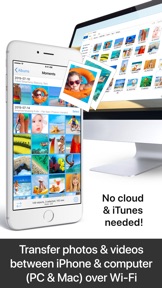
• Directly transfer / backup photos & videos from iPhone / iPad to Windows PC or Mac. Photos & videos are transferred directly over the local Wi-Fi network. No Internet or cloud are required.
• Send photos & videos from Windows PC or Mac over Wi-Fi to iPhone / iPad. Received photos & videos are imported directly into the Camera Roll or an album you defined.
Transfer between phones and tablets
• Directly transfer photos & videos between devices over Wi-Fi, Bluetooth or Personal Hotspot. No computer, Internet or cloud are required.
Transfer to / from NAS, cloud and photo services
• Backup photos & videos to NAS devices, home cloud and wireless portable hard drives over FTP, SMB, WebDAV and SFTP. PhotoSync works flawlessly with: Synology, QNAP, Buffalo NAS, ownCloud, NextCloud, WD MyCloud, TrueNAS, OpenMediaVault, Seagate Personal Cloud…
• Backup photos & videos to / from USB drives, iCloud Drive and local storage via the Files app (iOS13).
• Upload photos & videos to popular cloud and photo services like Dropbox, Google Drive, Google Photos, Flickr, OneDrive (Business), SmugMug, Box, Zenfolio, pCloud…
• Transfer photos & videos directly between devices, services and NAS (e.g. OneDrive to SMB).
Visit photosync-app.com for a complete feature list.
LIMITATIONS
The free version of PhotoSync lets you fully test its transfer functionality. Photos & videos are, however, transferred in low quality. RAW and HEIC photos are converted to JPEG. You can remove these limitations by upgrading to PhotoSync Pro, a one-time purchase, inside the app.
—— PREMIUM FEATURES ——
Exclusive features for Premium users:
Autotransfer
Automatically transfer new photos & videos in the background to computer, supported cloud services or NAS, whenever you arrive at pre-selected locations or charge your device.
PhotoSync Camera
Take a photo with the built-in PhotoSync Camera and transfer it immediately to supported targets. Photo booth support over AirPlay & HDMI.
Advanced Siri Support & Workflows
Build powerful workflows using the Siri Actions “Transfer from Clipboard” & “Transfer new photos/videos” – possibilities are endless!
Amazon S3, Backblaze & Wasabi
Backup to Amazon S3, plus download and view photos & videos stored on Amazon S3. Support for Backblaze and Wasabi.
SanDisk iXpand USB Drive
Backup photos & videos to iXpand USB Drive and free up device space. View and download photos & videos on iXpand USB Drive.
Camera Support (Wi-Fi & USB)
Download from Canon, Nikon, Sony, Fujifilm, Olympus & Lumix cameras and cameras connected over USB. (Wireless) tethering & photo booth support over Airplay & HDMI for selected cameras.
Visit premium.photosync-app.com for a complete feature list.
Premium features require an additional purchase (one-time purchase or subscription with free trial).
LEGAL
Duration and price of each subscription is displayed in the PhotoSync app at time of purchase. Payment is charged to the iTunes account at confirmation of purchase. Subscription automatically renews unless automatic renewal is turned off at least 24-hours before the end of the current period. Subscription and auto-renewal can be managed or turned off in the iTunes account settings.
Terms & Conditions: https://bit.ly/33KFb1G
Privacy Policy: https://bit.ly/30gkaKd

What's New in Version 4.7.1

- New: PhotoSync can now transfer both the original HEVC file and the converted H264 file of a video. You can configure this in the settings of the transfer target.
- Fixed: PhotoSync could not read the user assigned device name on iOS 16 (instead the common name iPhone was used). This functionality has been restored. For this to work in the PhotoSync Sharing Extensions, the PhotoSync App has to be started at least one time.
- Fixed: PhotoSync now uses multipart uploads to Amazon S3 and Wasabi which enables uploads for videos larger than 5GB.
- Fixed: PhotoSync will not ask for HEIC->JPEG conversion, when the user has already made a choice in settings.
- Fixed: Some rare crash issues when logging in to TeraCLOUD.

Seller

Name

touchbyte GmbH

Information

Categories

Version

4.7.1

Size

161.7 MB

Game Center

No

VPP Device Licensing

Yes

Rating

Rated: 4+

Compatibility

iOS 9.0 or later

Devices

iPhone 4S, iPhone 5, iPhone 5c, iPhone 5s, iPhone 6, iPhone 6 Plus, iPhone 6s, iPhone 6s Plus, iPhone SE, iPhone 7, iPhone 7 Plus, iPhone 8, iPhone 8 Plus, iPhone X, iPhone XR, iPhone XS, iPhone XS Max, iPhone 11, iPhone 11 Pro, iPhone 11 Pro Max, iPhone SE (2nd generation), iPhone 12, iPhone 12 Pro, iPhone 12 Pro Max, iPhone 12 mini, iPhone 13, iPhone 13 Pro, iPhone 13 Pro Max, iPhone 13 mini, iPhone SE (3rd generation), iPhone 14, iPhone 14 Plus, iPhone 14 Pro, iPhone 14 Pro Max, iPad 2 (Wi-Fi), iPad 2 (3G), iPad (3rd Generation) (Wi-Fi), iPad (3rd Generation) (4G), iPad (4th Generation) (Wi-Fi), iPad (4th Generation) (4G), iPad (5th Generation) Wi-Fi, iPad (5th Generation) Wi-Fi + Cellular, iPad (6th generation) Wi-Fi, iPad (6th generation) Wi-Fi + Cellular, iPad Pro, iPad Pro (Cellular), iPad Pro (9.7-inch), iPad Pro (9.7-inch) (Cellular), iPad Pro 12.9-inch (2nd generation), iPad Pro 12.9-inch (2nd generation) Wi-Fi + Cellular, iPad Pro (10.5-inch), iPad Pro (10.5-inch) Wi-Fi + Cellular, iPad Pro (11-inch), iPad Pro (11-inch) Wi-Fi + Cellular, iPad Pro 12.9-inch (3rd generation), iPad Pro 12.9-inch (3rd generation) Wi-Fi + Cellular, iPad Air, iPad Air (Cellular), iPad Air 2, iPad Air 2 (Cellular), iPad Air (3rd generation), iPad Air (3rd generation) Wi-Fi + Cellular, iPad mini (Wi-Fi), iPad mini (4G), iPad mini Retina, iPad mini Retina (Cellular), iPad mini 3, iPad mini 3 (Cellular), iPad mini 4, iPad mini 4 (Cellular), iPad mini (5th Generation), iPad mini (5th Generation) Wi-Fi + Cellular, iPad (7th generation) Wi-Fi + Cellular, iPad Pro 11-inch (2nd generation), iPad Pro 11-inch (2nd generation) Wi-Fi + Cellular, iPad Pro 12.9-inch (4th generation), iPad Pro 12.9-inch (4th generation) Wi-Fi + Cellular, iPad Air (4th Generation) (Wi-Fi), iPad Air (4th Generation) (Wi-Fi + Cellular), iPad (8th generation) Wi-Fi, iPad (8th generation) Wi-Fi + Cellular, iPad Pro 11-inch (3rd generation), iPad Pro 11-inch (3rd generation) Wi-Fi + Cellular, iPad Pro 12.9-inch (5th Generation), iPad Pro 12.9-inch (5th Generation) Wi-Fi + Cellular, iPad (9th Generation), iPad (9th Generation) Wi-Fi + Cellular, iPad mini (6th Generation), iPad mini (6th Generation) Wi-Fi + Cellular, iPad Air (5th generation), iPad Air (5th generation) Wi-Fi + Cellular, iPad Pro 11-inch (4th generation), iPad Pro 11-inch (4th generation) Wi-Fi + Cellular, iPad Pro 12.9-inch (6th generation), iPad Pro 12.9-inch (6th generation) Wi-Fi + Cellular, iPad (10th generation), iPad (10th generation) Wi-Fi + Cellular, iPod touch (5th generation), iPod touch (6th Generation), iPod touch (7th generation), Apple Watch Series 4, Apple Watch Series 5, Apple Watch Series 6 (GPS), Apple Watch Series 6 (GPS + Cellular), Apple Watch Series SE (GPS), Apple Watch Series SE (GPS + Cellular), Apple Watch Series 7 (GPS), Apple Watch Series 7 (GPS + Cellular), Apple Watch Series 8 (GPS), Apple Watch Series 8 (GPS + Cellular), Apple Watch SE (2nd generation) (GPS), Apple Watch SE (2nd generation) (GPS + Cellular), Apple Watch Ultra

Languages

English, Chinese, French, German, Japanese, Korean, Spanish

App Store: Customer Ratings

Ratings & Reviews

4.7 of 5 (1,621 Ratings)

App Store: Customer Reviews

2023-07-16

Superb value

Just does exactly what it says on the tin. All the interminable hassles and hours and hours of pain trying to persuade the PC and the phone to talk nicely ... gone.
Photo sync *just works*. Photo from a message or a what's app? No problem. Weird idiosyncrasies of the iOS and Windows file systems and photo handling? Not a problem!
But it is also *highly* configurable. Save photos in directories by year and month? Done! Separate Favourites folder? Easy.
Fabulous app and Windows client - absolutely brilliant.
samperry
Version 4.7.1
2023-05-14

Was perfect

Now receive nested folders doesn’t seem to work. You have to manually select photos. You cannot select whole (nested) folders.
Hello3171
Version 4.7.1
2023-04-07

I like it but…….

Updates to 5* as the sync issue is not related to the app but the location.
I like this app, it is what I wanted to sync across platforms but I keep getting a client error code 429 and have to keep restarting the app.
BeegRich
Version 4.7.1
2023-02-28

Poor

So I purchased this app for transferring photos between my device and my Photoprism server.
I wanted a secondary backup of all my photos and videos.
Once I had setup photoprism configuration on the app and confirmed it was all working I setup auto sync to backup at 1am every day all my recent photos.
Last night was the first scheduled run.
After checking in the morning, and making sure the app was running in the background overnight, I discovered that nothing has been backed up!!
I checked the configuration and everything looked correct.
I decided to run a manual backup. Photos were being backed up. But any video file…. And I mean any video file errored?!!!
So I can backup photos but no videos?? That is very very poor. What a waste a money in a poorly written software solution that simply does not deliver on its promise!!
Yakuzah
2022-12-10

PhotoSync

Saved me getting gray hairs worked like magic wish I had come across this earlier I would have gone for the Premium version Thanks
W9GURU
Version 4.7.1
2022-11-28

Fantastic Solution

This app has been an amazing find after years of struggling with clunky systems to manage photos between devices. The ratio of simplicity of use to comprehensive functionality is 2nd to none. I have been using it for a few years now and have also discovered that in addition to managing my photos I can bulk select images in WhatsApp chats and send these directly to my PC for processing. This is very useful if you don’t want to auto save WhatsApp images to camera roll. It is an highly commendable app and I congratulate the developers.
Woebegone1661
Version 4.6.6
2022-10-26

Pretty Good but not intuitive

It could be a bit more intuitive to use. OK for geeks but how do you tell a non-techie that they need to touch SMB to do a backup.
richlane69
Version 3.2.3
2022-10-12

The best app I own!

Easily and efficiently copies our carefully curated albums off our i-devices and on to MY offline storage. The only solution I’ve found for extracting the album metadata we created from iOS/iPadOS. I use WebDAV, just 3 taps to copy an album. Couldn’t be happier!
app devel rob
Version 4.7
2022-09-20

This is what you have been looking for

We have our photo gallery in iCloud but what if you don’t pay, what if they lose your data?
Imagining the loss of all those photos is difficult but what my wife would do to me after that is an exercise even harder than death.
Having tested multiple solutions including applications developed by synology I tried this app and in one night I copied all our library (20k photos) to our NAS where then I can back up to wherever I want.
The backup from the phone to a cloud storage is possible but it would take a lot more time to accomplish.
Mouxy_Pt
Version 3.2.1
2022-09-03

Can’t get to work with VPN

Trying to backup to NAS via SMB. Won’t work if Freedome VPN turned on. So to back up photos I need to first turn off VPN … so no point shelling out for the Premium version as AutoTransfer won’t work.
BugFinderGeneral
Version 3.2.4
2022-07-25

OK

Quite slow, sometimes the synching crashes, but generally OK.
Ser45
Version 4.1
2022-05-31

So easy

As a body that’s not computer tech minded I found this app so easy. I got to say it’s one of the best apps I’ve ever got
stupidone
Version 4.6.1
2022-05-20

Caused significant issues on iPhone 11 Pro

We have a high end Wi-Fi 6 mesh network and 1gbps external connection.
The app to begin with kept crashing during first sync and then was hard locking the whole phone. Had so much promise but just not usable.
ThatRandomGeekyGuy
Version 4.3.2
2022-03-19

Excellent

Le moyen le plus rapide et le plus simple pour envoyer des photos de différents iPhones à Macbookair … j’ai peut-être manqué un épisode, mais pour moi ça marche au top depuis des années! <3 :-)
LexyTheLynx
Version 4.1.1
2021-12-31

Need improvements

App is working, just problems with thumbnails not showing on all photos regardless of the format, i am using with photoprism
Dannylexad
Version 4.6.8
2021-12-12

Broken V4.6.1 (391)

It automatically selects ALL photos for transfer and I cannot deselect‼️🤬
It’s now history and absolutely useless for me, after being perfect.
Geoff
Geoff782
Version 3.2.2
2021-11-26

Absolutely hate the interface.

The the menu is so confusingly structured that I get shivers when I am about to open this app.
JUST GET A PROPER UI DEVELOPER! If any other app could sync with my synology I would switch instantly and would not mind leaving the £30 I paid for. I have been waiting for years for this app to improve, just re-invest the money in a UI update finally!
kenyer&iphone
Version 4.0.1
2021-10-28

Box integration doesn’t work

Exactly what I require, but integration with Box doesn’t work. You sign in then you are met with a ‘page cannot be found’ error. App dev needs to update their api endpoints
DirectPixel
Version 3.2.6
2021-10-10

Just brilliant.

Easily transmit photos, videos and pictures between phone, tablet and PC. Just brilliant.
Peas4me
Version 4.4.2
2021-08-30

Always reliable when others fails

I use this app all the time and it never fails to transfer even large 4K video files. I whole heartily recommend this app.
HTDL Hamster
Version 4.2
2021-08-29

Works but not seamlessly

Works when you type in browser address but then I downloaded the windows companion app and it is not found by my phone. There’s probably some way around it but for me to pay £21 for a lifetime licence I’d like be more confident it works seamlessly.
07rogersg
Version 3.2.5
2021-08-19

The most useful photography app

I bought an iPad Pro and swapped my entire workflow over to it, basically because this app exists and works flawlessly. Being able to utilise the iOS Photo Roll as your main library allows great cross compatibility with other tools, like Darkroom, and the variety of import/export options are impressive and work well.
robotmay
Version 4.0
2021-04-28

The best there is

Super super app for the archivist amongst us, who prefer their own server backup system instead of putting our faith in a public cloud provider.
crystalpalace2001
2021-03-06

Over the moon

Highly highly recommend this app. I’ve downloaded so many wireless transfer apps but they were all useless. They expected you to pay or they would simply just crash. This one however has saved my life. Completely free, simple to use and excellent transfer. I had thousands of photos to transfer and there was not an error once. Download it now!
v CFL NBC bv
2021-02-15

Does the job

This app has quite a few features for it that would make it a great alternative to a service like Google Photos with their auto-backup feature and viewing photos from an external source. Would recommend it and test it to see if it works for you use case before purchasing a subscription.
TenthChain
2021-02-14

i paid for this app already and Still can’t send hd pics

this is nonsense, i can only send low resolution pictures from my iphone to my pc, and I bought this app already!!! this is nonsense and most of the time it doesn’t work anyway. Developers should worry more on make it a great app that works, not making me spending more money for a feature that was “FREE” in the sense that It was available after i bought the app the first time, years ago. As a long time costumer and user, I give a 1 star to this app, in the meantime i’m sending pictures through gmail from my iphone to my pc. 👎
_abstract.exe
2021-02-06

Fantastic App

I have done a lot of research and found this app to exceed the requirements and expectations both. Perfect app. Can’t appreciate enough.
KDeeeehoeigrfh
2021-01-06

Finally, a photo sync app that works

I’ve tried a bunch. Synology, Plex and Nextcloud to name a few and they all have their shortcomings ranging from not actually uploading reliably in the background to missing files.
PhotoSync is extremely customisable with regards to what is actually uploaded: originals, edited/ processed versions or both; file name customisation; directory structure and more. The upload service adaptors is the most exhaustive I’ve ever experience - I defy someone to find an app that can publish their photos to more platforms.
The development team is very responsive. I had found a bug with WebDAV uploads of slow-mo videos. Within 24 hours of reporting the issue, it was fixed and I was sent a beta so I could carry on using the app prior to the release making it into the App Store.
It’s definitely worth supporting developers like this.
ShALLaX
2020-08-25

Excellent

Excellent app - I use it almost daily.
RossUK
2020-07-26

Best app ever!!

What is the point in this app????? It constantly FAILS to detects any devices so I can’t even send images!!! Windows 10 laptop all updated and iPhone & I pad updated but can’t see any device... utterly bloody pointless!!!!!!
spencer1980
2020-07-13

Not reliable!

I’ve been using this app for 3 years and anytime I need to transfer all my photos and videos to pc it says after a few hours that there is not internet connection and doesn’t give me the option to continue so I need to cancel the transfer and start again. Sometimes it takes me 3 days to successfully complete the transfer.
Vestonicka
2020-07-11

Superb app, superb value

I use this, at the moment, only for getting photos edited on the iPhone onto my iMac - previously, edited photos would not import. The edited aspect was imported as a text file describing the edits. The only other option I could find after much research was to edit on the iMac following import - inconvenient and time consuming. This brilliant and superb value app solved my problem, and I know it can do all kinds of other things I’ve not yet tried out. Can’t recommend it enough.
Pablocity III
2020-05-05

Cannot access folders

This apps works only from Photo albums and there is no option to add and backup folders where I keep my photos/video separately from Photo app on Ipad.
Annicknpmagnet
2020-04-26

Didn’t work

I paid £4.99 to upgrade. Even though I selected jpg format it only downloaded as HEIC, so I downloaded the desktop app. The phone finds my laptop but if I try and transfer any images I get a timeout error.
uk_nick
2020-04-25

Perfect app for backing up photos

Don’t pay for iCloud storage. Get this app and use your own hard drive or computer on your home network. No cables needed.
Thanks to the developers
T D 2
2020-04-14

Mrs P

Useless. Can’t get it to work at all.
CcEePp
2020-03-21

PhotoSync

Best & most used app ever
sue@home
2020-02-28

Photosender

GOOD STUFF!
walnm
2020-02-25

Very pleased

As someone who prefers not to rely on cloud storage providers to manage my photos (ex-pro photographer, old habits die hard), I’ve really struggled to find a way to manage, back-up and organise my photos on my preferred mobile iOS and my PC/server.
The discovery of this application has been a game changer! I’ve been able to easily sync from my phone to any device I’ve needed to, I’ve been able to sync from my PC to my iPad a decades worth of photos and have the app auto-create all of the albums I spent days organising way-back-when and I can now back-up my phone to an external drive when away from my desktop.
Honestly, this app has me questioning whether or not I need a desktop anymore...
Aron Rhys
2020-02-24

Photo sync

Works a treat and so fast. Made transferring my photo, video etc so much easier
Fluffys daddy
2020-01-22

Amazing

Rarely write reviews but this app has been BRILLIANT. I’ve been looking for a straight forward, wireless way to upload photos from my phone to my computer and vice versa without using iCloud, manual methods or emailing myself and this has performed flawless. Simply set it up on your phone and desktop and then it’s as simple as clicking and dragging an image into a folder and it’s almost instantly where you need it.
Lilibili123
2019-11-23

Works well but some issues

Have to reset program on PC if left dormant for a period of time. So won’t find PC until you restart program. Other than that works great.
Utiiixyz
2019-09-29

Great app but issues backing up media from 3rd party apps

PhotoSync would be the perfect backup app if it could properly handle non native images and videos that can be put onto the camera roll by 3rd party apps when the default high efficiency saving format HEIC is enabled.
Turning on compatibility mode (saving as .jpg) partly address this issue.
Settings > camera > formats > Most Compatible
After IOS 13.x by default yourApple device will save photos and videos in high efficiency mode HEIC format
This is what causes PhotoSync to have issues with non-native files which are likely to be saved as .jpg
For example; if you save a photo from the Facebook app to your camera roll, PhotoSync thinks this photo is always new even after backing up. This is not an isolated issue. I have 16 files on my camera roll currently that are always marked as new that need backing up.
These files are from several different apps not just Facebook.
Slow motion Video clips recording by a GoPro camera synced to to our iPad/iPhone will cause PhotoSync to get stuck at 0% when trying to back these files up.
You either have manually copy these files off you device and delete them or untag them for backup so you then can’t use the all new files backup feature.
Once these are fixed this app gets 5 stars from me.
Daddy Dan G
2019-09-23

Essential App if you use Windows

Works easily, perfectly, quickly every single time. I wish I’d found it years ago.
Blade_uk
2019-09-20

Great app!

It’s a very useful app and works quite well for syncing photos between my iPhone, Mac and iPad.
jirid
2019-09-17

Great App

Makes transferring photos from phone to PC really useful
CA 18
2019-09-14

PhotoSync user

This is a great app that automatically copies all my photos and videos to my nas. It just works as it should with no issues. Great app and well worth the small fee for the nas addition.
john hrr64,
2019-05-11

Apple Pay Attention

This is how photo sharing should be done
Reedybloke
2019-05-10

Brilliant

Use this app a lot.
Bexobs
2019-03-06

PhotoSync...great app!

Have been looking for a working solution to storing my photos from my phone to Windows 10. Who knew that this would not be an easy task to perform. While Windows 10 does cater for connecting your phone and copying photos and videos, it does not do so without chucking out errors...constantly.
Anyway, looked for solutions and since I only intended to copy photos and videos to my PC and then into a NAS, I came across this app which would allow me to sync them straight into my Synology NAS. Also needed something the rest of my family could use too, and since we can share this app through Family Sharing, it ticked all the boxes functionally for everyone. Very easy to use and documentation from Synology helped the sync process to the NAS be setup very quickly. We now don’t worry about making sure our memories are safe as a simple press of the sync icon is pretty much all it takes. Is this app for everyone? I have no idea, all I know is that it worked perfectly for myself and my family and if that helps you make a decision on using it then I’m glad it helped.
There are other sync options like FTP, Dropbox and several more so have a look at its features and see if it meets your needs.
Kilt65
2019-02-11

Excellent facilities and support

As a long-time user on iPhones and iPads I thoroughly recommend PhotoSync for it’s wide range of configuration and transfer target options. Once set up, it is very straightforward to use and has proved to be extremely reliable. The free PhotoSync companion app, for Mac in my case, completes the package - especially with the fast and helpful support in setting up transfers to different target folders from different devices.
NonnoRoger
2019-01-13

Works a treat

Makes transferring photos from iPhone to PC nice and easy. Configurable, Settings to transfer all or just new images since last transfer. So much easier than Apple’s convoluted ways.
suuupermac
2018-12-29

Exactly what I was looking for

Transferring both raw and jpg files from iPad to PC seems a challenge for other apps. This app manages it quickly without fuss.
Greybeard UK
2018-11-19

Adventures with PhotoSync

As a pretty elderly lady with zero technical skills I have been all round the houses (several times) trying to get pix from phone to iPad. But I succeeded in the end - deep breath. Now to add pix to an email. Probably not quite the review you were looking for but thank you PhotoSync for making it possible to transfer photos all over the place. I now have libraries on phone, iPad AND laptop. I have a son and daughter in computer land but they get a little brisk when I keep asking for help so I’m very pleased with myself for working this particular problem out myself. “Have a nice day.”
CraftyBlogger
2018-11-19

Lifesaver

This is an excellent little app - does what it says.
I was looking for a way of rescuing photos from Flickr which starts charging for its storage shortly. Flickr itself does not make it easy to download your photos on bulk - you have to manually select (same as with iCloud). Since I had almost 4000 photos there, it would have been a nightmare. I left this app trundling away on its own for an afternoon as it downloaded them. Then uploaded them all to my NAS as a backup. Solid as a rock. Paid for itself on day 1.
I don't often recommend apps. This is one of the exceptions.
MrMaGuth
2018-09-09

A brilliant app

iPads and iPhones are great, with one big caveat, iTunes. It makes transferring photos and videos a faff. PhotoSync makes it all SO easy and quick. A very worthwhile investment
Aaaaaaahhhh!!!!
2018-07-12

Love this app

Just love this app. Makes transferring photos and videos across devices so much easier. Thank you.
BlueWolf70
2018-07-12

Time/Lifesaver! Autotransfer tip here

Thanks so much - excellent support response and a really useful, fully featured app which a) saves me space on my phone without fear of accidentally deleting prized photos and b) saves me the aggravation of having to manually sort my files into date folders on my NAS.
If you are struggling to get autotransfer to trigger, move the location pin further inside your target destination WiFi range - this may solve - worked for me.
Top app!
Gringinald
2018-06-22

Hopefully now working again

Loved this out, then it suddenly stopped working for a month. Mysteriously started working again today. Hopefully it will stay working now. By far the easiest way to back up your photos from your phone.
Shentz
2018-06-17

Fairly complicated but perfect

This is a fairly complicated app.
But it does a lot of things.
Once you have it setup right, it works very well.
It can be simpler to use or do advanced things.
I think it’s a really good app.
Matthew-Reviews
2018-04-11

Excellent solution.

I use this because it makes image transfer between Mac Book and iPhone very easy over wifi. Occasionally it won't see the other machine, so turn various things off and on, and it will be fine. I like it so much I'm not even taking a star off for this. I tried a few others a while back and they were useless. I settled on PhotoSync.
Photomixwish
2018-04-01

A very mature App

I have been using this App for some time on Apple devices. It has got better and more reliable. Caring on the good work, hence my 5x rating.
richardrlb
2018-03-20

Great app

UPDATE March 2018 — Keeps totally crashing my phone after uploading about 3 photos? Is there something I can do about this?
———
Excellent app for transferring pictures to cloud services. I like to move things by album, and this works like a dream. Also, when I had an problem I emailed the customer support and they replied straight away and fixed the problem. Great service.
~ns~
2018-01-26

One of the best

Have been using this very useful app since the first version. It’s so refreshing to use an app that has consistently worked well over several years and the number of updates required to keep pace with iOS updates. Well done to the developer.
AtomicChilli
2017-12-18

Such a great app.

I’ve been using this app for a while now, it has a huge amount of flexibility and uploads to cloud services PCs and Macs. A couple of times I’ve needed help with the app so contacted support and had an amazing response time from then. As a keen amateur photographer I can’t recommend this app enough. It’s the only app you will need to transfer your photographs to different platforms.
usherwdp
2017-12-08

FTP Transfer

I use this app to transfer photos from my phone to my network external hard drive. It’s is far quicker than any other apps I have used. FTP seems to be the quickest way.
Mr Dazzle
2017-12-02

So Useful

This is a really useful App if you want to make sure you don’t loose those valuable photos on your phone. So simple to download them onto your computer. Equally easy to upload those special photos for screen savers. Love it !!!
GHazie
2017-10-21

Screen size of app changed

I love this app, but since recent updates the screen layout has changed to accommodate, I assume, a longer screen.
This is frustrating as I cannot select any photos from the camera roll as it's hidden at the top of the screen. Dragging the page down will let you briefly see the album, but you cannot select it. When you try, the page jumps back up. Very frustrating and disappointing.
Hope they fix this issue as otherwise a great app.
For info, I have an iPhone 6S.
Update: Thanks to the Developer for their prompt response. I've installed the beta version and it's fixed the issue.
Sugar Mice
2017-10-07

Live Photo’s!

The perfect app that is able to transfer your photos back to your Camera Roll.
I was also able to transfer all my Live Photos back to my camera roll, in full working order. Life saver!
Note: When you transfer a Live Photo to your PC/MAC, it will appear on your computer as 2 files (jpeg & mov). However when you transfer both files back to your phone, it will only appear as 1 file on your phone, the Live Photo!
sopranos84
2017-09-24

Perfect photo transfer app

This is the perfect app for me to transfer images from my phone to my MBP. Linked with the Hazel app (not App Store) it saves me hours of time over a year messing around with cables and Lightroom. Brilliant concept, well executed.
Zog the frog
2017-09-23

Fantastic app and support

I was looking for a way to sync photos from my iPhone to my NAS. This does the job perfectly over FTP.
It's highly configurable and flexible, allowing me to choose unsynced photos and a target folder destination. It can even create a sub folder for the year taken automatically (as well as many other folder and file naming formats).
It can be automated further by syncing photos in the background, but I've not tried it as I'd like control over what is synced and to which destination.
I emailed support with a question on a Saturday morning and was surprised to receive a reply immediately.
jamieburchell
2017-09-14

Best photo transfer app ever!

I can now automatically convert HEIC photos to JPG meaning I can view them on my PC with no hassle. Thank you PhotoSync team for another great update. PhotoSync is truly the best app I have on my iPhone!
Prof.Prunella