AboutTermsPrivacyContact
 
Updating
Codea

Codea

Released: 2011-10-26
© 2018 Two Lives Left
Codea - QR Code
Version 2.7.5
4+
Download on the App Store
Version 2.7.5
4+
Download on the App Store
Released: 2011-10-26
© 2018 Two Lives Left

iPad Screenshots

Screenshot
Screenshot
Screenshot
Screenshot
Screenshot
Screenshot
Screenshot
Screenshot
Screenshot
Screenshot

Description

"It’s kind of like the Garage Band of coding." – Wired
"Codea for iPad is a super slick way to write and run programs on your iPad." – Gizmodo
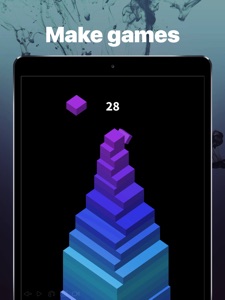
Codea lets you create games and simulations — or just about any visual idea you have. Turn your thoughts into interactive creations that make use of iPad features like Multi-Touch and the accelerometer.
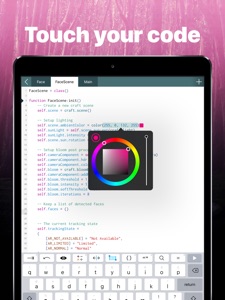
We think Codea is the most beautiful code editor you'll use, and it's easy. Codea is designed to let you touch your code. Want to change a color, or an image? Tapping will bring up visual editors that let you choose exactly what you want.
Codea is built on the Lua programming language. A simple, elegant language that doesn't rely too much on symbols — a perfect match for iPad.
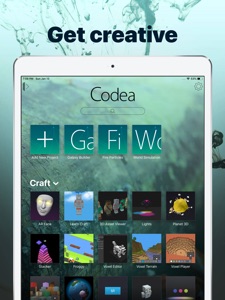
Here's how you use it: type your code. Press play to watch it run. Interact with it. Get creative.
FEATURES
• A fully featured 2D and 3D renderer
• Lots of great example projects to learn from, including games
• Touch your code: tap colors, images and sounds to adjust them
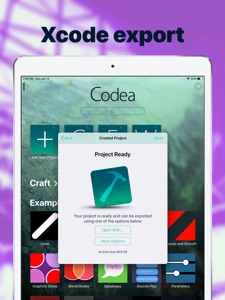
• Export your finished projects to Xcode to produce real apps
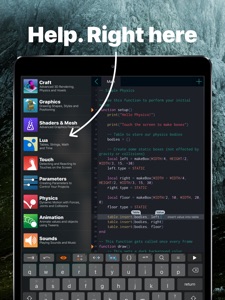
• Complete in-line reference documentation accessible from keyboard
• Intelligent syntax highlighting and auto-completing code editor
• Import your own assets from Dropbox
• Full 2D and 3D physics engines for complex motion
• Add parameters so you can tweak variables at runtime
• Interact with accelerometer and multi-touch on your device
• Generate retro-game sound effects
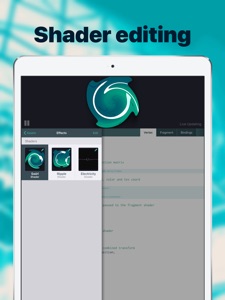
• GLSL Shader Language support with live shader editor
• Bluetooth keyboard support and keyboard shortcuts
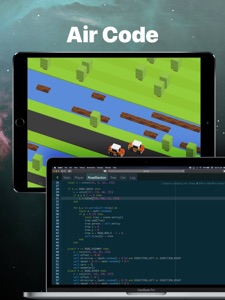
• Air Code: code live from your PC using WiFi
• Much, much more
IMPORTANT INFORMATION
• Join the forums at https://codea.io/talk to ask questions, share ideas and get help when you need it
• If you need help or wish to get in contact with us, please use the support link on this page

What's New in Version 2.7.5

We squashed many bugs for you this version
• Fixes a large memory leak that could occur when working with voxels
• Fixes a... smaller but still not nice memory leak that could occur when working with voxels
• Improves resilience of code editor
• Excludes Dropbox.assets in project export
• Removes one very old Codea API (you'll never know what it was)

Seller

Name

Two Lives Left

Information

Categories

Version

2.7.5

Size

159.3 MB

Game Center

No

VPP Device Licensing

Yes

Rating

Rated: 4+

Compatibility

iOS 10.3 or later

Devices

iPad Air 2, iPad Pro 12.9-inch (2nd generation), iPad Pro (Cellular), iPad Pro (9.7-inch) (Cellular), iPad Pro (10.5-inch) Wi-Fi + Cellular, iPad Pro (9.7-inch), iPad Air (3rd generation) Wi-Fi + Cellular, iPhone 6 Plus, iPad Air (3rd generation), iPad Pro (10.5-inch), iPad Pro 12.9-inch (2nd generation) Wi-Fi + Cellular, iPhone 6, iPhone XR, iPhone XS, iPhone 6s, iPhone SE, iPhone 7 Plus, iPhone 6s Plus, iPhone 5s, iPhone X, iPhone 8, iPhone XS Max, iPhone 8 Plus, iPhone 7, iPhone 5, iPad (7th generation) Wi-Fi, iPhone 5c, iPad (7th generation) Wi-Fi + Cellular, iPad Air3, iPad Air3Cellular, iPad Mini5, iPad Mini5Cellular

Languages

English, Catalan, Chinese, Dutch, French, German, Italian, Japanese, Portuguese, Russian, Slovak, Spanish

App Store: Customer Ratings

Ratings & Reviews

5.0 of 5 (1 Rating)

App Store: Customer Reviews

2018-05-03

First impressions

These are my first thoughts after an hour of use but as of now I really like it.
.The editor is pretty minimalist but it is easy to use and gets the job done.
.I haven’t seen any inbuilt documentation for getting started in lua but there are quite a few well commented coding examples to look at.
.I use an iPad Pro so I am thinking that making the editor side by side compatible would be a great help when looking at external documents (or your twitter feed).
.I am playing with the voxel system and it seems to be very good.
.More built in APIs would be nice but the change log suggests that the developer is on top of this. On a similar note, it would be nice to have access to something like apples UIKit, but that is a big ask.
Mcmuffy
Version 2.5.2
2017-03-31

Excellent!

I love this app and feel it makes it a heck of a lot easier to make an app! If anyone is reading this, it is definitely worth the £11 (or equivalent), as making an app by scratch can be very hard indeed.
And thanks for the response TLL, now that the Xcode problem's out the way...
...time to put my app on the App Store!
JakkytheBirdman
Version 2.3.5
2017-01-24

The Best! But some improvements...

Definitely worth the money but there isn't an easy way to add collisions in games.
Robert2404cooldude
Version 2.3.2
2015-12-15

Excellent

Simple to use with great examples. Get code up and running very quickly. Just a few lines allows you to do some pretty impressive stuff. Regular updates means it keeps getting better and better, plus a vibrant online community ensures that there is plenty of support if you get stuck.
Regular updates just keeps on adding value -a few years down the line and new releases of the software. Outstanding value for money
Anonymouse€$
Version 2.3.2
2015-11-21

MUST BUY if your a fan of coding of course!

This game is so cool (I'm much to young for it but I still love it) I made a keyboard
But I'm still wandering why the draw doesn't work? I start with draw I play...nothing happens?!
Starplayer7574762
Version 2.3.1
2015-11-10

Not really sure about this one

In essence this is a nice App however, it is under supported. For example it would be nice to understand how to bring up a numeric keypad for entering decimals. The gui features would be great too. I'm sure this app is capable but it's not exactly user friendly.
Maybe it's me.
As a whole I like the idea but I'm wondering what I have paid for that I can't download free elsewhere i.e. Lua.
Please make this app more Idevice friendly or what's the point ?
ManiacWobbles
Version 2.3.1
2015-07-26

Great app!

Would of given a five star but the output movie has the 'made with codea ' logo. Can't seem to remove it from output so 4 stars.
Mod464
Version 2.3.1
2015-05-18

Love it!

Never thought i'd be interested in programming, but now i love it.
Using the example projects and help from the codea forums, i went from knowing nothing about programming, to being able to create games and all sorts of crazy stuff. Great app!
SkillzNThrillz
Version 2.3.1
2015-02-26

A great IDE, and the APIs just keep getting better!

I've been using Codea since the iPad 1 - and it's an excellent app. The new speech APIs are fun!
Base Experience
Version 2.1.1
2015-02-01

#1 reason to own an iPad... Codea!

I am a programmer, and as such I want to be able to program at all times of the day, whether on a bus, a train, a plane or a boat. Simply put, Codea makes it possible for me to be constantly productive and I love it for that. I had used Lua quite a bit before, using the Löve2D engine, and there are a lot of the same code features built directly into Codea. I couldn't live without this app in my life, and the other programmers I work with have taken to it too!
Royletron
Version 2.1.1
2014-12-08

Another amazing update

The title say's it all.
The best app on the iPad, just got even better!
More options, more shaders, export to iPhone 6,6+
Techdojo
Version 2.1
2014-12-04

Just wrote an app

I just wrote an app on my iPad-mini to help me manage the level design for a professional video game. Let that sink in for a minute.
Codea allows me to use my iPad as a teeny tiny Mac, with an amazing battery life and a super-sharp screen.
I love Codea and hope it continues to be supported and appreciated.
Madrayken
Version 2.0
2014-10-30

Fantastic

Fantastically powerful
JKDSS
Version 2.0
2014-10-09

Great

Codea is a great app it really got me into coding.
The only improvement I can think of is you should add a little button lean to code with links to good sites and books.
CatesAhoy
Version 2.0
2014-09-16

Undo

Needs an undo button.
Needs some simpler instructions so we can use them to help teach coding.
Otherwise good.
tomas.smith.email
Version 2.0
2014-08-29

Who said the iPad was just for consumption?

Codea is an amazing environment. It is exciting 6 year olds who want to play with the amazing apps and demos bundled with it. It is also exciting seasoned developers who discuss how best to extend and enhance this tool in so many different dimensions. Lua is a brilliant language, deceptively simple. Codea builds on Lua and provides a fantastic environment to try out quite ambitious developments.
It is, quite simply, the optimum development environment for the iPad. Bootstrapping has never been done better.
Now, a couple a years and having learnt Scala I find myself drawn back to Lua because I think it is simple and holistic. Like Codea. Truly an inspired development. A fantastic vision realised.
Elvynopolous
Version 1.5.5
2014-08-10

Only App required

iPad + Codea = heaven.
Oggbog
Version 1.4.6
2014-05-20

Brilliant

Creativity on the iPad has a new horizon. Thank you so much. How anyone can give this 1 star is beyond me. Have a go.
Chrizb65
Version 2.0
2014-05-19

Codea

Quite powerful with great support forum for help
Chris Jackson
Version 2.0
2014-04-12

Good, but a few bugs I want to report

First, a major bug that caused a crash: your program naively tries to run the program I created forever. I would suggest that you add a stack overflow handling or add a separate thread to run the actual program so that GUI handling can still happen.. The program was unresponsive for around 2 minutes before I'm guessing the apple OS automatically restarted the app due to it becoming unresponsive. All that took to crash it was a while(true) loop.
Second, a problem with the code highlighting. It doesn't properly handle escaped quotes in strings :P
That's all! Thanks for this amazing app, and all of the docs. Is there any chance you can put it all up on your website? This screen that I have atm is very small, and I want to revise the docs on a separate screen. It would also be beneficial to you as future customers could easily see what they are buying into :D.
Thanks again,
Callum :D
<<insert name here>>
Version 2.0
2014-04-06

Wow!

Finally I can program on my ipad!!
What more is there to say!! The ability to use physics is astounding...
proteanman
Version 2.0
2014-03-31

Proof that the iPad is for more than media consumption

Powerful, slick and gets better with every version.
Highly recommended.
Krishna K
Version 2.0
2014-03-31

Great app for sketching out ideas.

With some very neat UI features that traditional IDEs should take note of.
andreasmuller
Version 2.0
2014-03-28

Beyond Slick

This is one of the best looking and slickest apps you're likely to ever see. Not only does it represent probably the best coding/development environment you could hope to get natively on an iOS device, but it does it in real style. Fantastic.
L0ngSteve
Version 2.0
2014-03-28

Fantastic, with a steep learning curve

This app teaches you programming the old fashioned way. You look at existing projects, you muddle through their code, change stuff, add stuff and discover it all on your own.
If you can manage this, you will be a better coder than anybody who was spoon fed their code.
Ryan Varley
Version 2.0
2014-03-26

Powerful programming on an iPad!!!

Codea is really stunning.
For beginners right through to experts it has a rich functional environment for writing code.
There is plenty of help and assistance including a built-in side bar with a full reference, code completion, plenty of samples and a massive website with tutorials, forums etc.
Programming code can be challenging but having an entire self contained tool to work in on the get up and go iPad is so cool!
If you have any interest at all in programming or even want to make iPhone apps take the plunge and get Codea, for the price it's a steal!!!
Batninja
Version 2.0
2014-03-26

Love is evident here

As a javascript programmer why do I want to use lua so badly...ah yes, because I get to use codea.
Love this app.
Splatterbaby
Version 2.0
2014-03-25

Awesome

It is incredible what has been achieved in Codea. I could write a long review, but, it is easier to tell you to get it so you can enjoy it yourself.
Great work, and, constantly updated.
Many thanks!!!
Richie5um
Version 2.0
2014-03-24

Could be so so much better.

Yeah, sure it's powerful but it's VERY VERY VERY user UNFRIENDLY!!!!
There's next to no help at help, it assumes you know it all.
I want to use it but it's too HARD!!!
SteveZEN
Version 2.0
2014-03-24

Brilliant every time

Keep up the good work!
Luatee
Version 2.0
2014-02-26

No other app like this, simply great!

I've had Codea for around a year now and it's been great. I have not only used it to develop an iPad app for my A-Level computing project, but also just released 'Flappy Square' on to the App Store - a copy of flappy bird, that using this tool took a mere 2hours and 50 mins to develop for all iOS devices, not just iPad, with iAds.
Lua is a great choice for the language also - I didn't know it before buying the app, but it's so easy to learn; with any previous programming experience it won't take long at all. Adding to that, the built in documentation and example projects have proved invaluable, especially when Coding 'on the fly' where access to the internet is limited for help resources, but however actually not needed since the built in help is so useful.
I look forward to future updates.
aidantwoods
Version 1.5.5
2014-02-11

Must have...

Simply a must have app for anyone interested in programming iPad - makes reasonably complex graphic programming a breeze.
Well worth the money, buy it, I'm sure, like me, you will not be disappointed!
Tony-RS
Version 1.5.5
2014-02-10

Fabulous App

Bought this about 5 weeks ago. Having not done any computer programming for about 30 years - my last attempts were on a rubber keyed ZX81 - I can now competently create 3 dimensional objects and dungeons, zoom around them and have made significant headway into object orientated programming. Sure, the in App documentation which at first glance appears like it's going to be wonderful is actually somewhat confusing and at times opaque to the point of uselessness, however there is a thriving and very helpful community who have created many instances and examples of working code along with detailed descriptions which break the code down and provide insightful explanations. Anyone who has an interest in programming and some modicum of will to spur them along will find this a fabulous App.
Moonfaced Baboon
Version 1.5.5
2014-01-21

One of the most valuable apps out there

I love this app, it is a joy to use. It offers both great power and elegant simplicity. I have seen a lot of people undertake pretty impressive projects using only this (check the codea forum and what people are doing over there), some have made it on to this App Store via the Xcode export functionality.
Personally I like to use it as an artist might use a sketchbook, it is great to play with ideas and quickly try things out while on the go or before committing serious time. The set of libraries and lua make it flexible for this type of quick prototyping activity. I much prefer tackling a larger serious piece of work on my laptop even if the app is capable.
I would recommend this to anyone looking for a good learning environment, anyone who enjoys a creative challenge or developers as a prototyping tool. Don't expect to get much out of it unless you are prepared to invest in learning core programming concepts though, the app takes a lot of pain out a lot of areas but you still need to spend time on the basics.
TobyUK
Version 1.5.5
2013-12-13

Outstanding app

So many features, so easy to use. It holds your hand a bit but this is serious programming so to get results, you need to learn Lua!
The app has great documentation, is intuitive and well laid out with a decent set of tutorials. The Codea forums are very useful and there is a courteous and thriving community...
You can write iPad apps...on the iPad... 'Nuff said ;-)
brookesi
Version 1.5.5
2013-10-24

Codea

I brought this over a year ago and now just started to get into this amazing app. It's so versatile and I am really starting to get into this amazing app. With the updates it gets better and better. With every update it gets better.
Jazmal
Version 1.5.5
2013-09-07

Fun

This tool is great fun. My kids loved having their "own" personalised game apps. Very easy to learn if you have some coding background.
Fat slow finger
Version 1.5.4
2013-08-16

Codea is great!

This is a terrific tool for writing your own very specific apps. Although geared for simple games it can be used for real technical stuff and business related uses. A few more "basic" help tutorials would be useful for those of us not employed in full time programming, but with effort you can produce good work.
Johnep101
Version 1.5.4
2013-08-15

Keeps getting better with every update!

excellent for any level of programmer!
Seriously, the best thing on the iPad.
...
still awesome!
bm212
Version 1.5.4
2013-07-27

It's addictive

2013 July
This app never ceases to amaze me. The forum and development team fantastic and together managed to introduce new features on a regular basis. This has resulted in a highly polished package which constantly stretches my need for creativity. The first app I use when I switch on, unless I'm using Safari to access the forum/app pages.
Bri_G
2013 April
Still going strong, regular updates expanding the capabilities. This app now dominates my iPad use and I'm still learning. Expansion into 3D and shading has really stretched me but determined to keep abreast of all new coding options.
What are you waiting for?
Bri_G
2012 Nov
Still using this app, and still rate it as one of my top 3 apps. Very well written, superb support and friendly and helpful community. Nuff said!!
Bri_G
2012 March
I've been using Codea now for over 4 months and find it totally addictive. I also find it challenging, rewarding and fun to use, thanks to the great crowd of authors and users who regularly contribute to the active forum.
Codea is the best application I have found, so far, on the iPad. I hope it continues to develop along the lines taken by the development team - it will then provide a powerful and easy to use programming environment actually on an iPad.
Bri_G
Bri-G
Version 1.5.4
2013-06-29

fix this now

ever since last update the with alert() will keep making alerts pop up and never stop and locking the app forever !! please make a code that will only send one alert()
other wise amazing app. loving the 3d mesh
Hannah Cocks
Version 1.5.3
2013-06-06

Just Epic

If you want to code on the IPad this is the ONLY app to look at.
Ideal for game prototyping and many other kind of app the only real limit is your imagination.
Easy to learn language, powerful engine and gives a really great community via the forums.
MichaelMaguin
Version 1.5.2
2013-04-12

Beautiful

Beautifully done. This is a great way to learn to code (but I recommend you get a book on Lua as well). Some of the code completion gets in the way at times, but otherwise the interface enables accelerated development. Closer to the goals of Processing than Processing IMHO.
Martinsmac
Version 1.5.1
2013-04-10

Great way to do something creative with the iPad

Can take a little while if you're new or (like me) rusty at programming, but it's a fun simple way to do something more creative with your iPad.
pjholden
Version 1.5.1
2013-04-07

Excellent - but it is not (quite) novice friendly

I really like this app. Probably the best 7 quid I've spent for a while....but I a software engineer by trade and develop objective C and C# so found it very easy to pick up. A friend has tried to get into it at entry level but struggled with key concepts (program flow etc). My advice to new developers would be to persevere with the basics and this is a great tool.
Joelphillips87
Version 1.5.1
2013-04-06

Amazing!

I'd recommend this app to anyone that is interested in learning to code. There is a great community willing to help anyone with a problem.
I absolutely love it. Every time I'm bored I pop on the app and within minutes I'm making a little rocket fly around the screen or shoot asteroids. Your imagination is the limit :)
The coding language used, LUA, is really easy to pick up and you'll be away in minutes. Especially with the help on the wonderful array of artwork (and now shaders) provided to get you started.
There is a very powerful documentation included along with test projects demonstrating various things and the power of the forums meaning you should never get stuck on an issue and just continue creating.
As previously said, I'd recommend this app to any one! Even complete beginners can create a game in no time!
Enjoy :)
Millmer
Version 1.5.1
2013-04-04

Great

Fab tool for making games. Very easy to use, and constantly being updated with huge new features.
britishgaming2
Version 1.5.1
2013-04-02

Just needs better sound to be perfect

Codea is one of the most productive and fun development environments I have experienced, to get 5 stars it just needs to add decent sound tools (think C64 with realtime manipulation), basic midi, audio analysis (to support making visualisations) and a simpler approach to use of meshes for beginners
Fairmile
Version 1.5.1
2013-03-15

Outstanding

Back in the heady days of the ZX Spectrum I learnt to program using basic. I used to love getting that little machine to run all sorts of simulations and games and it was just brilliant.
Codea allows you to recapture the delights of programming but this time on your Ipad. It works remarkably well and is currently my most favourite app of all time. I love the mental challenge of making the ipad do what I want it to do.
There are some limitations mainly due to Apple wishing to keep us all safe which is a good thing of course.
I highly recommend this app if you would like to program your own apps.
Keep up the good work!
Shrimpfarmer
Version 1.5.1