AboutTermsPrivacyContact
 
Updating
Hong Kong Metro Map and Route

Hong Kong Metro Map and Route

Released: 2013-05-17
Hong Kong Metro Map and Route - QR Code
Version 3.0.0
4+
Download on the App Store
Version 3.0.0
4+
Download on the App Store
Released: 2013-05-17

iPhone Screenshots

Screenshot
Screenshot
Screenshot
Screenshot

iPad Screenshots

Screenshot
Screenshot
Screenshot
Screenshot

Description

Hong Kong Metro is the navigation app that makes getting around Hong Kong simple.
Tap, tap, tap!
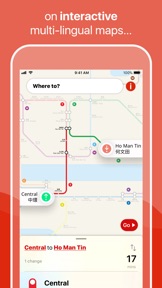
Pan and zoom your way across Hong Kong with ease. We’ll even show your route on the map… cool!
Plan journeys, sharpish.
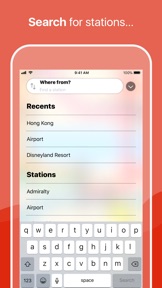
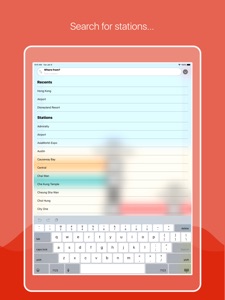
Search for stations and find your way using the world’s fastest route planner.
No internet? No problem.
Our always up-to-date maps even work offline.
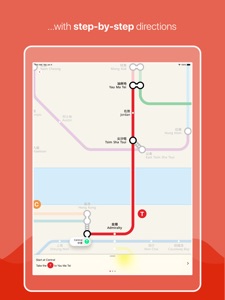
Every step of the way.
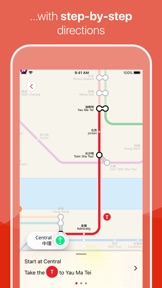
Our step-by-step guide means you’ll never get lost again. Just hit ‘Go’ and, well… go!
Multi-language support.
Spot what you’re looking for quicker with both English and Chinese station names right there on the map.
Hong Kong Metro VIP features:
An ad-free experience.
Proper VIP treatment, with no ads, ever.
Early access to new features.
Get ahead of the crowd. You’ll be the first to get our latest and greatest features.
Priority support.
Problem with the app? We’ll be there to help you out.
Hong Kong Metro VIP available as an in-app subscription:
HK$ 8.00 monthly
HK$ 18.00 quarterly
HK$ 43.00 annually
We’re the world's number one for public transport apps, check out the Tube Map London, New York Subway Map and Paris Metro Map apps today.
Visit us over at Mapway.com to see all the cities we cover, get support, and more!
Prices may vary by location. Cancel at any time, for any reason. Payment will be charged to your iTunes Account at confirmation of purchase. Subscription automatically renews unless auto-renew is turned off at least 24-hours before the end of the current period. Your account will be charged for renewal within 24-hours prior to the end of the current period, at the cost of your chosen price tier. Any unused portion of a free trial period, if offered, will be forfeited when a subscription to that publication is purchased, where applicable. Subscriptions can be managed and auto-renewal may be turned off by going to Account Settings in your iTunes Account.
Read our terms in full at mapway.com/terms

What's New in Version 3.0.0

We've rebuilt the app from the ground up, and can’t wait to show you what we’ve been busy working on.
Have a play with our super maps, now featuring all the bells and whistles that will help you get where you're going faster and easier than before.
This update also features our magic over-the-air maps, which means you’ll have the most up-to-date map. Always.
What are you still reading this for? Go forth and explore!

Seller

Name

Mapway Limited

Information

Categories

Version

3.0.0

Size

44.3 MB

Game Center

No

VPP Device Licensing

Yes

Rating

Rated: 4+

Compatibility

iOS 11.0 or later

Devices

iPhone 5s, iPhone 6, iPhone 6 Plus, iPhone 6s, iPhone 6s Plus, iPhone SE, iPhone 7, iPhone 7 Plus, iPhone 8, iPhone 8 Plus, iPhone X, iPhone XR, iPhone XS, iPhone XS Max, iPhone 11, iPhone 11 Pro, iPhone 11 Pro Max, iPad (5th Generation) Wi-Fi, iPad (5th Generation) Wi-Fi + Cellular, iPad (6th generation) Wi-Fi, iPad (6th generation) Wi-Fi + Cellular, iPad Pro, iPad Pro (Cellular), iPad Pro (9.7-inch), iPad Pro (9.7-inch) (Cellular), iPad Pro 12.9-inch (2nd generation), iPad Pro 12.9-inch (2nd generation) Wi-Fi + Cellular, iPad Pro (10.5-inch), iPad Pro (10.5-inch) Wi-Fi + Cellular, iPad Pro (11-inch), iPad Pro (11-inch) Wi-Fi + Cellular, iPad Pro 12.9-inch (3rd generation), iPad Pro 12.9-inch (3rd generation) Wi-Fi + Cellular, iPad Air, iPad Air (Cellular), iPad Air 2, iPad Air 2 (Cellular), iPad Air (3rd generation), iPad Air (3rd generation) Wi-Fi + Cellular, iPad mini Retina, iPad mini Retina (Cellular), iPad mini 3, iPad mini 3 (Cellular), iPad mini 4, iPad mini 4 (Cellular), iPad mini (5th Generation), iPad mini (5th Generation) Wi-Fi + Cellular, iPad (7th generation) Wi-Fi + Cellular, iPod touch (6th Generation), iPod touch (7th generation)

Languages

English, Arabic, Chinese, Hindi, Spanish

App Store: Customer Ratings

Ratings & Reviews

5.0 of 5 (8 Ratings)

App Store: Customer Reviews

2018-09-10

Good map but not up to date

The map is good, clear and easy to navigate however isn’t up to date with the new south Hong Kong island line or the Kwun Tong line extension.
@Greencha2610
Version 2.0.0
2018-07-14

Nice functionality but missing South Island line - a big deal as it stops at Ocean Park.

Route planning is good but does not include all the new lines.
Jim.a.c.l.James
Version 2.0.0
2016-10-14

MTR map is very clear and easy to use

Very easy to use and see the connections
Some of the underground stations are huge and can be more than a kilometre from one end to other so be careful which exit you come out of as you might not be where you think
pacavanagh
Version 2.0.0