AboutTermsPrivacyContact
 
Updating
3D Emoji Characters Stickers for Chat Apps and Messengers

3D Emoji Characters Stickers for Chat Apps and Messengers

Released: 2013-09-11
© Sanzaru Studios Pty Ltd
3D Emoji Characters Stickers for Chat Apps and Messengers - QR Code
Version 1.7
4+
Download on the App Store
Version 1.7
4+
Download on the App Store
Released: 2013-09-11
© Sanzaru Studios Pty Ltd

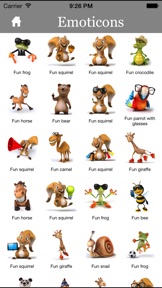
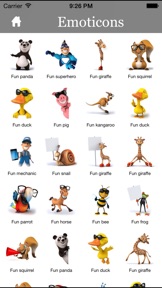
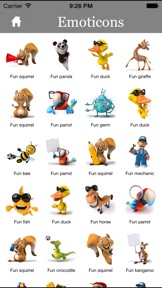
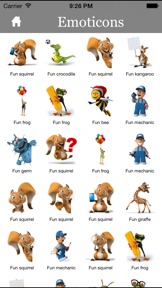
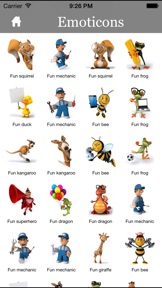
iPhone Screenshots

Screenshot
Screenshot
Screenshot
Screenshot
Screenshot

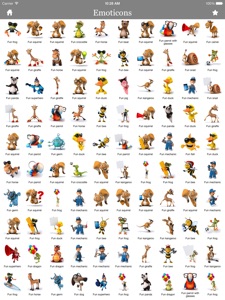
iPad Screenshots

Screenshot

Description

ON SALE 50% OFF ! DOWNLOAD NOW!
THIS PRICE FOR A VERY LIMITED TIME!
Tired of the conventional text messaging? This app will you give you access to over 5000+ emoticons that can be used on your iPod Touch, iPhone and iPad. It works with applications such as iSMS, E-Mail, Notes, Contacts, Web Browser, Calendar and any other text-input application.
We have made it better, wonder how?
1. We have re-designed the interface with a much cooler touch! You will love navigating through the app.
2. We made it compatible with iPhone 5.
3. We made it support iOS7 natively.
Most Useful Tool for Chat, Messages and Email users!, Animated Stickers for Messenger... We all love Messenger app to talk to our family and friends over the time... but we always want to have a fun conversation with Stickers...
Animated Stickers allows you to send true animated images to your friends, family and have fun time.
FEATURES :
-5000+ Stickers
-Send To iMessage
-Send To EMail
-Save Favorite images
--- More coming Soon .
-share with Twitter
-share with Facebook
-evernote
-snapchat
-pinterest
-line
======================================
User Guide:

1. Start up the app "3D Emoji Characters"

2. Choose one Sticker for the category you like
3. Go to your favorite Chat app and Paste the Sticker There.
4. Send , Done !

What's New in Version 1.7

Bug fixes

Seller

Name

6S Mobile Pty Ltd

URL

Information

Developer

Categories

Version

1.7

Size

87.2 MB

Game Center

No

VPP Device Licensing

Yes

Rating

Rated: 4+

Compatibility

iOS 6.0 or later

Devices

iPhone 4S, iPad (4th Generation) (4G), iPhone 11 Pro Max, iPad Air 2 (Cellular), iPad mini Retina (Cellular), iPad Pro (11-inch), iPad (5th Generation) Wi-Fi, iPad (6th generation) Wi-Fi, iPod touch (6th Generation), iPad Pro (11-inch) Wi-Fi + Cellular, iPad (6th generation) Wi-Fi + Cellular, iPad Pro 12.9-inch (3rd generation), iPad (5th Generation) Wi-Fi + Cellular, iPad mini (5th Generation) Wi-Fi + Cellular, iPad mini (5th Generation), iPad Pro, iPad mini 3, iPad mini 4 (Cellular), iPad mini 4, iPhone 11, iPod touch (7th generation), iPad mini 3 (Cellular), iPad Air, iPad Air 2, iPad Pro 12.9-inch (2nd generation), iPad Pro (Cellular), iPad Pro (9.7-inch) (Cellular), iPad Pro (10.5-inch) Wi-Fi + Cellular, iPad Pro (9.7-inch), iPad mini Retina, iPad Air (Cellular), iPad Air (3rd generation) Wi-Fi + Cellular, iPhone 6 Plus, iPad Air (3rd generation), iPad Pro (10.5-inch), iPad Pro 12.9-inch (2nd generation) Wi-Fi + Cellular, iPhone 6, iPhone XR, iPhone XS, iPhone 6s, iPhone SE, iPhone 7 Plus, iPhone 6s Plus, iPhone 5s, iPhone X, iPhone 8, iPhone XS Max, iPhone 8 Plus, iPhone 7, iPhone 5, iPad (7th generation) Wi-Fi, iPhone 5c, iPad (7th generation) Wi-Fi + Cellular, iPad Air3, iPad Air3Cellular, iPad Mini5, iPad Mini5Cellular, iPad (4th Generation) (Wi-Fi), iPhone 11 Pro, iPad Pro 12.9-inch (3rd generation) Wi-Fi + Cellular

Languages

English

App Store: Customer Ratings

Ratings & Reviews

1.0 of 5 (2 Ratings)

App Store: Customer Reviews

2015-07-02

Disappointing.

The animations do not work in what's app, only a still image which is a bit blurred.
There are lots of icons but no search facility, so takes ages to find image you want.
When images received by text, they don't quite fit, cuts top off - so have to click on it to see complete image. Would help to slightly minimise.
3) please add feature to create favourites.
Sugar Mice
Version 1.7