Updating


iPhone Screenshots

iPad Screenshots
Description
PDF Compressor makes it possible for anyone to reduce your PDF documents size, especially useful for those PDF files with many scan graphics and photos.
Portable Document Format (PDF) files are the open, standard way to deliver documents electronically. Supported by virtually any platform—Windows, Mac OS, Linux—converted PDF documents, graphics, charts, and forms look exactly as they would if they were printed. At times, it is necessary to compress these files to be able to send them as email attachments or upload them to websites. There are many options for compressing PDF files
> Be Smart for Mobile Phones - Compress that PDF!
With more website visitors using mobile devices, why treat them like second class citizens by including large PDF's on your website, email or app? Use PDF Compressor to shrink the files and make them more friendly for mobile users.
> Emailing PDFs?
Why clog up the inbox of your friends and co-workers? Compress the PDF file before you email it, that way they'll not only get there faster but be quicker to open. Don't forget major mail providers have a file size limit of around 20MB, so compressing PDFs also means that attachments are more likely to arrive.
> Perfect quality!
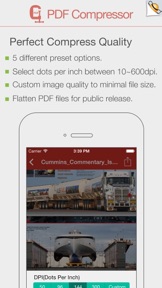
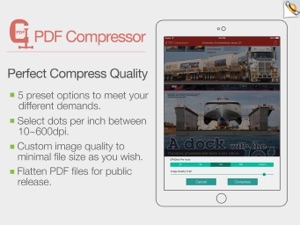
Reduce your scanned PDF files to 144dpi which is perfect for uploading files to the web and through email on mobile phones.
> Balance between image quality and storage size
PDF Compressor reduces file size by compressing the images within PDF document. It uses JPEG, which is a commonly used method of lossy compression for image. So you can get high quality but small PDF file after compression. For some PDF files, file size can be reduced by 90%.
Key Features:
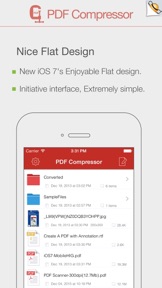
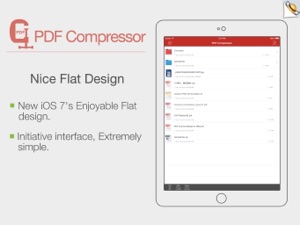
• Really attractive, super easy to use interface.
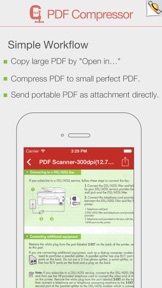
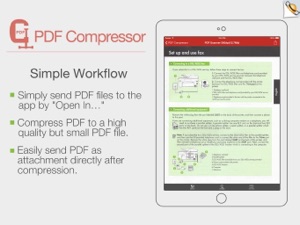
• Import PDF from Mail, Safari, PDF Reader, GoodReader, Dropbox and other apps.
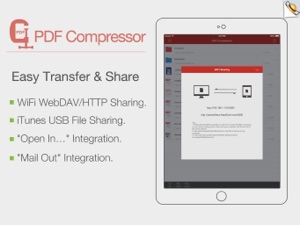
• Mail out documents as email attachments or Send files to other apps("Open In.." integration).
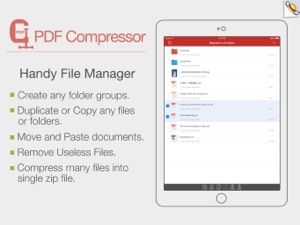
• Share and Compress files to .zip file.
• File manager, rename, copy, move, delete and compress.
• Paste file(s) from clipboard (Add files from other app).
• Copy file to clipboard (Used for mail or other app).
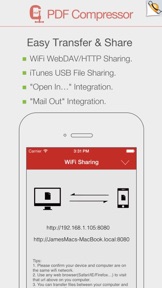
• Wifi file transfer (Use Web Browser or WebDAV clients to Upload or Download files).
• USB file transfer (iTunes USB file sharing).
• Print PDF or Word to AirPrint-enable printers.
Support both iPhone and iPad!
PDF Compressor compresses your PDF files on your iPhone and iPad to a perfect size that is still good quality, You can send smaller and faster emails, save your storage space, decrease file upload or download times after reducing file size of PDF documents.
Several sample files have been included, you can test it right now!
We are continuously developing PDF to Word, so please feel free to contact us with your questions, suggestions or any problems, and we will reply ASAP.
What's New in Version 2.2
> General performance and stability improvements for iOS 10.
> Numerous bug fixes and improvements.
Thank you for using our app! If you feel generous or have a couple of minutes, please leave a review. It makes a huge difference to us. Thank you in advance!
Seller
Name
xu jianwei
Information
Developer
Categories
Version
2.2
Size
9.7 MB
Game Center
No
VPP Device Licensing
Yes
Rating
Rated: 4+
Compatibility
iOS 8.0 or later
Devices
iPhone 11 Pro Max, iPad Air 2 (Cellular), iPad mini Retina (Cellular), iPad Pro (11-inch), iPad (5th Generation) Wi-Fi, iPad (6th generation) Wi-Fi, iPod touch (6th Generation), iPad Pro (11-inch) Wi-Fi + Cellular, iPad (6th generation) Wi-Fi + Cellular, iPad Pro 12.9-inch (3rd generation), iPad (5th Generation) Wi-Fi + Cellular, iPad mini (5th Generation) Wi-Fi + Cellular, iPad mini (5th Generation), iPad Pro, iPad mini 3, iPad mini 4 (Cellular), iPad mini 4, iPhone 11, iPod touch (7th generation), iPad mini 3 (Cellular), iPad Air, iPad Air 2, iPad Pro 12.9-inch (2nd generation), iPad Pro (Cellular), iPad Pro (9.7-inch) (Cellular), iPad Pro (10.5-inch) Wi-Fi + Cellular, iPad Pro (9.7-inch), iPad mini Retina, iPad Air (Cellular), iPad Air (3rd generation) Wi-Fi + Cellular, iPhone 6 Plus, iPad Air (3rd generation), iPad Pro (10.5-inch), iPad Pro 12.9-inch (2nd generation) Wi-Fi + Cellular, iPhone 6, iPhone XR, iPhone XS, iPhone 6s, iPhone SE, iPhone 7 Plus, iPhone 6s Plus, iPhone 5s, iPhone X, iPhone 8, iPhone XS Max, iPhone 8 Plus, iPhone 7, iPhone 5, iPad (7th generation) Wi-Fi, iPhone 5c, iPad (7th generation) Wi-Fi + Cellular, iPad Air3, iPad Air3Cellular, iPad Mini5, iPad Mini5Cellular, iPhone 11 Pro, iPad Pro 12.9-inch (3rd generation) Wi-Fi + Cellular, Watch4
Languages
English
App Store: Customer Ratings
Ratings & Reviews
1.0 of 5 (1 Rating)
App Store: Customer Reviews
No Entry