Description
Download now the No. 1 Parking Finder App in the iOS App Store.
Have you often forgotten where you left your car?
Or received an unnecessary parking fine?
Then "Find My Car" is the perfect app for you!
As with "Find My Car" you will relocate your car without any stress or you will be reminded of when your parking ticket runs out, for example.
App overview:
-Save parking position by means of GPS
-Make additional corrections via Drag&Drop
-Share parking position with other Find My Car users
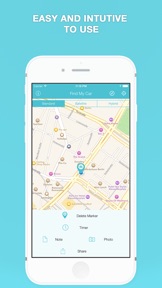
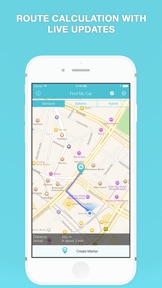
-Calculate and display route between your current position and parking position (optional: Maps, Google Maps, Navigon)
-Compass Feature
-Save photo
-Possibility to set a timer for an elapsing parking ticket
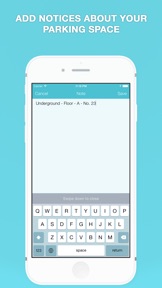
-Add memos to be able to assure parking level including parking position or other parking information in a multistory car-park.
Special features:
Share functionality
If you share your car with other people and you would like to inform your partner or passenger of the whereabouts of your car you can do this very easily with the Share function directly from the app.
Alert for elapsing timers
If you have set a timer, the app reminds you after expiry via Push notification that your parking ticket/timer has run out. This even works when the app is closed.
Save photo
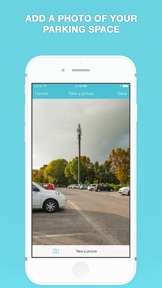
You can take a picture of your parking position and save it. This way you can find your car even more easily.
Advanced route guides
If you would like to have a route calculated to your car you will be constantly updated in real-time on the distance and the approximate arrival time.
Compass Feature
With the help of the compass function, you can find your car quickly and easily. The map will directly show you what direction you are looking in.
Spot-Me feature
By clicking on the Spot-Me button you never lose track on the map and you will always know exactly where you are.
Offline function
When you have set your parking position once, it is saved on the device and you can then completely close the app. Upon reopening the app, the saved parking position will be displayed again.
For suggestions for improvement, general suggestions and occurring errors please send us an email. The address you will find in the app. Thank you!
What's New in Version 2.6
Please also consider rating the app in the App Store if you like "Find My Car!" You can rate "Find My Car" every time there is a new update. This helps us a lot!
2.6 changes:
- Delete all markers option before creating a new one
2.5.5 changes:
- Fix Apple Watch crash
2.5.2 changes:
- Fix white screen bug after first start up
- Fix language problems
2.5 changes:
-option to calculate a route automatically to the last marker you created as soon as you open it after 5 minutes
-option to delete all markers with one click
Do you always want to be at the latest state of development? Then become a beta tester. Simply send us an email at mail@appcelerate.de and we will invite you to be a part of our beta program. You will be a part of the team and help us to continue to improve the app.