AboutTermsPrivacyContact
 
Updating
CAD Architecture Plan: ArcSite

CAD Architecture Plan: ArcSite

Released: 2015-05-07
© 2019 Arctuition LLC.
CAD Architecture Plan: ArcSite - QR Code
Version 4.7.0
4+
Download on the App Store
Version 4.7.0
4+
Download on the App Store
Released: 2015-05-07
© 2019 Arctuition LLC.

iPhone Screenshots

Screenshot
Screenshot
Screenshot
Screenshot
Screenshot
Screenshot
Screenshot

iPad Screenshots

Screenshot
Screenshot
Screenshot
Screenshot
Screenshot
Screenshot
Screenshot

Description

ArcSite is a powerful CAD solution for designers, contractors, and professionals that need to draw quick drafts, sketches, markup blueprints, manage photos, create forms and reusable shapes and build BOM (bills of materials). ArcSite uses the cloud to secure information and is compatible with desktop CAD software such as AutoCAD & Revit.
The ultimate CAD drawing app! Try it for free, DOWNLOAD ArcSite NOW!
FEATURES:
* Scaled drawings can be exported to PDF/DXF/DWG
* over 1,500 predefined Shapes (and growing)
* Create your own custom shapes
* Import and edit PDFs
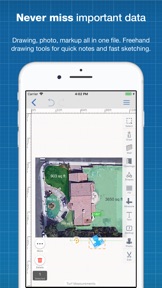
* Embed photos within your drawing space
* Upload to the cloud. Share and co-edit with your coworkers
* Takeoff (quantities of materials)
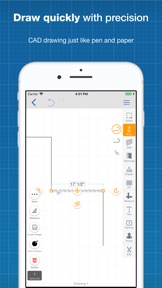
Draw quickly, keep everything in scale, never miss important data, never forget your ideas, DOWNLOAD ArcSite NOW!
Free 21 day trial with no obligation (no credit card required).
To continue using ArcSite after your trial period, you need purchase a subscription plan. ArcSite provides different subscription plans and you may choose the one that best fits your needs.
- ArcSite Basic. (auto-renewed monthly)
- ArcSite Basic. (auto-renewed yearly)
- ArcSite Professional. (auto-renewed monthly)
- ArcSite Premium. (auto-renewed monthly)
You may find detail information on what features are available for each tier in the app.
Information about the auto-renewable nature of the subscription:
• Payment will be charged to iTunes Account at confirmation of purchase
• Subscription automatically renews unless auto-renew is turned off at least 24-hours before the end of the current period
• Account will be charged for renewal within 24-hours prior to the end of the current period, and identify the cost of the renewal
• Subscriptions may be managed by the user and auto-renewal may be turned off by going to the user's Account Settings after purchase
• Any unused portion of a free trial period will be forfeited when the user purchases a subscription.
Links to the privacy policy:
https://www.iubenda.com/privacy-policy/184541
Links to the Terms of Services:
http://www.arcsiteapp.com/terms

What's New in Version 4.7.0

- iOS 13 support
- New estimation feature. Generate customer price proposals directly from the app
- Advanced price calculations are now available
- Redesigned Takeoff user interface
- Usability improvements and bug fixes

Seller

Name

Arctuition LLC

Information

Categories

Version

4.7.0

Size

194.3 MB

Game Center

No

VPP Device Licensing

Yes

Rating

Rated: 4+

Compatibility

iOS 8.0 or later

Devices

iPhone 4S, iPhone 5, iPhone 5c, iPhone 5s, iPhone 6, iPhone 6 Plus, iPhone 6s, iPhone 6s Plus, iPhone SE, iPhone 7, iPhone 7 Plus, iPhone 8, iPhone 8 Plus, iPhone X, iPhone XR, iPhone XS, iPhone XS Max, iPhone 11, iPhone 11 Pro, iPhone 11 Pro Max, iPad 2 (Wi-Fi), iPad 2 (3G), iPad (3rd Generation) (Wi-Fi), iPad (3rd Generation) (4G), iPad (4th Generation) (Wi-Fi), iPad (4th Generation) (4G), iPad (5th Generation) Wi-Fi, iPad (5th Generation) Wi-Fi + Cellular, iPad (6th generation) Wi-Fi, iPad (6th generation) Wi-Fi + Cellular, iPad Pro, iPad Pro (Cellular), iPad Pro (9.7-inch), iPad Pro (9.7-inch) (Cellular), iPad Pro 12.9-inch (2nd generation), iPad Pro 12.9-inch (2nd generation) Wi-Fi + Cellular, iPad Pro (10.5-inch), iPad Pro (10.5-inch) Wi-Fi + Cellular, iPad Pro (11-inch), iPad Pro (11-inch) Wi-Fi + Cellular, iPad Pro 12.9-inch (3rd generation), iPad Pro 12.9-inch (3rd generation) Wi-Fi + Cellular, iPad Air, iPad Air (Cellular), iPad Air 2, iPad Air 2 (Cellular), iPad Air (3rd generation), iPad Air (3rd generation) Wi-Fi + Cellular, iPad mini (Wi-Fi), iPad mini (4G), iPad mini Retina, iPad mini Retina (Cellular), iPad mini 3, iPad mini 3 (Cellular), iPad mini 4, iPad mini 4 (Cellular), iPad mini (5th Generation), iPad mini (5th Generation) Wi-Fi + Cellular, iPad (7th generation) Wi-Fi + Cellular, iPod touch (5th generation), iPod touch (6th Generation), iPod touch (7th generation), Apple Watch Series 4, Apple Watch Series 5

Languages

English, Chinese

App Store: Customer Ratings

Ratings & Reviews

5.0 of 5 (1 Rating)

App Store: Customer Reviews

2019-06-09

Awful to use

Very unfriendly, awkward to use.
Uninstalled without actually managing to create anything useful.
A diff user
Version 4.2.0
2019-03-26

NOT free but excellent app

This is by far the easiest to use app of its kind however I can’t personally quantify paying the post-trial subscription as a student and freelancer
Capvause
Version 3.30.0
2018-06-29

DO A 1 OFF PAYMENT - £30 A MONTH - YEAH RIGHT

BE FAIR - NO HINT OF EXTORTIONATE PRICE TO PAY AFTER FREE TRIAL, THEN BAM!
West1978
Version 3.21.12
2018-01-04

Not free at all!

I downloaded this app but couldn’t use it until I’d created an account to then enable me to use the free “trial”. I didn’t see any reference to free trial in the AppStore and therefore take issue when finding out after that fact. Also why should I have to create yet another account? Why doesn’t the service utilise my Apple ID or use SSO with Facebook or Google for example.
Mindenman32
Version 3.19.7
2017-12-25

Pro Tool

Just downloaded, so still finding my way. It will be useful for planning a forthcoming DIY project, but I'm not so sure I will be using it enough to justify the monthly subs after that. Still, a very professional looking app with lots of great features.
hoverjumper
Version 3.19.6
2017-07-28

Great app, crippled by subscription pricing

I understand ArcSite are maybe working on a more basic app for home use, but as it stands it's far too expensive for anyone that's not expensing the cost..
TiffTiffTiff1212121212
Version 3.18.3
2017-06-04

Easy as pie

This drawing package app for iPad is easily mastered in a couple of hours of playing around, does most of the basic auto cad moves without spending a fortune .
David birchall
Version 3.18.1
2017-05-21

Brilliant tool

Having used this for my business for last two years and had 2 phone calls from developer asking for my views and suggestions for future updates I can honestly say it is a brilliant tool for both amateur and professional use.
Groundlight
Version 3.18.0
2017-04-07

Fiddly at first

I think the app has a great future, line drawing is good but connecting up uneven shapes is difficult due to the UI being dumbed down- it is always a balancing act. Support is enthusiastic- looking forward to mastering this app before committing to $30/month
Roddyb
Version 3.16.6
2017-03-28

ArcSite

Have just got this app so far so good it does everything I need big help when you don't get all measurements on PDF drawings top app!!!
No 1chippy
Version 3.16.4
2017-03-07

This has really helped with my work, superb app!

Amazing
Newdog 1975
Version 3.16.2
2017-01-23

Not happy

Paid to go pro so I thought it would un lock all the features.....WRONG . They want you to pay even more for that.. want my money back and want a app that doesn't rip the granny out of you and lets you actually do some work with. DO NOT WASTE YOUR MONEY
Dom-37
Version 3.15.4
2016-12-01

Great App but £300 a year subscription!!

I love this app but will just continue to use pen and paper until the subscription is lowered! £300 a year is ridiculous ! I would happily pay £100 as a one off cost but I refuse to pay that much!
fluegell linder
Version 3.14.4
2016-11-28

Too expensive

If not for the monthly subscription this would be by far the best and easiest drawing app I have found. But not at the $35 per month. A one off payment would be better. But in line with other apps.
Pawkag21
Version 3.14.3
2016-11-12

26 quid A MONTH to do anything at all.

Wasted time as Downloaded and watched tutorial before realising you can do NOTHING without 300quid a year subscription. Make sure you realise it's brutally expensive before wasting any time on it.
SJ Hill
Version 3.14.3
2016-10-30

Mr

Easy to use. Very clever app
Stevem642
Version 3.14.2
2016-09-04

Cost

Yep been through all the cad app's and this one is cad and not sad:) love it. The only down side is the cost. Wish they did a one off payment
Qqqqjjjjvvvv
Version 3.11.0
2016-08-25

Best drawing app ever for iOS

Loved this app for so long but wish it would stay open for free users or make it a one off payment for low users. If you have a need for this app within your business then don't look any further as you won't find better, I know I've looked.
Deecjay65
Version 3.11.0
2016-08-16

Best drawing app at July 2016

Very much like Visio, most recommended. Drawings can be shared by email as pdf files then kept in iBooks. There is much room for advancement, would gladly support this. However the trend to subscriptions could kill this wonderful app.
Again very useful for the home user but not worth more than a fiver outright for the basic version.
kings2008
Version 3.11.0
2016-08-08

Perfect for 2D furniture design or project build

Been looking for a REALLY easy design app but didn't want to pay anything yet as it's just a hobby, I've tried a lot of the free or cheap ones and not liked any, used this for 5 min and already I give it 5 stars.
Ghnfjssgh
Version 3.10.1
2016-07-11

Excellent tech drawing app

Easy to use app for producing technical drawings. Very impressed.
RIF1969
Version 3.9.0
2016-07-09

Superb

Zero experience with CAD. Was up & running from the start. Brilliantly designed to be easy to use.
PigeonCake
Version 3.9.0
2016-06-14

Fantastic app with first-class support!

After weeks of researching and trying similar apps, I stumbled across this gem, and was blown away by its simplicity and functionality. I can honestly say this app has improved my workflow and productivity by 50%!
I'm not a designer/architect, but I needed an app that allowed me to design fitness club layouts using custom shapes/objects quickly. Not only does the app tick this box, but it also allows me to export in several formats, including DXF - which is useful when working with designers/architects.
There are a number of useful tools that will speed up your workflow, and do not get in the way of your working screen. If you work from an iPad Pro, then you will appreciate how important this is. Integration with Apple Pencil is perfect, and the app is extremely stable. Could sync is also quick and pain free.
Finally, the support is first-class, and the developers always reply within 24 hrs. On the only occasion I had a minor problem, they released a hot fix within a day. The development team are always listening to feedback, and they deserve all the credit in making this a great app. For me personally, I'm not sure how much better it can get!
Keshfantastic
Version 3.8.0
2016-06-06

Wow

Such a great app, making my life nice and easy. Easy to get the basics going.
Bigsweeeed
Version 3.8.0
2016-05-16

Loving it ..

Very useful App for tech drawing on the go .. Good work
Johnny Sparky
Version 3.7.0
2016-04-16

Excellent!

I started to use this app to manage site developments for my primary school - but it has also proved a very useful tool to plan fire escape routes and produce plans for classrooms... I'm now using it to plan my loft conversion at home! Excellent!
srgdavis
Version 3.5.0
2016-03-14

Excellent Software

Extremely easy to use, I was up and designing in no time. I am not an architect, but a plastic surgeon and am able to make quite a detailed outline of my day care centre!! I have been using sketchpad for some years, but this is way easier & no crashes yet!! 👍👍❤️
ShahabG
Version 3.4.0
2016-03-14

Good Engineering Tool

I use this for marking up PDFs on surveys and drawings schematics. Great App
chrisbirch2000
Version 3.4.0
2016-02-28

Great app, joke price

Well thought out, elegant and easy to use.
But. To use the app properly they want $40 A MONTH!!! Greedy and disproportionate.
Autocad 360 is £3 per month... Just saying...
Alwaysstella
Version 3.2.0
2016-02-21

Perfect

I find many of these apps very complicated to use. This is the exception that I've found so far. Very user-friendly, simple to navigate and is exactly what I need
Alison Tink
Version 3.3.1
2016-02-07

Excellent App

Have used this for some basic designs and found it to be easy to use and very functional. I am also loving the ability to make sketches at the work site using field measurements.
Great App.
Chers
Stevie buchan
Version 3.2.0
2015-12-27

Brilliant

Outstanding!!! Easy to use, precise, intuitive...
Tawi Saran
Version 2.7.1
2015-09-02

Mr

This app is superb for both a quick semi accurate sketch and a detailed more accurate sketch. Highly recommend it!
JMorhaim
Version 2.1.0
2015-08-06

Outstanding

I'm a UK carpenter and joiner had the App about a week now. Pen and paper are doomed,this is a very easy to use App. Get a fine point iPad pen and you will find it better than pen and paper, photos and measurements in one place at all times and with you.
Abc9w
Version 1.4.8
2015-07-30

Just what I Needed

This APP is so useful for projects. I still need practise but it's great
Rackethead
Version 1.4.8